Comparison Guide · Updated June 2026

7 Best Appy Pie Alternatives
in 2026 (Ranked & Compared)

Appy Pie's rigid templates, iOS paywall, and vendor lock-in frustrate thousands of store owners every year. This guide compares 7 genuine alternatives — including the only fully managed option on the market — so you can make an informed switch.

$16–$60
Appy Pie Monthly
per app, billed monthly
0%
Code Export
full vendor lock-in
One-Time
AppOfWeb Build Fee
no recurring builder fees
0 Hours
Your Time Required
team handles everything

Why People Look for Appy Pie Alternatives

Appy Pie is a popular starting point for beginners — but as highlighted in user reviews on Capterra and G2, the platform's ceilings appear fast. Here are the most common frustrations driving users to look elsewhere.

🎨

Rigid Design Templates

You're boxed into preset layouts. Matching your brand identity is close to impossible — what you see is what you get.

🔒

No Source Code Export

Your app is permanently locked to Appy Pie. If pricing changes or the service shuts down, you have zero escape route.

🍎

iOS Requires $60/mo Plan

Basic plans are Android only. To publish on the App Store you're forced into the Platinum tier at $60 per month per app.

⬇️

Download Limits Apply

Even on paid plans you face caps: 500/mo on Basic, 1,000 on Gold. Exceeding them means overage fees on top of your subscription.

🔌

Weak API Integrations

Complex data structures, nested arrays, and dynamic interfaces are difficult or impossible to implement with Appy Pie's basic tooling.

⚠️

Reliability Issues Reported

Multiple G2 reviewers report app features breaking unexpectedly and Google Sheets integrations disconnecting and requiring manual reconnection.

Appy Pie Pricing (2026)

Here's what Appy Pie charges — before you factor in your own time building and maintaining the app:

Plan Monthly Cost iOS Publishing Downloads/mo Code Export
Basic $16/mo Android Only 500 None
Gold $36/mo Android Only 1,000 None
Platinum $60/mo iOS + Android 2,000 None
Enterprise Custom iOS + Android Custom Partial

Source: Appy Pie official pricing page. Verify current rates before purchasing.

📌 These are per-app monthly fees with no code ownership. You're renting an app indefinitely — not building an asset you own.
⚡ Recommended Alternative

AppOfWeb: The Only Fully Managed Option

Every other platform on this list still makes you do the work — learn the tool, drag components, fix bugs, handle publishing. AppOfWeb is categorically different. You share your store URL and basic details. The AppOfWeb team takes it from there — design, development, testing, App Store and Play Store submission, everything. No learning curve. No wasted weekends. Just a finished app.

🔗

Just Share Your URL

Send your store link and a few basic details. That's your entire involvement to get started.

👷

Team Does Everything

A real team handles design, development, QA, and both iOS & Android publishing for you.

💰

One-Time Build Fee

Pay once to build your app. Ongoing support costs just a few dollars per month — far less than Appy Pie's monthly subscription.

⏱️

Zero Hours of Your Time

No tool to learn. No templates to struggle with. No trial and error. Your time stays on your business.

How AppOfWeb Works

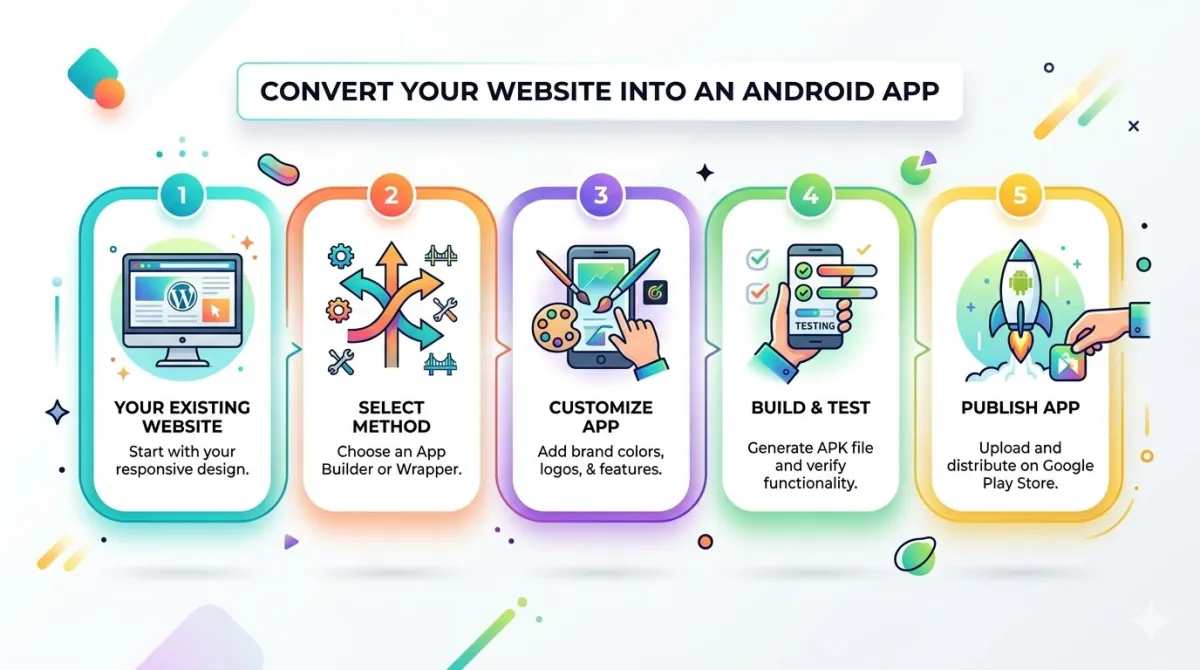
Getting your mobile app is a three-step process. You do step one. The team handles the rest.

Step 1 🔗

Share Your Store URL

Submit your e-commerce store link along with a few basic details about your brand and preferences.

Step 2 🛠️

Team Builds Your App

The AppOfWeb team designs and develops your custom iOS & Android app — no templates, built around your store.

Step 3 🚀

App Goes Live

Your app is submitted to the App Store and Google Play. Ongoing support and updates handled for you.

Appy Pie vs Alternatives: Side by Side

Based on 2026 pricing and features. Scroll right on mobile to see all columns.

Platform Model Starting Price iOS Publishing DIY Effort Code Ownership Best For
Appy Pie DIY Builder $16–$60/mo ⚠ $60/mo plans only High ✕ None Simple DIY apps
FlutterFlow Visual Builder $30/mo ✓ All plans High ✓ Flutter/Dart Developers, tech teams
Adalo DIY Builder $45/mo ✓ All plans Medium ✕ None Beginner MVPs
Glide DIY Builder $25/mo ⚠ PWA only Medium ✕ None Spreadsheet-based apps
Thunkable DIY Builder $25/mo ✓ All plans Medium ✕ None Education, learning
Bubble Web Builder $32/mo ⚠ No native app Very High ✕ None Web/SaaS apps only

Pricing as of June 2026. Always verify current rates on each platform's website before deciding.

Top 6 Appy Pie Alternatives in Detail

2

FlutterFlow

Visual Builder
$30/mo
per project

Built on Google's Flutter framework, FlutterFlow is a powerful visual builder ideal for development teams. It offers full source code export in Flutter/Dart — a significant advantage over Appy Pie's zero export policy. However, getting real value from FlutterFlow requires technical knowledge of Flutter, and the learning curve is steep for non-developers.

Advantages over Appy Pie

  • Full code export (Flutter/Dart)
  • Native performance on both platforms
  • Advanced animations and custom logic
  • Team collaboration features

Limitations

  • Steep learning curve for non-devs
  • Requires Flutter knowledge to extend
  • Monthly cost adds up ongoing
  • You still do all the work
3

Adalo

DIY Builder
$45/mo
per app

Adalo offers a more intuitive drag-and-drop experience than Appy Pie, with a built-in database that makes it good for rapid MVPs. iOS publishing is available on all paid plans — unlike Appy Pie. However, it shares Appy Pie's core problem of no code export, and it's significantly more expensive at $45/month.

Advantages over Appy Pie

  • More intuitive interface
  • Built-in database included
  • iOS on all paid plans
  • 5,500+ Zapier integrations

Limitations

  • No code export (same as Appy Pie)
  • Performance issues at scale
  • More expensive than Appy Pie
  • Still fully DIY — you do all the work
4

Glide

Spreadsheet Apps
$25/mo
per project

Glide converts spreadsheets (Google Sheets, Airtable, Excel) into web apps with ease. It's ideal for internal tools, directories, and simple data-driven apps. However, Glide produces PWAs only — not native iOS or Android apps — which is a major limitation for e-commerce store owners who need a proper App Store presence.

Advantages over Appy Pie

  • Spreadsheet-to-app in minutes
  • Built-in AI features
  • Competitive starting price
  • Good for data-heavy apps

Limitations

  • PWA only — not native mobile
  • No App Store or Play Store listing
  • No code export
  • Limited for complex e-commerce flows
5

Thunkable

Education Focus
$25/mo
per project

Thunkable uses visual block-based programming (similar to Scratch) to build cross-platform apps. It's a solid choice for learning app development concepts, and iOS publishing is included on all plans. However, it is not suitable for production-grade e-commerce apps, and its block-based logic becomes unmanageable at scale.

Advantages over Appy Pie

  • iOS on all paid plans
  • Visual block-based logic
  • Good learning tool
  • AI assistant built in

Limitations

  • Not suitable for production apps
  • Block logic gets complex fast
  • No code export
  • Limited e-commerce capability
6

Bubble

Web Apps Only
$32/mo
per project

Bubble is the most powerful no-code tool available for complex web applications — marketplaces, SaaS tools, booking platforms. It does not build native mobile apps (iOS/Android), only PWAs. It also has the steepest learning curve on this list. Excellent for complex web projects, but not the right tool for store owners who need an app in the App Store.

Advantages over Appy Pie

  • 3,000+ plugins available
  • Powerful workflow engine
  • JavaScript customization
  • Version control built in

Limitations

  • Web only — no native mobile
  • No App Store or Play Store
  • Very steep learning curve
  • Monthly subscription ongoing

Pricing Compared: What You Actually Pay

Monthly subscriptions compound. Here's how the real costs compare when you factor in what you get — and what you lose — with each platform:

AppOfWeb
Fully Managed Service
One-Time
build fee + few $/mo ongoing
  • See exact pricing at appofweb.com
  • Ongoing support just a few $/month
  • iOS & Android publishing included
  • No recurring builder subscription
  • Real team does the work for you
Appy Pie
DIY Builder
$60/mo
to unlock iOS publishing
  • $720/year minimum for iOS
  • No code ownership — ever
  • Download limits apply
  • You build everything yourself
  • Price rises as you scale
FlutterFlow
Visual Builder
$30+/mo
per project, billed monthly
  • $360+/year per app
  • Code export available
  • Requires technical knowledge
  • You build everything yourself
Adalo
DIY Builder
$45+/mo
per project, billed monthly
  • $540+/year per app
  • No code export
  • Performance limited at scale
  • You build everything yourself

When to Leave Appy Pie — and How

Since Appy Pie doesn't export code, switching always means rebuilding. Here are the clearest signals it's time, and the easiest path forward.

1

You need a real iOS presence

If you're paying $60/month just to appear in the App Store — or avoiding iOS altogether because of the cost — it's time. Better alternatives include iOS publishing at a fraction of the price, or at no extra charge.

2

You've hit the download limits

2,000 downloads per month on Appy Pie's top plan is a real ceiling for growing businesses. Hitting it means overage fees or a forced upgrade — neither is acceptable for a scaling store.

3

Your brand doesn't look like itself

If customers open your app and it doesn't feel like your store — wrong fonts, wrong colors, generic templates — you're losing trust. A custom-built app solves this completely.

4

You're experiencing reliability issues

Multiple Appy Pie users on G2 report app features breaking unexpectedly and Google Sheets integrations requiring manual reconnection after every change. For a live store, this is unacceptable.

5

You're spending hours you don't have

Every hour in a builder is an hour not running your business. If app maintenance is eating into your week, a managed service like AppOfWeb removes this from your plate entirely.

6

How to make the switch with AppOfWeb

Visit appofweb.com, share your store URL and basic brand details, and the team handles everything. There's no "migration" — it's a fresh, properly built app that reflects your brand from day one.

Frequently Asked Questions

Appy Pie has several significant limitations: rigid design templates with no real brand customisation, zero source code export (full vendor lock-in), iOS publishing gated behind the $60/month Platinum plan, download limits on all plans (500–2,000/month), weak API handling for complex integrations, and reported reliability issues including Google Sheets integrations disconnecting unexpectedly. Additionally, it's a fully DIY tool — you spend hours learning and building instead of running your business.
For e-commerce store owners, AppOfWeb is the clear recommendation. It's the only fully managed service — you share your store URL and the team builds and publishes your iOS and Android app for you. One-time pricing with minimal ongoing fees, no DIY effort, and a result that actually matches your brand.
AppOfWeb charges a one-time fee to build your app (see current pricing at appofweb.com), plus a small ongoing fee of just a few dollars per month for support and app store publishing. Compare this to Appy Pie's $60/month ($720/year) required for iOS access — with no code ownership and no asset at the end. AppOfWeb is more economical in the medium and long term, and you receive a professionally built custom app instead of a DIY template.
None at all. That's the entire point. You provide your store URL and some basic details about your brand. The AppOfWeb team handles all design, development, testing, and App Store / Google Play submission. No builder tools to learn, no templates to configure, no publishing steps to manage.
Appy Pie doesn't export code, so a direct migration isn't possible. However, that's actually an advantage when switching to AppOfWeb — you get a properly built, custom app from scratch that doesn't carry over the template constraints of your previous app. The AppOfWeb team builds around your store specifically, so the end result is significantly better than anything Appy Pie's builder could produce.
AppOfWeb publishes to both iOS (Apple App Store) and Android (Google Play Store). Both are included — you don't need to pay extra for iOS the way you do with Appy Pie's $60/month Platinum plan.
AppOfWeb provides ongoing support and app store publishing management. These ongoing charges amount to just a few dollars per month — well below what you'd spend on any DIY builder subscription, and without the DIY burden.

Related Guides

Ready for a Better Alternative to Appy Pie?

Share your store URL. The AppOfWeb team builds your iOS and Android app from scratch — no templates, no DIY hassle. One-time pricing, ongoing support for just a few dollars a month.

✓ Fully Managed ✓ iOS + Android ✓ One-Time Build Fee ✓ No DIY Required