Convert Your Drupal Website into an Android & iOS App — Without Rebuilding a Thing
Your Drupal Site Is Powerful. Your Mobile Presence Isn't.
At some point, someone in a leadership meeting is going to ask the question your team dreads: "So… when are we getting a company app?"
And your Drupal team will sit there, knowing full well that years of work have gone into building a content system that actually works — hundreds of nodes, custom content types, carefully structured views, a Drupal admin setup that keeps your editors sane. It's good. Really good.
But it lives in a browser tab, not on anyone's home screen.
This post is for digital managers and content teams who have a serious Drupal site and need to answer that question — without telling the board it'll cost six figures and take six months.
Why Drupal's Mobile Experience Falls Short (Even When Your Site Doesn't)
Drupal Is Built for Content Power, Not Mobile Speed
Drupal is genuinely excellent at managing large, complex content libraries. Hundreds of content types, thousands of nodes, layered taxonomies, multilingual setups — it handles all of it without breaking a sweat.
That same depth is exactly what makes the mobile browser experience heavy. Paragraph modules, custom field formatters, and complex Views displays were never designed to render in under two seconds on a 4G connection. They were designed to give editors control. Those are different goals.
"It Works on Mobile" and "It Performs on Mobile" Are Different Things
Your Drupal site probably passes a responsive design check. The layout adapts. Buttons are tappable. But that's not the same as performing well.
Every time someone opens your Drupal site on mobile, the browser has to parse the full page weight — header, footer, sidebars, contributed module assets, custom theme CSS, all of it. On every single page visit. Enterprise users on the go aren't patient. A spinning loader loses them fast.
USER RETENTION: MOBILE WEB VS NATIVE APP
========================================
100% |  *** (Initial Click)
     |    \
 80% |     \
     |      \    *** (Native App: Loads container instantly)
 60% |       \   ...
     |        \  ...
 40% |         \ ... (App Retains Users)
     |          \...
 20% |           \
     |            *** (Mobile Web: Drops due to heavy Drupal page loads)
  0% |___________________________________
     0s     2s     4s     6s     8s
        Time to First Meaningful Paint
A Responsive Site Is Not an App
Responsive design changes how content looks. It doesn't change how it's delivered.
Mobile browsers don't cache Drupal content the way a native app container does. And more importantly — people don't search for your Drupal site's URL on their phone. They look for an icon on their home screen. If there's no icon, a lot of users simply don't engage.
Why a Dedicated App Beats a Mobile Browser for Drupal Sites
Your Content Architecture Deserves a Better Container
If your organization has spent serious time building out content types, designing editorial workflows, and structuring Views displays so that content surfaces cleanly — that work deserves a front-end experience that matches it.
Right now, all that investment is sitting inside a browser tab. An app gives your content a home that feels as intentional as the system behind it.
App vs. Mobile Browser — What Enterprise Teams Actually Notice
Here's where it gets concrete. The difference between a mobile browser and a native app isn't just cosmetic:
| Feature | Mobile Browser | Native App |
|---|---|---|
| Home screen presence | No — users type a URL | Yes — one tap from the home screen |
| Page load performance | Full Drupal page weight on every visit | App container renders faster |
| Offline experience | Broken browser error page | Custom "no connection" screen |
| Push notifications | Not possible | Direct to users' lock screens |
| Stakeholder perception | "We have a website" | "We have an app in the App Store" |
That last row matters more than most digital teams expect. An app in the App Store and Google Play is a tangible deliverable. It shows up in quarterly reviews. It appears in RFP responses. It signals that your organization takes mobile seriously.
The Competitive Reality
Digital agencies frequently pitch custom native app builds to enterprise clients. Those builds are real, they're valuable, and they regularly cost five or six figures — sometimes more when Drupal API integration is involved.
Many organizations are being told they need to rearchitect their entire Drupal setup, expose content via JSON:API, and fund a full mobile development team just to have an app. That's not always true. And this post explains the alternative.
How AppOfWeb Converts Your Drupal Site Into a Native App
What AppOfWeb Actually Does
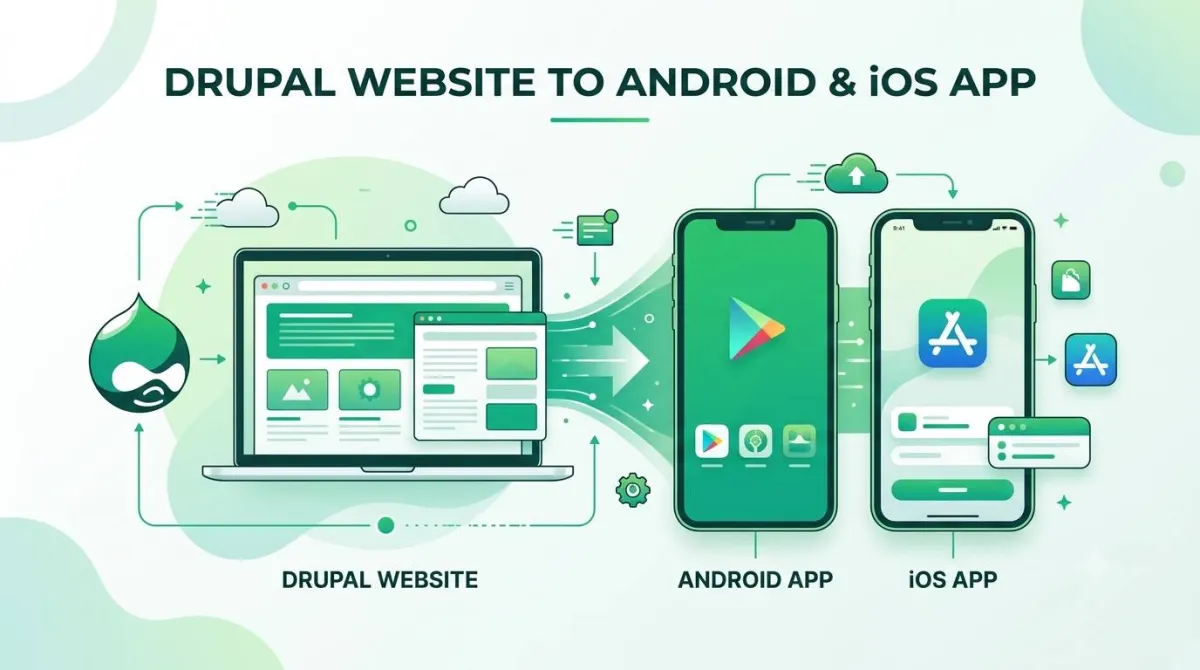
AppOfWeb is a fully managed service that wraps your existing Drupal site URL into a native Android and iOS app. No code written by your team. No content migration. No Drupal modules to install or configure.
You provide your Drupal site URL and your branding assets. AppOfWeb handles everything else — build, configuration, and store submission.
"Our Drupal Site Has Complex Custom Content Types — Will It Actually Work?"
This is the right question. And the answer is yes — because of how AppOfWeb works.
AppOfWeb operates at the URL level. It loads your live Drupal site inside a native app container. That means:
- Custom content types render exactly as they do in a browser
- Views displays — including complex exposed filters and contextual displays — load the same way
- Paragraphs-based layouts work because the app is loading your actual Drupal page, not a reimported version of it
- Drupal admin stays completely untouched — editors keep publishing nodes the way they always have
The app is a delivery mechanism, not a data layer. Your Drupal site's complexity isn't a blocker. It's just content that loads inside a different container.
Who Manages It?
AppOfWeb is a fully managed service. The team handles app configuration, store submission, updates, and revisions.
Your content team keeps working in Drupal admin exactly as before. Publish a node, update a view, change a content type display — the app reflects it automatically. There's no second pipeline to maintain and no separate CMS to feed.
AppOfWeb Features — What Your Drupal App Includes
Branding and Identity
App Icon and Splash Screen
Your app opens with your organization's branding — not a browser chrome or a generic placeholder. For enterprise teams presenting an app to board members or clients, this matters immediately.
Status Bar Customization
Match the status bar color to your corporate color palette or Drupal theme. A small detail, but it's the kind of polish that signals professionalism to stakeholders who are paying attention.
Page Loader
A branded loading indicator replaces the blank white screen while your Drupal content loads. On slower connections, this keeps the experience feeling intentional rather than broken.
Navigation and Usability
Customizable Bottom Tabs
Define up to five navigation tabs that map directly to your most important Drupal sections — news nodes, resources, events, contact, or any URL your site serves. This effectively replaces the reliance on your Drupal theme's navigation menu on a small screen, giving users a much cleaner path through your content.
Pull to Refresh
Users can pull down to reload the latest content from your Drupal site. Particularly useful for content-heavy organizations — news teams, associations, publishing groups — that push new nodes frequently throughout the day.
Pinch to Zoom
Supports pinch-to-zoom for content-rich Drupal pages that surface data tables, infographics, or detailed reference content in node displays.
Connectivity and Reliability
No Internet Screen
When connectivity drops, a custom offline screen appears instead of a browser error page. Your brand stays in control even in edge cases.
App Syncing With Your Live Drupal Site
The app always reflects your live Drupal site. Publish a new node in Drupal admin and it appears in the app the moment it goes live. There's no sync to trigger, no API to configure, no editorial duplication.
Growth and Engagement
Share App
Users can share the app directly from within it — useful for enterprise rollouts where adoption needs to spread across departments or partner organizations.
Rate App
Prompts users to leave a rating in the App Store or Google Play at the right moment. Store ratings build credibility and help with visibility over time.
Push Notifications (Addon)
Send notifications directly to users' lock screens when new content is published, events are scheduled, or announcements go out. Your Drupal content calendar becomes a broadcast channel — no additional module, no development work, no changes to your editorial workflow.
Note: push notifications with AppOfWeb are manually composed and sent from the dashboard. They aren't automatically triggered by Drupal publishing events. Think of them as a direct announcement channel rather than a content automation pipeline.
Publishing to App Stores (Addon)
AppOfWeb handles submission to Google Play and Apple App Store on your behalf — including all metadata, screenshots, and compliance requirements. Your team doesn't need an Apple Developer account or experience with Google Play Console to get your Drupal site live as an app.
Technical Control
Custom Package Name
Set a professional, organization-specific app package name (e.g., com.yourorganization.app) for both Android and iOS. This matters for enterprise IT departments managing device policies or Mobile Device Management (MDM) systems.
Unlimited Revisions
Request changes to branding, navigation tabs, or app configuration at any time — no per-revision fees. If your Drupal site rebrands or your content structure changes, your app configuration can follow.
From Drupal URL to Live App — The Step-by-Step Process
Getting your Drupal site into the app stores is more straightforward than most enterprise teams expect.
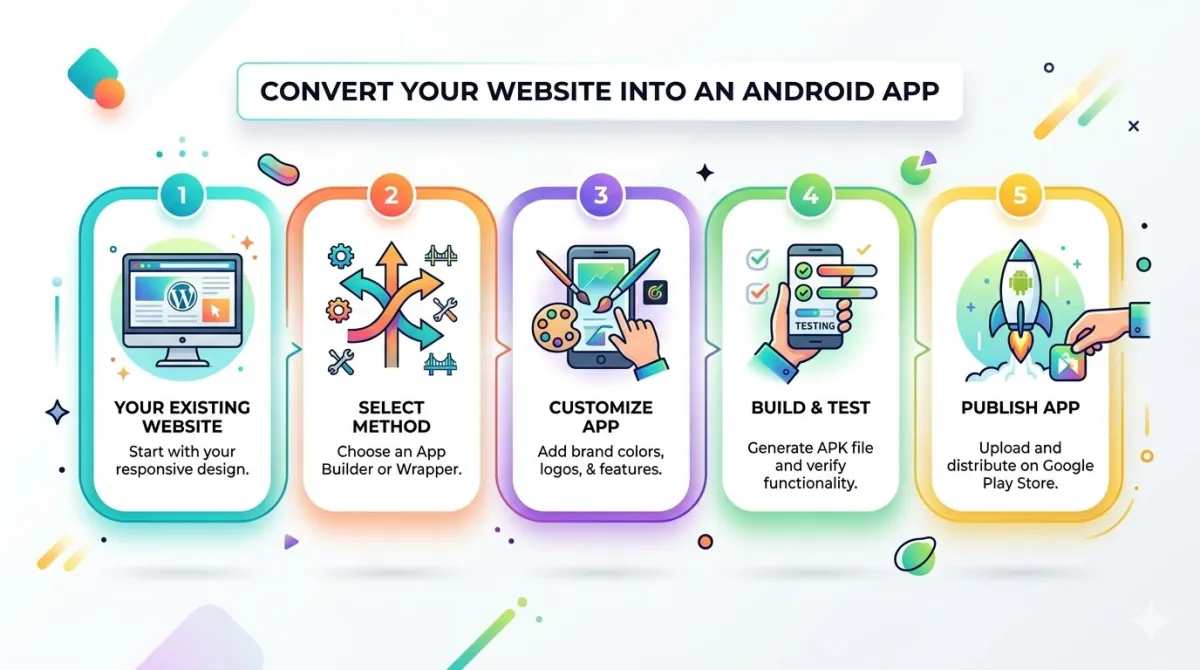
Step 1 — Submit your Drupal site URL
Visit appofweb.com and enter your Drupal site's URL. No login to Drupal admin is required. No FTP access. No module installation.
Step 2 — Configure your app branding
Provide your app name, icon, splash screen image, and preferred color scheme. Specify your bottom tab structure — which Drupal sections or node paths each tab should open.
Step 3 — AppOfWeb builds your app
The AppOfWeb team wraps your Drupal site into native Android and iOS containers. Your content types, views, and node pages all load exactly as they do on your live site.
Step 4 — Review and revise
You receive a preview build to test on real devices. Request any changes — navigation adjustments, branding tweaks, tab restructuring — at no extra cost.
Step 5 — Go live on Google Play and the App Store
AppOfWeb submits both apps to the stores on your behalf (with the Publishing Addon). Once approved, your organization has a native Android and iOS app live in both stores.
Real Objections from Drupal Teams — Answered Honestly
"We self-host Drupal on our own infrastructure — does AppOfWeb need server access?"
No server access required. AppOfWeb works from your public-facing Drupal URL. Your hosting environment, server configuration, and Drupal admin credentials stay entirely with your team. Nothing changes about how your site is hosted or managed.
"Our content team publishes dozens of nodes a week — will the app stay current?"
Yes. Because the app loads your live Drupal site, every published node appears in the app the moment it goes live. There's no separate CMS, no content sync to manage, no API endpoint to maintain. Your editorial workflow in Drupal admin continues exactly as it does today.
"We'd rather build a native app with a proper Drupal JSON:API integration"
That's a legitimate option. A custom native app with Drupal JSON:API or REST integration gives you maximum flexibility — offline content storage, complex interactive features, granular push notification logic. It also typically costs tens of thousands of dollars and months of development time before you see a single screen.
AppOfWeb isn't for every use case. But for organizations that need an app presence quickly and within budget, it removes the build cost entirely. You can always graduate to a custom build later. AppOfWeb gets you to the App Store now.
Custom Dev Team Cost
$58,000AppOfWeb Cost
FractionalFrequently Asked Questions — Drupal to App
/fr/, /de/) are accessible within the app. Language switching works the same way it does on your site.Is AppOfWeb Right for Your Drupal Organization?
It's the Right Fit If…
- You have an established Drupal site and need an app without a rebuild
- Your content team already works efficiently in Drupal admin and wants to keep it that way
- Stakeholders are asking for an app and the budget for a custom native build isn't there
- You want to be in the App Store and Google Play as quickly as possible
It May Not Be the Right Fit If…
- You need offline content storage — for example, downloadable content libraries that work without a connection
- You're building a deeply interactive experience beyond what a browser can provide (real-time data, complex forms, game logic)
- Your Drupal site requires authenticated sessions or SSO for all content — worth discussing with AppOfWeb directly before committing, but worth flagging upfront
Your Drupal Site Already Has Everything It Needs
If you've gotten this far, the takeaways are simple:
- Your Drupal content investment is the asset. An app doesn't replace it — it puts it on a channel your stakeholders are already expecting.
- Complexity isn't a blocker. AppOfWeb works at the URL level, which means your content types, views, and node architecture carry over without any migration, module work, or API configuration.
- You don't need a dev team to ship this. The service is fully managed. Your job is to provide your Drupal site URL and your branding assets.
The next step is straightforward. Visit appofweb.com to submit your Drupal site URL, review available plans and addons, and — if you have specific questions about how your Drupal setup will behave in the app — reach out to the AppOfWeb team before committing. They're used to the "but our Drupal site is complicated" conversation.