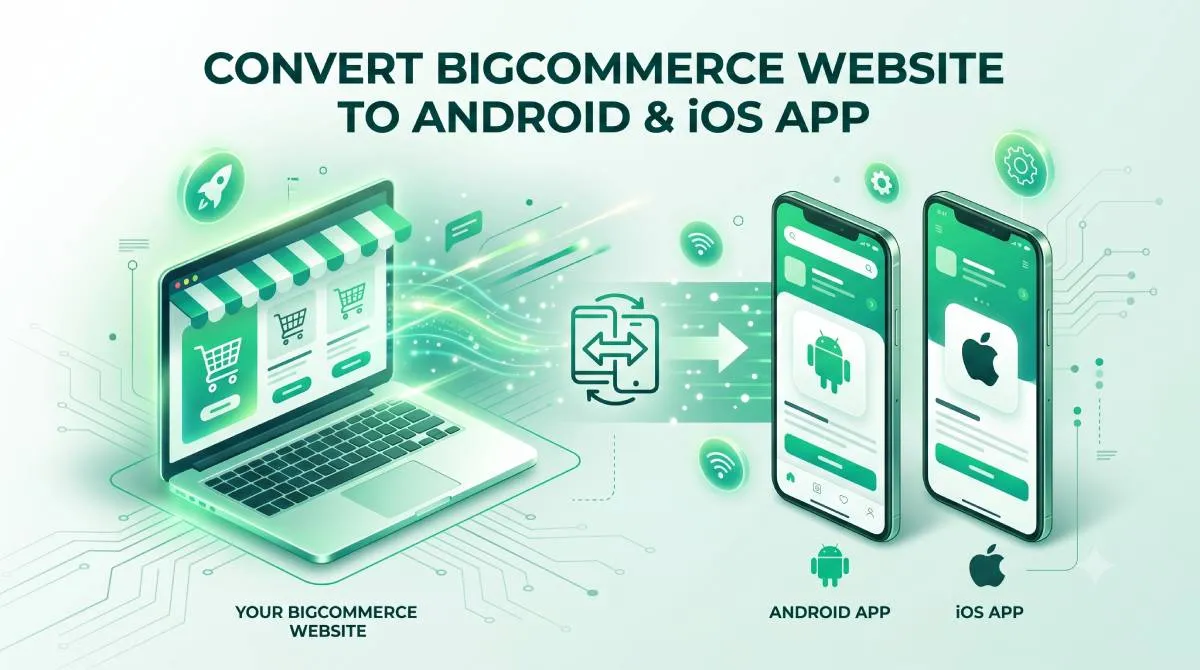
Convert Your BigCommerce Store to an Android & iOS App (No Code, No Developer Required)
Your BigCommerce store is humming along. Catalog is stacked. SKUs are organised. You've invested real money into BigCommerce's enterprise infrastructure — and it shows. But every time a mobile shopper lands on your storefront through a browser, you're quietly handing them a worse experience than the branded app your competitor built six months ago.
That gap is costing you repeat customers. And the fix is simpler than you think.
Your Competitors Already Have an App — Here's How to Catch Up
The Gap That's Costing You Loyal Customers Right Now
A mid-size BigCommerce store usually has the catalogue and the traffic to justify an app long before it has the engineering time to build one. Picture a mid-size BigCommerce store doing solid volume. Thousands of SKUs. Well-organised category trees. A paid ads strategy that's actually working. And yet — every mobile customer who clicks through lands in a browser, fights through a checkout flow that wasn't designed for a 6-inch screen, and either abandons the cart or vows to "come back later" (they don't).
Meanwhile, your direct competitor's branded app icon is sitting on those same customers' home screens. One tap. Instant load. Saved login. Smooth checkout. Done.
Mobile Customer Retention Drop-Off
100% |
 80% |   [ Native App ]   ███
 60% |            ███     ███     ███
 40% |            ███     ███     ███     ███
 20% |   [ Web ]  ███     ███     ███     ███
  0% +------███---███-----███-----███-----███--
           Day 1 Day 7   Day 14  Day 30  Day 60
The home screen is prime real estate. Whoever owns it owns the repeat purchase. Push notifications land there. Order updates live there. Loyalty builds there. And right now, if your BigCommerce store doesn't have an app, you're not in that conversation.
This isn't a small problem. Repeat purchase behaviour, push notification access, and home-screen presence all belong to the brand with an app. A browser bookmark — if they even save one — isn't close.
This Post Is for BigCommerce Store Owners Specifically
This guide is written for teams running mid-size to enterprise BigCommerce stores who want a native mobile app without hiring a developer, rebuilding their storefront, or migrating a single SKU.
You'll learn exactly what it takes to go from your BigCommerce store URL to a published Android and iOS app — and why AppOfWeb is the fastest, least complicated path to get there.
Why BigCommerce's Mobile Experience Has a Ceiling
What BigCommerce Was Built For
BigCommerce is built for large catalogues and high order volume, but its mobile storefront is still one browser tab among many — and that is the ceiling. BigCommerce is an enterprise-grade hosted e-commerce platform. It was designed for stores with large catalogs, complex SKU structures, B2B pricing tiers, multi-channel selling, and serious security requirements. It handles all of that exceptionally well.
What it handles less well — and what it was simply never designed to replace — is a dedicated native mobile app. That's not a criticism of BigCommerce. It's a recognition of what it is: the best infrastructure for your store's backend. An app is a different layer entirely.
The Mobile Browser Problem BigCommerce Stores Face
BigCommerce's responsive storefront works. On a desktop. On a large tablet. On a wide browser. But take that same storefront to a smartphone on mobile data, and the cracks start to show — especially at the checkout.
Here's what BigCommerce store teams hear from mobile shoppers (usually via support tickets, usually after they've already left):
- Catalog pages load slowly when you're serving hundreds or thousands of product images on mobile data
- Browser chrome eats screen space — the URL bar, the back button, the address field all compete with your product
- No saved login state between browser sessions — shoppers re-enter their email and password every single time
- Payment entry on a touchscreen inside a browser is genuinely miserable — especially on the default BigCommerce checkout
The result: abandoned carts from mobile shoppers who ran out of patience before hitting "Place Order."
Here's the irony. BigCommerce charges enterprise-level monthly fees for enterprise-grade backend features. But every mobile shopper hitting your storefront from a smartphone is one tap of the back button away from leaving — because they're in a browser, not an app.
Why a Responsive Storefront Is Not the Same as a Mobile App
This distinction matters, so let's be clear about it.
Responsive design means your BigCommerce storefront rearranges itself to fit a smaller screen. It's still a browser. It still has a URL bar. It still has a back button. It still has to reload when the customer switches to another app and comes back. It still competes with seventeen other open tabs.
A native mobile app is a dedicated experience that lives on the customer's device. It launches instantly. It feels like every other app they use every day. It doesn't ask them to pinch and zoom. It doesn't reload their cart when they get a phone call.
The important thing for BigCommerce teams to know: an app doesn't rebuild your storefront. It wraps it in the experience your mobile shoppers actually expect. Your catalog stays. Your checkout stays. Your pricing rules, variants, and product options all stay — exactly as they are in your BigCommerce control panel.
Why a Native App Outperforms a Mobile Browser for BigCommerce Stores
Your Catalog Stays Exactly as It Is
A native app keeps your BigCommerce storefront exactly as it is and adds the home screen presence a browser tab cannot. No migration. No re-uploading SKUs. No rebuilding category trees from scratch. No exporting products to a separate system.
The app pulls directly from your live BigCommerce storefront — every product, every variant, every price update reflects in real time. If you change a price at 9am in your BigCommerce control panel, that price is live in the app by 9am. No syncing. No delays. No second system to manage.
This matters especially for BigCommerce stores with large catalogs. Re-entering hundreds or thousands of SKUs into any separate system would be a project in itself. With the right app approach, it's not a project at all — because nothing moves.
Push Notifications Beat Email for Repeat Purchases
Email promotional open rates have been falling for years. The inbox is crowded. Filters are aggressive. Subject lines are ignored.
Push notifications are different. When a customer downloads your app, they've invited you onto their phone. A push notification lands directly on their lock screen — not in a promotions folder, not behind a subject line they'll scroll past.
For BigCommerce stores running seasonal promotions, new SKU launches, or back-in-stock alerts, push is a direct line to the buyer at the exact moment they're most likely to act. That's a channel you simply don't have while your storefront lives in a browser tab.
Home Screen Presence Is Brand Real Estate
When a customer downloads your app, your logo lives on their phone. Not a bookmark. Not a search result. Your icon, on their home screen, right next to the apps they open every single day.
BigCommerce's enterprise-grade infrastructure means your storefront is already stable and scalable. An app extends that reliability to the mobile experience — giving shoppers a fast, consistent, branded entry point that a browser tab will never replicate.
The home screen is where loyalty lives. Be there.
One-Tap Login and Checkout Speeds Up the Purchase Cycle
Mobile browser checkout has a fundamental UX problem: it asks customers to re-enter their credentials and payment details every single session. Shipping address, card number, CVV — again and again.
A native app retains session state. It supports biometric login — face ID or fingerprint — so returning customers are in and shopping in seconds. The path from product page to order confirmation is shorter, smoother, and dramatically less likely to end in an abandoned cart.
For BigCommerce stores where the mobile cart abandonment rate is a known problem, this alone makes the case for an app.
Apps Signal Brand Maturity to Your Market
BigCommerce's enterprise-tier stores operate in competitive categories where brand perception influences purchase decisions. A presence in the Apple App Store and Google Play Store signals the same level of legitimacy that your BigCommerce storefront's security certificates and enterprise features signal on desktop.
Being in the app stores says: we're serious, we're established, and we built this for you. That matters to your customers — especially the ones you're trying to win back from a competitor who already has an app.
How AppOfWeb Converts Your BigCommerce Store Into a Native App
What AppOfWeb Does — In Plain Language
AppOfWeb converts a BigCommerce store as a fully managed service, without touching your catalogue, theme or store data. AppOfWeb is a fully managed service that converts any existing BigCommerce storefront into a native Android and iOS app.
You give them your BigCommerce store URL. They handle everything else — design, build, and delivery. No code. No developer. No changes to your BigCommerce control panel.
That last part is worth repeating: your control panel doesn't change. Your team doesn't learn a new system. Your storefront doesn't get touched. AppOfWeb builds the app layer around what you've already built — and everything you've already invested in BigCommerce comes with it.
Your Catalog, Your SKUs — All of It Works Out of the Box
Let's address the question that comes up on every BigCommerce team call when apps are discussed:
"We have a large catalog — will everything load fast?"
Yes. And here's exactly why.
AppOfWeb doesn't re-host your catalog in a separate system or rebuild it in a new database. The app renders your live BigCommerce storefront directly — which means every SKU, every product category, every filter and sorting option your customers use on the web works identically inside the app.
Load performance reflects your actual BigCommerce storefront performance — not an additional layer on top. If your BigCommerce store is using built-in CDN and caching (which enterprise-tier plans include), those performance investments carry directly into the app. You don't lose them. You take them with you.
For stores with hundreds or thousands of SKUs, there is nothing extra to set up. The catalog just works.
Nothing Moves — Your BigCommerce Control Panel Stays the Command Center
Every update you make in your BigCommerce control panel appears in the app automatically:
- New products → live in the app the moment they go live on your storefront
- Price changes → reflected immediately, no manual sync required
- Promotional banners → same as your storefront
- Inventory adjustments → real time
Your team manages one storefront, not two. There is no app-specific content dashboard to learn. No second system to train your team on. No syncing delays to manage. The BigCommerce control panel was your command center before the app. It stays your command center after.
Fully Managed From Start to Finish
AppOfWeb is not a DIY app builder with a learning curve and a library of tutorial videos you'll never watch. It's a done-for-you service.
The workflow:
- Submit your BigCommerce store URL at appofweb.com
- AppOfWeb builds your app — no files to send, no decisions to make from your team at this stage
- You receive a working version of the app to review on a real device
- Request any changes — revisions are unlimited
- AppOfWeb submits to Google Play and the Apple App Store
No technical knowledge required from your store team. No developer on retainer needed to manage it afterward. Your team reviews the app the way your customers would — by actually using it.
What Your BigCommerce App Includes — Feature Breakdown
Every BigCommerce app built through AppOfWeb ships with the feature set below as standard. Every BigCommerce app built through AppOfWeb comes with the following features. Here's what each one means in practice for a BigCommerce store team.
Core Features
| Feature | What It Means for Your BigCommerce Store |
|---|---|
| App Icon & Splash Screen | Your branded icon on every customer's home screen, consistent with the visual identity your BigCommerce storefront already uses |
| Customisable Bottom Tabs | Thumb-friendly navigation replacing the hamburger menus and scroll-heavy nav common on mobile browser storefronts — configure tabs to surface your top categories or high-margin SKU collections |
| App Syncing With Your Store | New SKUs, updated product descriptions, changed prices, seasonal banners — all of it flows into the app the moment it goes live in your BigCommerce control panel |
| Pull To Refresh | Customers pull down to load the latest content from your live BigCommerce storefront — especially useful for stores running flash sales or frequent pricing updates |
| Pinch To Zoom | Customers can zoom in on product images on any page in your BigCommerce catalog, with no extra configuration |
| Page Loader | A branded loading animation shows while pages fetch — keeps users oriented instead of staring at a blank screen, particularly on catalog pages with large numbers of SKU images |
| Status Bar Customisation | The status bar (time, battery, signal) styled to blend with your app's colour scheme — a small detail that separates a polished branded app from a browser-in-a-wrapper |
| No Internet Screen | When a customer loses connectivity, they see a clear, branded screen instead of a broken browser error — your brand stays consistent even offline |
| Share App | Built-in sharing lets customers send your app to others directly from inside the app — organic distribution that doesn't require additional ad spend |
| Rate App | Prompts customers to leave a review in the App Store or Google Play at the right moment — app store ratings compound as a trust signal over time |
| Customise Package Name | Your app's technical identifier registered as your own brand — not a generic string — important for stores building a long-term branded presence in both app stores |
| Unlimited Revisions | Request changes before submission — icon, tabs, colour, navigation order — until the app matches your brand standards. No per-revision charge |
Add-On Features
Push Notifications (Add-on)
Send targeted notifications to app users — promotions, new arrivals, restocked SKUs, order status updates. Push notifications are delivered at the OS level: they appear on the customer's lock screen and home screen, not buried in an email inbox. Available as an add-on to the core app package.
Publishing to App Stores (Add-on)
AppOfWeb can handle the full submission process to both Google Play and the Apple App Store on your behalf — developer accounts, metadata, screenshots, compliance requirements, the lot. Available as an add-on for teams that don't have existing developer accounts or prefer not to deal with the submission process.
How to Get Your BigCommerce Store Turned Into an App — Step by Step
The process is five managed steps — submit your store URL, AppOfWeb builds it, you review it on a real phone, request unlimited changes, then it goes live on both stores. This process is designed for BigCommerce store teams with no technical background. You don't need to know anything about app development. Here's exactly what happens.
Step 1 — Submit Your BigCommerce Store URL
Visit appofweb.com and submit your BigCommerce storefront URL. No account setup. No credentials shared. No access to your BigCommerce control panel required.
Step 2 — AppOfWeb Builds Your App
The AppOfWeb team takes your storefront and builds a native Android and iOS app around it. They apply your branding, configure navigation tabs, and set up all core features.
This step requires nothing from your team. No decisions to make. No files to send. No check-ins needed unless you want them.
Step 3 — Review Your App
You receive a working version of your app to test on a real device. Use it the way your customers would: browse your catalog, navigate categories, check the checkout flow, open product pages with multiple variants.
If it doesn't feel right, you'll know. That's what the next step is for.
Step 4 — Request Any Changes
If anything doesn't match your expectations — icon, colour scheme, tab labels, navigation order, anything — request the change. Revisions are unlimited. Most BigCommerce teams finalise their app in one to two rounds of feedback.
Step 5 — App Goes Live on Google Play and the Apple App Store
Once you're satisfied, AppOfWeb handles the submission to both stores. You get back to running your BigCommerce store. The app looks after itself — syncing automatically with every update you make in your BigCommerce control panel, without any ongoing maintenance from your team.
Real Questions BigCommerce Store Teams Ask Before Getting an App
"We Have Hundreds of SKUs — Will the App Actually Load Fast Enough?"
A large catalogue does not slow the app down, because the app does not host a separate copy of it — it renders your live storefront. This is the most common concern from BigCommerce stores with large catalogs, and it's a fair one. Nobody wants to build an app that performs worse than the browser experience they already have.
Here's the accurate answer: the app does not host a copy of your catalog separately. It renders your live BigCommerce storefront — the same infrastructure, the same CDN, the same caching your store has already invested in.
If your BigCommerce storefront loads at acceptable speeds on a mobile browser today, the app will match or exceed that experience — without the additional overhead of browser UI, tab management, and session reloading adding friction on top. Your performance investments carry through. Nothing is lost.
"Do We Need a Developer on Our Team to Manage This?"
No. Once your app is live, it requires zero technical maintenance from your team.
Updates to your catalog, pricing, or storefront content flow into the app automatically. Structural changes you make in your BigCommerce control panel reflect in the app without anyone on your team doing anything app-specific.
The only thing your team manages is what they already manage every day: the BigCommerce control panel.
Custom Dev Cost
$6,000AppOfWeb Cost
Fraction of cost"What Happens If We Update Our BigCommerce Storefront Design?"
Design and content changes made in your BigCommerce control panel reflect in the app automatically. Template changes, banner updates, new promotional pages — they all flow through.
If you undertake a major structural storefront overhaul, AppOfWeb can advise on whether any app-side review is needed. In most cases, the app updates to reflect changes without requiring a rebuild.
"We're Already on a BigCommerce Plan With Significant Monthly Fees — Is This Worth Adding?"
That's a reasonable question to ask, and it deserves a straight answer.
AppOfWeb is structured as a one-time build fee, with optional support at $49 per month after the first 3 months free — not another monthly SaaS subscription that scales with your revenue, and not a charge you have to keep paying to keep the app running. It's a different cost model from your BigCommerce plan.
The question to ask your team: what is one additional percentage point of mobile conversion worth annually to your store? For most mid-size BigCommerce stores operating in competitive categories, that number is significant. The math on adding an app tends to be straightforward.
BigCommerce's existing fees cover enterprise infrastructure. AppOfWeb adds the mobile app layer that BigCommerce doesn't include natively. They're not competing investments — they're complementary ones.
Frequently Asked Questions — BigCommerce App Conversion
Your BigCommerce Store Is Already Enterprise-Grade — Your Mobile Experience Should Be Too
What This Comes Down to
BigCommerce already gives you the infrastructure to operate at scale; what it does not give you is a place on the customer’s home screen. BigCommerce gives mid-size and enterprise stores the infrastructure to operate at scale — large catalogs, complex SKU structures, B2B pricing tiers, multi-channel selling, enterprise-grade security. That's what you've built on. That's what you're paying for.
But enterprise-grade backend capabilities don't automatically translate into an enterprise-grade mobile shopping experience. Your storefront in a browser tab is not the same as a branded app on your customer's home screen. It doesn't matter how well-optimised your BigCommerce storefront is — if a mobile customer is fighting a browser to check out, you're losing conversions you've already paid to acquire.
Your direct competitors are building customer loyalty through branded apps — push notifications on lock screens, home-screen icons, one-tap checkouts, biometric logins. A mobile browser tab competes poorly against all of that.
AppOfWeb closes that gap. Without touching your existing BigCommerce infrastructure. Without migrating your catalog. Without requiring any technical work from your team.
Three Things to Take Away From This Post
- Your catalog doesn't move and your control panel doesn't change. The app syncs with your live BigCommerce storefront. Every SKU, every price, every update — managed in one place, exactly as it always has been.
- The biggest risk is waiting. Every month your competitors' apps are on your customers' phones building repeat purchase habits. Getting an app doesn't require months of development or a developer hire. It requires a BigCommerce store URL and a decision.
- This is a done-for-you service, not a DIY platform. AppOfWeb's team builds the app. Your team reviews it, approves it, and goes back to running the business. No learning curve. No new dashboard. No ongoing complexity.
Next Steps — Get Your BigCommerce Store Into the App Stores
If you want to convert your BigCommerce website to Android and iOS app, the process starts with a single URL.
- Visit appofweb.com to get started
- Submit your BigCommerce store URL — no account creation, no credentials, no commitment required to begin
- The AppOfWeb team will show you exactly what your app looks like before anything goes live
Your BigCommerce storefront is already built. Your app is one step away. Start at appofweb.com.