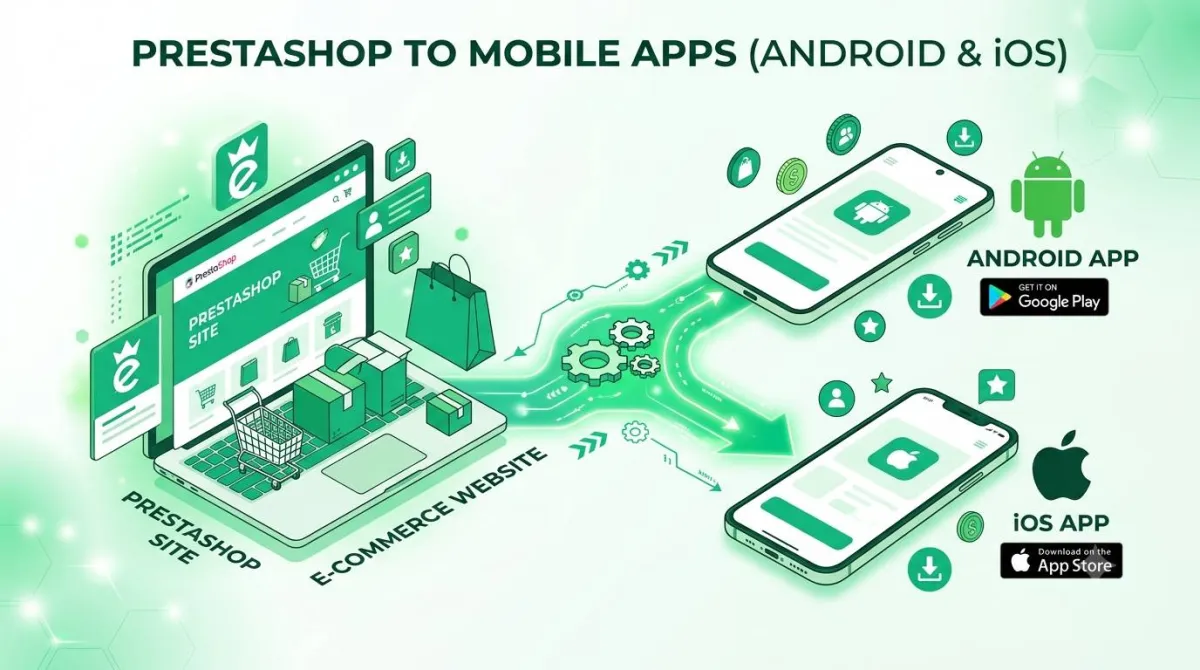
Convert Your PrestaShop Store Into an Android & iOS App (No Code, No Migration)
Every Big Brand You Compete With Has an App. Why Don't You?
What separates your PrestaShop store from the brands you compete with is usually distribution rather than merchandising — they have a home screen icon and you have a browser tab. Picture this: a shopper is comparing two stores side by side. One is your PrestaShop shop, open in a mobile browser tab. The other is a competitor's app, icon sitting right there on the home screen.
Before they've even looked at a single product, the app already feels like the easier choice. Faster to open. No typing a URL. No squinting at a browser bar.
That's not a knock on your catalog or your store. It's just what happens when "store in a browser tab" goes up against "icon on the home screen" — the app wins on convenience alone, every time.
Here's the thing though: this isn't a budget problem, and it's definitely not a developer problem. It's an access problem, and it's one that's hit PrestaShop merchants harder than almost anyone else.
Shopify and Wix sellers have a dozen one-click app builders to choose from. PrestaShop owners? Slim pickings. Self-hosted, open-source platforms just haven't had the same attention from app-building tools — until now.
By the end of this post, you'll know exactly how to take your existing PrestaShop catalog and back office and turn them into a real Android and iOS app — no code, no migration, no starting from scratch.
Why PrestaShop's Mobile Experience Struggles (And It's Not Your Fault)
What Makes PrestaShop Different From Hosted Platforms
PrestaShop's mobile experience struggles because it is self-hosted open-source software whose speed depends on your hosting, theme and module stack — not because you configured it wrong. PrestaShop is self-hosted, open-source e-commerce software. That means you (or your hosting provider) own the server, the modules, and the theme files — nobody else is calling the shots on your setup.
That's genuinely PrestaShop's biggest strength. Almost anything can be changed, extended, customized, or rebuilt to fit exactly how you want your shop to run.
But that flexibility comes with a catch you've probably already felt: there's no single company quietly handling maintenance in the background for you. It's ongoing, hands-on upkeep — and it falls on you.
Why Mobile Specifically Suffers
Here's where it gets tricky. The same flexibility that lets you install a reviews module, an upsell module, a marketing pop-up, and a custom theme is exactly what bloats your page weight.
Stack enough modules and a heavy theme on top of each other, and load times start to drag — and that drag hits hardest on mobile networks and older phones. Which, of course, is the exact moment a shopper has the least patience for waiting.
A mobile browser doesn't get any shortcuts here either. It has to re-render your entire theme and re-trigger every module's scripts on every single page tap. There's no way around that in a browser context — it's just how browsers work.
The result is frustrating: a back office full of genuinely great products, wrapped in a mobile experience that doesn't reflect the work you've put into your catalog.
The Maintenance Trap
PrestaShop updates. Module updates. Theme compatibility checks. Security patches. All of it lands on you or your developer — there's no getting around it on a self-hosted platform.
Most small business owners didn't sign up to become a part-time systems administrator. You signed up to sell.
So here's the natural question worth asking: is there a way to get the polish of a native app without piling another layer of technical upkeep onto a platform that already asks a lot of you?
Why an App Beats a Mobile Browser for a PrestaShop Store
Speed Without Fighting Your Theme or Modules
An app avoids re-rendering your PrestaShop theme on every tap, which is where most of the perceived slowness in a mobile storefront comes from. An app doesn't re-render your heavy PrestaShop theme every time someone taps a button. It loads the experience once and reuses it — sidestepping the exact bottleneck that's slowing your mobile site down right now.
Best part? You keep every module and customization sitting in your back office exactly where it is. The app just presents your shop differently — and faster.
A Home Screen Icon Is Free Advertising
Every time your app icon sits on a customer's phone, it's a quiet, free reminder to come back. A bookmarked mobile URL will never do that for you — let's be honest, nobody bookmarks stores anymore.
This is the part that really addresses that nagging feeling from earlier: a home screen icon puts your PrestaShop store on the same visual footing as the bigger competitors your customers also shop with.
Push Notifications Reopen a Channel PrestaShop Mobile Visitors Don't Have
A browser tab can't ping anyone when a sold-out item is back in stock, when a flash sale kicks off, or when someone's left items sitting in their cart.
An app can. That one feature alone turns one-time browser visitors into a list you can actually re-engage directly (more on this when we get to features).
You Keep the Architecture You Already Built
This is not a rebuild. Your customizable back office, your catalog, every module you've spent hours configuring — it all stays exactly where it is.
The app becomes a new front door to work you've already done. It's not a reason to redo any of it.
Traditional Dev Cost
$6,000AppOfWeb Managed Cost
Flat ServiceHow AppOfWeb Turns Your PrestaShop Store Into an App
Built for the Question Every PrestaShop Owner Asks First — "Will It Work With My Modules?"
Let's answer this one head-on, because it's probably the question on your mind right now: yes, AppOfWeb works with your store exactly as it already exists. There's no disabling, replacing, or auditing your installed modules required.
Because the app reflects your live shop, your catalog, your pricing rules, and the modules your customers already interact with — search, filtering, reviews, checkout — all keep working the way they do today.
No back-office changes needed to get started.
Fully Managed, Start to Finish
"Fully managed" means exactly what it sounds like: you don't configure servers, write a line of code, or manage app builds yourself.
The entire technical process — reading your store's structure and packaging it as an app — happens on AppOfWeb's side, not yours.
All You Provide Is Your Store URL
Worth saying plainly, because it really is this simple: no FTP access, no module exports, no theme files, no developer hand-off required.
One input — your PrestaShop store's web address — is what kicks the whole process off.
No Coding, No Migration, No Duplicate Catalog to Maintain
Nothing gets copied into some second system that you'll need to update separately for the rest of your shop's life.
Product changes, new arrivals, price updates — whatever you change in your PrestaShop back office is the same change that shows up in the app (more on exactly how that works in the syncing feature below).
Features Built for How a PrestaShop Store Actually Runs
Every feature below is part of the app build itself, not another PrestaShop module for you to install, configure and keep updated. Each one maps to something a store already does — navigation, sharing, bringing customers back — without adding to what you maintain inside PrestaShop.
| Feature | What It Means for Your Shop |
|---|---|
| App Icon & Splash Screen | The first visual proof, right on a customer's home screen, that your store competes at the same level as bigger app-equipped brands |
| Customizable Bottom Tabs | Map shortcuts straight to what matters in your catalog — categories, search, cart, account — no digging through theme navigation |
| Share App | Lets customers spread the word about your shop directly, on top of whatever marketing modules you've already got running |
| Rate App | A native prompt for app store ratings — social proof a self-hosted mobile site simply has no real equivalent for |
| Pull to Refresh | A small native gesture that makes checking for new arrivals or restocks feel instant — no full theme reload like on mobile web |
| Status Bar Customization | Matches the device status bar to your branding, so the app doesn't feel like a generic wrapper around a website |
| Page Loader | A branded loading state instead of a blank screen while heavier catalog pages or modules finish loading |
| Pinch to Zoom | Lets shoppers inspect your catalog images closely, the way they would in a dedicated shopping app |
| No Internet Screen | A clear, branded offline state instead of a browser's generic connection-error page |
| App Syncing With Store | The core trust feature: update a product, price, or category in your back office, and the app reflects it — no second content system to manage |
| Customize Package Name | Lets the app carry your own store's branding identity in the app stores, instead of a generic builder name |
| Unlimited Revisions | Because your shop evolves — new modules, new promotions, seasonal theme tweaks — the app can be revised to match, no starting over |
| Push Notifications (Addon) | Reopens the direct line to customers a mobile browser session can't offer — restock alerts, order updates, promotions tied to back-office sales |
| Publishing to Stores (Addon) | Handles listing your app on the Google Play Store and Apple App Store — the step that turns "an app exists" into "customers can actually find and download it" |
From Store URL to Live App: The Step-by-Step Process
Step 1 — Submit Your PrestaShop Store URL
This is the only real input needed from you. No logins, no exports, no technical access required at this stage.
Step 2 — AppOfWeb Builds the App Around Your Existing Store
Your catalog, modules, and back-office setup stay untouched. The build process wraps your live store into an app experience.
Step 3 — Customize the Look and Feel
Set your app icon, splash screen, bottom tabs, and status bar styling to match your store's existing branding.
Step 4 — Review and Request Revisions
Use the unlimited revisions allowance to adjust anything before the app goes live. No pressure to get it perfect on the first try.
Step 5 — Add Push Notifications and Store Publishing (Optional Addons)
Layer in direct customer messaging and/or listing on the Google Play Store and Apple App Store whenever you're ready.
Step 6 — Your Store Keeps Running Normally
Nothing changes in your daily workflow — keep managing products, modules, and orders from the same PrestaShop back office as always.
"But Will It Actually Work With My Setup?" — Addressing the Real Objections
"Will It Work With My PrestaShop Modules?"
Yes. The app is built around your store exactly as it currently exists, including every module you've already installed. There's nothing to disable or reconfigure to get started.
"I Already Struggle to Keep My Store Updated — Won't an App Be More Maintenance?"
No — and this is worth repeating: the app is fully managed, and because it syncs with your existing store, there's no second catalog or content system for you to keep updated separately.
"I'm Not a Developer — Can I Actually Set This Up Myself?"
Yes. The process requires no code at all. Your store URL is the starting point, and everything technical from there happens on AppOfWeb's side.
"What If I Customize My Theme or Switch Modules Later?"
Go ahead — ongoing store changes don't break the relationship between your shop and the app. Unlimited revisions exist specifically so the app can be adjusted as your store evolves.
Frequently Asked Questions
Your PrestaShop Store Deserves to Compete on Equal Footing
Quick Recap
PrestaShop's self-hosted flexibility is both its biggest strength and the reason its mobile performance is hard to fix from inside the platform. Self-hosted flexibility is PrestaShop's biggest strength — but it's also why mobile performance and ongoing maintenance can feel like a constant weight. An app sidesteps the theme-and-module slowdown that hurts mobile browsers, and gives your store a permanent spot on the customer's home screen. AppOfWeb builds that app in a fully managed way — no code, no migration, no module conflicts — starting from nothing more than your store's URL.
3 Key Takeaways
- The mobile slowdown PrestaShop merchants experience comes from theme and module weight — not from anything you did wrong. An app sidesteps that bottleneck entirely.
- "Will it work with my modules?" has a clear answer: yes, because the app is built around your store exactly as it already runs.
- Getting an app live doesn't require new technical maintenance. It requires one input: your store URL.
Next Steps
Picture your own catalog with an icon sitting on a customer's home screen — instead of just another browser tab they'll forget about by tomorrow.
Call to Action
Visit appofweb.com to submit your PrestaShop store URL and see what your app could look like. No code, no migration, no commitment to start.