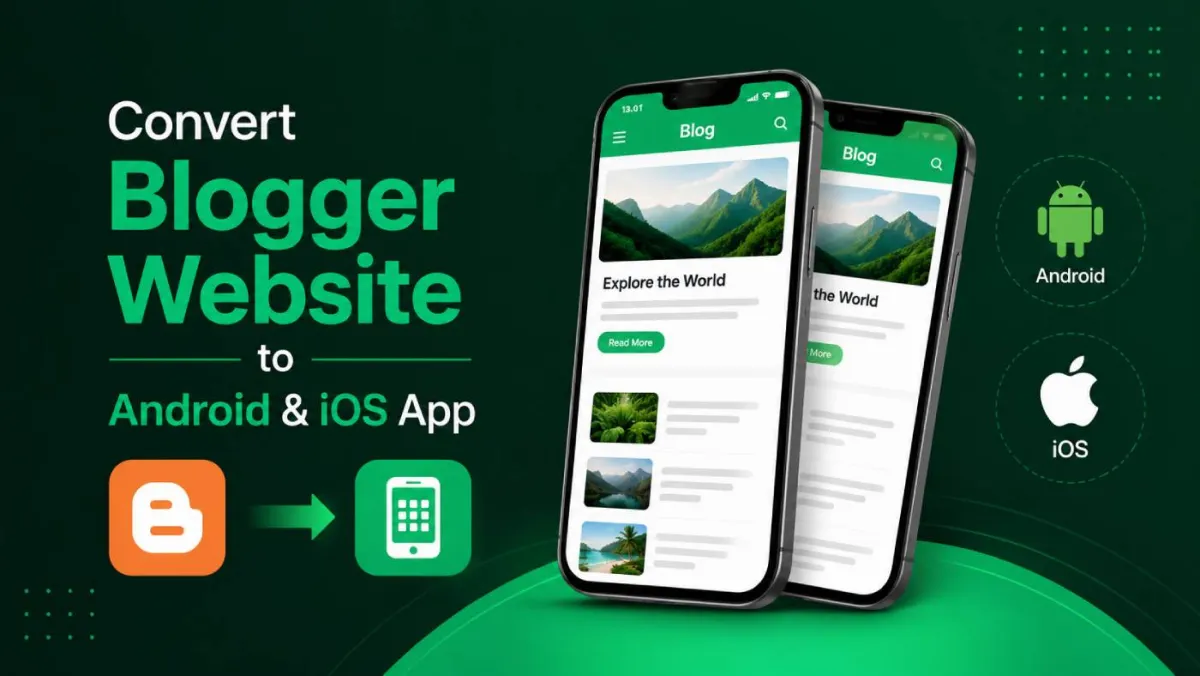
Convert Your Blogger Website to a Native Android & iOS App
Your readers keep coming back. They bookmark you, they share your posts, some of them have probably been reading you for years. That part of your Blogger site is working great.
So why does opening your blog on a phone still feel like 2010?
A reader taps your link, the Blogspot post loads as a shrunk-down version of your desktop layout, and now they're pinching and zooming just to read a paragraph. Your writing is current. Your container is not — and readers judge the container whether you want them to or not.
Here's the good news: you can fix this without touching a single line of code, without migrating your posts anywhere, and without leaving Blogger. By the end of this post, you'll know exactly how to turn your existing Blogger site into a real app on the App Store and Google Play.
Who This Guide Is For
- You built your blog through Layout and gadgets, not HTML — and you'd like to keep it that way.
- You've got years of posts and a real, loyal audience, not a brand-new blog you're still testing out.
- You've looked at the big publishers' apps and thought, "Why doesn't my blog feel like that on a phone?"
If any of that sounds like you, keep reading.
What Blogger Does Brilliantly — and Where It Quietly Fails on Mobile
Why So Many of Us Started on Blogger
Let's give credit where it's due. Blogger is free, it's tied to a Google account you probably already had, and it's genuinely one of the easiest places on the internet to start publishing.
The drag-and-drop Layout editor and gadgets meant you never had to learn to code just to run a real site. For pure writing and publishing posts, it still works beautifully — that's exactly why you're still here, years later.
The Catch Nobody Warned You About: Mobile
Here's the part that stings a little. Blogger's themes were designed in a desktop-first era, back when "mobile-friendly" mostly meant "doesn't completely break." Blogger's very limited customization options mean you can't deeply reshape how your site behaves on a phone.
The result? The mobile view is often just a squished desktop site. Same columns, same sidebars, just shrunk down until the text is tiny and every tap target feels like a game of precision darts.
And here's the unfair part: readers don't blame the theme. They blame you. A dated mobile experience quietly reads as "this blog hasn't been kept up" — even when you've published a new post every single week.
The Hard Ceiling of "Just Pick a Better Theme"
Even the best Blogspot template in the world is still a website viewed through a mobile browser. That means an address bar, no home-screen presence, no offline state, and definitely no push notifications.
You can polish your layout all day long, but a browser tab can never become an app. That's the actual ceiling — and it's the whole problem this post is here to solve.
Why An App Beats a Mobile Site — For a Blogger Specifically
An Icon on the Home Screen = Permanent Shelf Space
Right now, your most loyal readers have to remember your blogspot URL or dig through old bookmarks to find you. An app icon sits on their home screen the way a favourite magazine sits on a coffee table — always visible, always one tap away.
For a blog that lives and dies on returning readers (which, let's be honest, most good blogs do), that one-tap presence is worth more than any clever new-visitor trick.
Typical Browser Returns (15%)
1,500Estimated App Returns (45%)
4,500A Reading Experience Built for Thumbs, Not Mice
No more pinch-to-read on a squished theme. Content fills the screen properly, scrolls the way readers expect, and just behaves — the way every other app on their phone already does.
Your writing finally gets a container that actually matches its quality.
You Keep Blogger's Greatest Strength
Here's the part that matters most: the entire reason you love Blogger — that it's extremely easy to use for beginners — doesn't change one bit. You still write and publish posts in the exact same Blogger dashboard, through the same Google account, using the same Layout and gadgets you already know inside and out.
The app is simply a new front door for your readers. The house behind it stays exactly the same, and you keep managing it the easy way you always have.
This Is What Bigger Publishers Already Do
Major publishers and established creators run native apps to reach their readers directly — straight to the home screen, straight to push notifications, no algorithm sitting in between you and the people who already love your work.
The gap was never your content. It was access to app technology. That's the gap this closes.
| Experience Feature | Standard Mobile Browser Theme | Native App Ecosystem |
|---|---|---|
| Home Screen Presence | None (Requires URLs / Bookmarks) | Permanent Icon Asset |
| User Interface Layout | Squished / Scaled Desktop Theme | Thumb-optimized Content Flow |
| Audience Alerts | None / Email (Low open rates) | Instant Push Notifications Addon |
| Offline Usability | Error Screen | Branded "No Internet" Graceful View |
How AppOfWeb Turns Your Blogspot Site Into a Real App
The Short Version: You Hand Over a URL, We Hand Back an App
AppOfWeb is a fully managed service. You don't install anything, you don't configure servers, and you absolutely don't write code.
You provide one thing: your Blogger site URL — either your `yourblog.blogspot.com` address or your custom domain. That's the entire technical requirement on your end. Genuinely.
"But Blogger Is So Old — Will Apple Even Accept the App?"
Let's deal with this one head-on, because it's probably the question stopping you right now.
Here's the reassurance: the app stores don't see "Blogger." They see a modern, native app.
AppOfWeb wraps your live site in a proper native shell with real app features — icon, splash screen, navigation, offline screen, and more. What gets submitted for review is a polished, fully-featured app. The fact that its content source is Blogger is invisible to reviewers and invisible to readers.
In other words: a classic Blogspot blog gets modernized into a sleek native app — instantly, and without you rebuilding a single thing.
What "Fully Managed" Actually Means for You
| What you might worry about | What actually happens |
|---|---|
| "Do I have to move my posts?" | No migration. Your posts, gadgets, and layout stay exactly where they are on Blogger. |
| "Do I need to learn to code?" | No coding. If you can copy and paste your blog URL, you've done the hard part. |
| "What happens when I publish something new?" | Always in sync. Publish a post in Blogger as usual, and it appears in the app automatically. |
Every Feature Your App Comes With — In Plain Blogger Terms
Branding & First Impressions
App Icon & Splash Screen — the icon readers tap on their home screen, plus the branded screen they see while it opens. Finally, a first impression your dated Blogspot theme could never give you.
Status Bar Customization
The thin strip at the top of the phone (clock, battery) matches your blog's colors instead of a generic default, so the whole screen feels intentional.
Page Loader
A clean, branded loading indicator while a post opens, replacing that blank, browser-style wait.
Customizable Bottom Tabs
Pin your most important sections (Home, Categories, About, a favorite series) to a tab bar at the bottom. Think of it as a much better version of your Blogger gadgets menu, built for thumbs instead of cursors.
Pull To Refresh & Zoom
Readers swipe down to load your newest posts instantly. Optional pinch-to-zoom for images or detailed content is integrated seamlessly on the reader's terms.
No Internet Screen
Instead of an ugly browser error when a reader loses signal on the train, the app shows a friendly, branded "you're offline" screen.
Growth & App Control
Built-in Share App and Rate App mechanisms convert audiences into active vectors for discovery. App sync keeps everything aligned with your central Blogspot home base.
Power-Ups (Addons)
Push Notifications (Addon) gives you a direct line to lock screens when content goes live. Publishing to Stores (Addon) manages deployment pipelines comprehensively.
From Blog URL to Live App: The Step-by-Step Walkthrough
- Step 1 — Grab Your Blogger Site URL: Copy your blog's address — either `yourname.blogspot.com` or your custom domain, if you've connected one through your Google account.
- Step 2 — Submit It to AppOfWeb: Paste the URL in. This is the moment your existing site becomes the foundation of your app. No export, no migration of posts — just a URL doing all the heavy lifting.
- Step 3 — Choose Your Branding: Pick (or upload) your app icon, set your splash screen, and choose your status-bar and loader colors so the app feels unmistakably yours.
- Step 4 — Set Up Navigation: Decide your bottom tabs — your home feed, key categories, an about page — mapping out the sections your readers actually care about.
- Step 5 — Review & Request Revisions: Preview the app, then use your unlimited revisions to adjust anything until it feels right. There's no pressure to nail it on the first try.
- Step 6 — Publish (or Let AppOfWeb Publish for You): Either submit to the App Store and Google Play yourself, or use the Publishing to Stores addon and let the fully managed service handle it.
After Launch: Your Day-to-Day Doesn't Change
You keep writing posts in Blogger exactly like before. The app updates in sync, automatically. Add push notifications whenever you want to alert readers to something new.
"Yeah, But…" — Honest Answers to the Doubts in Your Head
"Blogger is so old — will Apple even accept the app?"
Apple reviews the app, not the platform behind it. What it sees is a modern native app with real features and genuine value to your readers, not a thin webpage. Your content powers it; reviewers never see "Blogger" stamped on anything.
"I can barely use anything beyond Blogger's drag-and-drop — is this too technical for me?"
If you can run a Blogspot blog, you're over-qualified. There's no code, no SDKs, no developer setup. You submit a URL and make visual choices — it's closer to arranging gadgets in Layout than it is to programming.
"Do I have to move my posts off Blogger or rebuild my site?"
No. There's no migration. Your posts, comments, and content stay exactly where they are. The app reflects your live site, so Blogger remains your home base.
"What happens to the app every time I publish a new post?"
Nothing extra for you. Because the app syncs with your site, new posts appear automatically. You write the way you always have.
"Is this going to break the things that already work on my blog?"
No. AppOfWeb sits on top of your existing site — it doesn't alter your Blogger setup, your theme, or your Google account. Your website keeps running untouched; the app is an addition, not a replacement.
Blogger-to-App FAQs
Give Your Loyal Readers the App They Already Expect
The Quick Recap
Your Blogger content is current; your mobile experience isn't. The fix isn't a new theme — it's a native app that wraps your existing Blogspot site.
AppOfWeb makes that fully managed: you submit a URL, and your classic blog becomes a sleek, modern app. No code, no migration, no leaving Blogger behind. The same process works on other publishing platforms — see our guides for Ghost blogs and Kajabi and Teachable course sites.
3 Key Takeaways
- You don't have to abandon Blogger. Keep your posts, gadgets, layout, and Google account workflow exactly as they are.
- The app stores accept modern apps, not "old platforms." What gets submitted is a native app with real features — Blogger behind it is invisible.
- It's genuinely beginner-level. If you can copy a URL, you can have an app.
Your Next Steps
- Copy your Blogger site URL.
- Decide which sections deserve a spot in your bottom tabs.
- Submit your URL to AppOfWeb and start shaping your app.
Ready to Modernize Your Blog?
Turn your classic Blogspot site into a polished Android & iOS app today — start at appofweb.com.