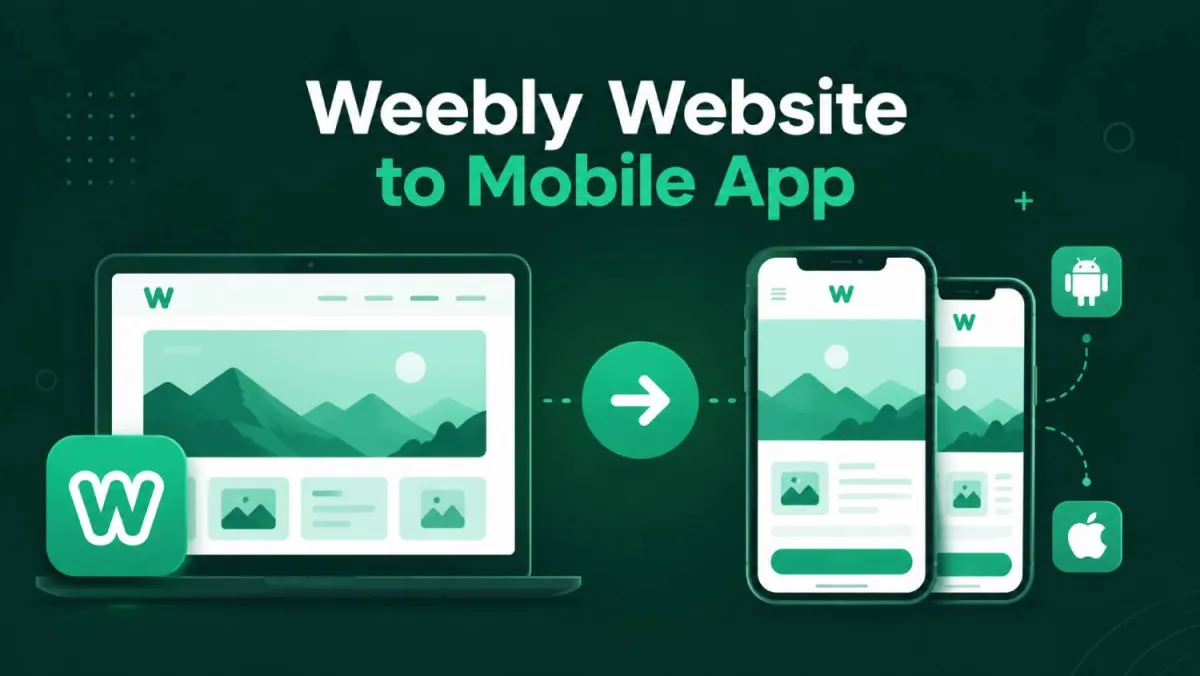
Convert Your Weebly Website to an Android & iOS App (No Coding, No Headaches)
Remember when you launched your Weebly site? You dragged a few blocks around, picked a decent theme, added your pages, maybe set up a store — and honestly? It felt like a win. No developers. No confusing code. Just a live site on the internet that you built yourself.
That part was genuinely great.
But here's the thing nobody warned you about. A huge chunk of your readers and shoppers aren't visiting your Weebly site on a laptop. They're on their phones. And what they're seeing when they land there? It's... not great.
Your beautifully arranged pages on desktop turn into a squashed, hard-to-read jumble on a small screen. Buttons are tiny. Text overflows. Visitors have to pinch and zoom just to read a single paragraph. A lot of them leave before they get to the good stuff.
Here's the important part: this isn't your fault. It's just how Weebly's mobile view works — and fixing it from inside your Weebly dashboard isn't really an option, because the customisation tools simply aren't there.
The good news? You can convert your Weebly website to an Android and iOS app — without touching a line of code, without moving your site anywhere, and without needing to be even slightly technical. That's exactly what this post covers.
Why Weebly's Mobile Experience Has a Structural Problem
What Weebly Gets Right (And It Gets a Lot Right)
Let's give Weebly its due first, because it deserves some credit.
For content creators and bloggers who want to get something live without hiring a developer, Weebly is genuinely excellent. You get pages, a store, a blog, embedded forms — all managed from one clean dashboard. No hosting to figure out. No plugins to update. No server to accidentally break at 11pm on a Friday.
If you can drag a text box, you can build a Weebly site. That's a real achievement, and it's why so many people chose it in the first place.
Where It Hits a Hard Wall
The trade-off for all that simplicity is very limited customisation — and nowhere does that hurt more than on mobile.
Weebly's mobile view isn't a true responsive design that rearranges itself intelligently for smaller screens. It's your desktop site scaled down to fit a phone. The layout stays the same. The proportions get squished. Elements that looked great at full width look cramped and awkward on a 6-inch screen.
And because Weebly keeps its customisation tools intentionally simple, you can't rebuild or override the mobile layout from your Weebly dashboard. It is what it is.
| Feature Capability | Weebly Mobile View | AppOfWeb Native App |
|---|---|---|
| Push Notifications | ❌ Not Possible | ✅ Direct to Lock Screen |
| Home Screen Access | ❌ Browser Bookmark Only | ✅ Custom App Icon |
| Offline Experience | ❌ Broken Browser Page | ✅ Custom Branded Message |
| Navigation Interface | ❌ Pinch & Zoom Required | ✅ Smooth, Thumb-Friendly |
There's also a longer list of things you simply can't do from inside Weebly at all:
- Send push notifications to your readers when you publish something new
- Give your audience a home screen icon that takes them directly to your content
- Show a clean offline message when someone tries to open your site without an internet connection
- Offer smooth, thumb-friendly navigation that doesn't require zooming or sideways scrolling
These aren't luxury features. They're things your readers already expect from every other app and content source on their phone.
What Your Mobile Visitors Actually Want
When a reader visits your Weebly site on their phone, they want:
- Pages that load quickly and look right without any effort on their part
- Text they can read at a normal size, without pinching the screen
- A simple way to come back without digging through browser bookmarks
- A notification when you publish something new or run a sale in your store
None of that is unreasonable. The problem is that Weebly's mobile experience, as-is, can't reliably deliver any of it.
Why a Native App Is a Real Upgrade — For Weebly Users Specifically
Your Audience Already Lives in Apps
Think about the bloggers, publishers, and creators your readers already follow. The ones with serious followings don't rely on a mobile website alone. They have apps — real, downloadable apps that live on their audience's phone and show up on their home screen every single day.
An app icon is a permanent reminder that you exist. A browser bookmark from a mobile website? Most people forget about those immediately.
When your Weebly site gets its own app, your content moves from "something I'll remember to check later" to "something that's always one tap away."
User Engagement & Retention Rates
Native App vs Mobile Web
A Direct Line to Your Readers — No Algorithm Involved
Here's one of the biggest practical differences between a Weebly mobile site and a native app: push notifications.
With an app, you can send a message directly to everyone who has it installed. New blog post live? They'll know. Flash sale starting in your Weebly store? It lands on their lock screen. You're not competing with 200 other posts in a social media feed, and you're not hoping your email doesn't end up in the promotions tab.
Your message goes straight to them. No middleman.
Your Weebly Pages Actually Look Good Again
A properly built app doesn't just rebrand your mobile site — it fixes the readability problem entirely.
Your Weebly pages load inside the app exactly as you designed them, wrapped in a clean, native experience that feels smooth and intentional on a phone. No sideways scrolling. No squished layouts. No pinching required.
Your store pages, blog posts, and contact page all work the way you intended them to — just actually readable on a phone.
You Start Looking Like the Publishers You're Up Against
Having your own app in the Google Play Store and Apple App Store sends a clear signal. It puts your brand in the same category as the creators your audience already follows and respects.
You don't need a huge audience or a big budget to have an app. You just need the right tool.
What Is AppOfWeb? (And Why It Fits Weebly Users Perfectly)
The Simplest Possible Path From Weebly Site to Live App
AppOfWeb is a fully managed service that converts your Weebly site into a real, publishable Android and iOS app. You don't code anything. You don't migrate your site. You don't change a single setting inside your Weebly dashboard.
The only thing you provide is your Weebly site URL. AppOfWeb handles everything else.
That's not a simplification — that's genuinely how it works.
This Is a Real App, Not a Browser Shortcut
It's worth being specific here, because there's an important difference.
Some tools create what's basically a glorified bookmark — a shortcut on your phone that opens your site in a mobile browser. That's not an app. It won't appear in the Play Store or App Store, it can't send push notifications, and it doesn't feel any different from just visiting your Weebly site on your phone.
What AppOfWeb builds is a real, installable application. It lives independently on your reader's phone, loads without a browser window around it, and can do things your Weebly mobile site simply cannot.
Nothing on Your Weebly Site Changes
This is the part that tends to surprise people most: your Weebly site doesn't move. You don't rebuild pages. You don't export anything. Your Weebly dashboard looks exactly the same the day after your app goes live as it did the day before.
┌──────────────────┐       ┌──────────────────┐       ┌──────────────────┐
│                  │       │                  │       │                  │
│ Weebly Dashboard │──────►│ AppOfWeb Engine  │──────►│  Live Native App │
│ (Where You Work) │ Auto  │ (Runs in Polish) │ Auto  │ (iOS & Android)  │
│                  │ Sync  │                  │ Sync  │                  │
└──────────────────┘       └──────────────────┘       └──────────────────┘
The app loads your live Weebly site URL, which means every time you update a page, publish a post, or change something in your store, those changes appear in the app automatically. You keep working inside your Weebly dashboard exactly as you always have.
If Weebly's drag-and-drop approach is what drew you in, AppOfWeb was built with the same philosophy: simple, fully managed, and hands-off for you.
Everything Your Weebly App Includes
Here's a full rundown of what comes with an AppOfWeb-built app — and why each feature matters specifically for Weebly creators.
App Icon & Splash Screen
Your app gets a custom icon (the image your readers tap on their home screen to open it) and a splash screen (the branded loading image that appears the moment the app launches). For a Weebly blogger or store owner, this is your first impression as a proper app. Use your existing logo, header image, or brand colours — AppOfWeb builds it in for you.
Customizable Bottom Tabs
Bottom navigation tabs let users jump instantly between your most important Weebly pages — your blog, your store, your about page, your contact form — without digging through a menu or scrolling around to find what they want. This replaces the cramped, hard-to-tap navigation in Weebly's squished mobile view with a clean row of tappable buttons at the bottom of the screen. Much more usable.
Share App
A built-in share button lets your readers forward your app to their friends or followers directly from inside it. Free word-of-mouth growth for your Weebly store or blog, with zero extra effort on your part.
Rate App
A prompt that gently asks happy users to leave a review on the App Store or Play Store. More reviews means higher visibility in store search, which means more people discovering your app without you spending anything on ads.
Pull To Refresh
Swipe down on any page to reload it instantly. Particularly useful when you've just published a new post to your Weebly blog or updated inventory in your store and want your readers to see the freshest version right away.
Status Bar Customization
The thin strip at the top of a phone showing the time, battery, and signal strength can be colour-matched to your brand. It's a small detail that makes a noticeable difference in how polished your app feels overall.
Page Loader
A branded loading animation that plays while your Weebly pages load inside the app. Keeps the experience feeling smooth rather than leaving users staring at a blank white screen mid-load.
Pinch To Zoom
Lets users zoom into images within your Weebly pages. Especially useful for Weebly store owners whose product photos benefit from a closer look before someone commits to a purchase.
No Internet Screen
A custom branded screen that appears when a user opens the app without a data or Wi-Fi connection. Instead of a confusing error or a broken page, they see a clean message that tells them what's going on. Your Weebly mobile site can't do this at all.
App Syncing With Your Weebly Site
Because the app is built on your live Weebly URL, it's always in sync with your site. Change a price in your store, publish a new blog post, update your about page — the app reflects it immediately. No manual updates. No re-publishing. Just work in Weebly as normal.
Customize Package Name
Your app gets a custom technical identifier (something like com.yourbrandname.app) rather than a generic placeholder. This is what the Play Store and App Store use to identify your app, and it's what shows on your readers' phones when they have it installed.
Unlimited Revisions
Want to change the colour of your bottom tabs after launch? Update your splash screen? Rename a navigation label? AppOfWeb makes those changes for you — and there's no cap on how many times you can ask. Your app can grow and change alongside your Weebly site.
Push Notifications (Add-on)
Send messages directly to every person who has your app installed. New blog post? Store sale? Important announcement? Push notifications bypass social media and email entirely — your message lands straight on their lock screen the moment you send it.
Available as an add-on to your AppOfWeb plan.
Publishing to the App Stores (Add-on)
AppOfWeb can handle the complete submission process for getting your app listed in the Google Play Store and the Apple App Store. This includes meeting each store's technical requirements, writing your store listing, and managing the review and approval process from start to finish.
You don't need to understand how any of that works. Available as an add-on, and particularly worth it if you've never published an app before — which, honestly, most Weebly creators haven't.
From Your Weebly URL to a Live App: Step by Step
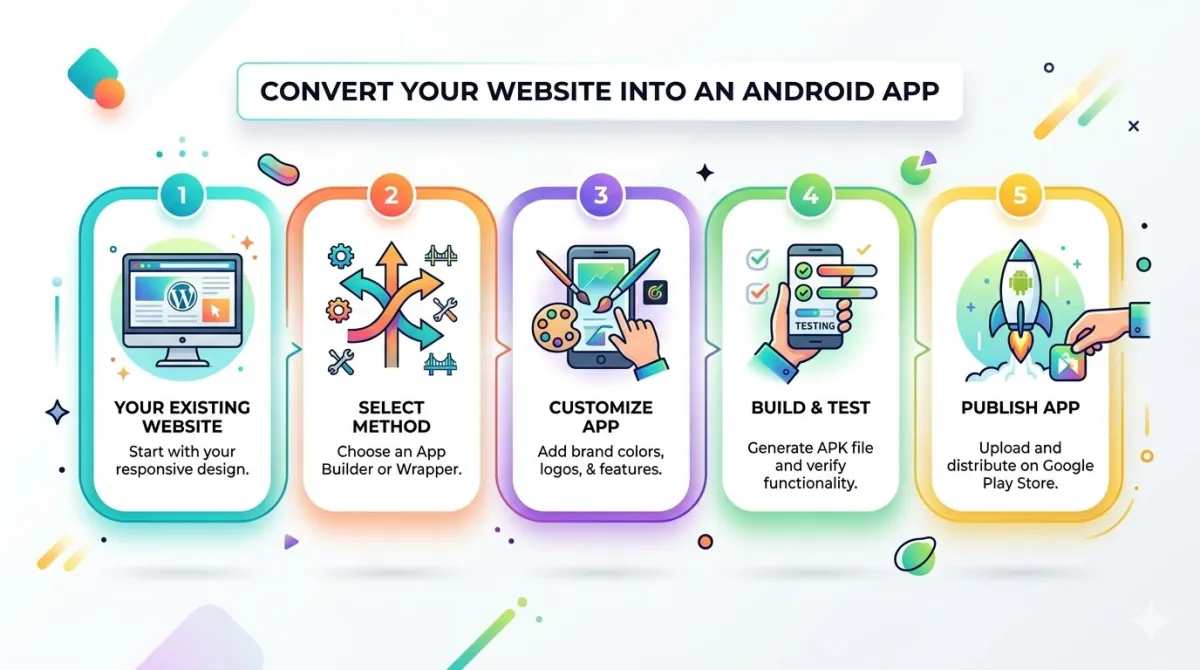
Here's exactly what the process looks like, start to finish.
Step 1 — Copy Your Weebly Site URL
Open your live Weebly site in a browser and copy the address from the bar at the top. That's it. This is the most technically demanding step in the entire process, and you've definitely done it before.
Step 2 — Submit to AppOfWeb
Head to appofweb.com and paste your Weebly site URL into the submission form. You'll also add a few basics: your app name, a short description, and any branding details like your logo or preferred colours.
No Weebly dashboard access required. You're not connecting accounts or granting anyone permissions to your site.
Step 3 — AppOfWeb Builds Your App
The AppOfWeb team builds your Android and iOS app around your live Weebly site. You'll get a preview — icon, splash screen, bottom tabs, page layouts — before anything is finalised. If anything needs changing, just say so. Revisions are unlimited at this stage.
Step 4 — Review It on Your Phone
You'll get a preview link to test the app on your actual device. Browse your Weebly pages, tap through your store, check your navigation. Make sure everything looks and feels right. Approve it when you're happy with it.
Step 5 — Go Live in the App Stores
If you've included the Publishing add-on, AppOfWeb submits your app to the Google Play Store and the Apple App Store and manages the approval process. Once it's through review, it's live — searchable, downloadable, and ready for your audience to find.
Step 6 — Keep Working in Your Weebly Dashboard as Normal
Your Weebly dashboard stays your home base. Publish a new post and it appears in the app. Update your store and app users see the changes straight away. There is nothing new you need to learn or do differently.
See how much you save by converting your URL instead of hiring developers from scratch.
Traditional Dev Cost
$6,000AppOfWeb Build
$0"I'm Not Technical At All" — Your Real Objections, Answered Honestly
"I'm not technical at all. Will I actually be able to do this?"
Yes. Full stop.
The most complex action you take in this entire process is copying a URL from your browser — something you've done every time you've shared a link with someone.
You don't write code. You don't touch anything in your Weebly dashboard that you haven't already used. AppOfWeb was specifically built for people who chose Weebly because they wanted to stay as far away from technical complexity as possible. That overlap isn't a coincidence.
"Will this break my Weebly site or mess up my store?"
Nothing on your Weebly site changes — at all.
AppOfWeb accesses your site the exact same way a regular visitor would: by loading your URL. It doesn't connect to your Weebly account, touch your pages, modify your store, or interact with anything behind the scenes.
Your Weebly dashboard, your pages, your store, and all of your content stay completely untouched.
"Do I need to update the app every time I change something on my Weebly site?"
No. Because the app runs off your live Weebly URL, updates are automatic.
Update a product in your store, publish a new blog post, or redesign a page in your Weebly dashboard — the app shows the updated version without you doing anything extra. You manage your content inside Weebly exactly as you always have. The app takes care of itself.
"Is it even worth it if my audience is still pretty small?"
The creators who grow fastest are the ones who make it easy for people to stay connected.
An app gives your existing readers a direct, friction-free way to come back to your Weebly site — and a push notification channel that doesn't depend on social media algorithms or email open rates. Getting set up now means your most loyal early readers are already on it when your audience grows. That's a far better starting position than trying to move everyone across later.
Frequently Asked Questions
Does my Weebly site need to be on a paid plan to create an app?
No — AppOfWeb works with any live Weebly site. That said, if your site is on a free Weebly plan with a Weebly subdomain (like yourblog.weebly.com), the app will use that URL. If you're on a paid plan with a custom domain, the app will reflect that instead, which looks cleaner in the Play Store and App Store listing. Either way, the process works.
Will my Weebly store work inside the app, including the checkout?
Yes. Because the app loads your live Weebly store pages, the full shopping experience works exactly as it does on your site — browsing products, adding items to the cart, and completing checkout all function normally. The app wraps your real, live Weebly store. It's not a copy of it.
Can I have separate tabs in the app for my blog and my store?
Absolutely. The Customizable Bottom Tabs feature lets you point individual tabs to specific Weebly pages of your choosing. One tab for your blog, one for your store, one for your contact page — you tell AppOfWeb which pages to link to, and they set it up for you.
What happens to the app if I redesign my Weebly pages or switch themes?
The app picks it up automatically. Because it's loading your live Weebly site URL, any change you make inside your Weebly dashboard — including a theme switch or a full page redesign — appears in the app as soon as it's live on your site. No app rebuild needed.
Do I need a Google Play Developer account or an Apple Developer account to publish?
With the Publishing add-on, AppOfWeb manages the submission process on your behalf and will walk you through any account setup that's needed. You won't be navigating Apple's or Google's developer portals on your own.
How long does it take to go from submitting my URL to having a live app?
The build and preview stage moves relatively quickly. The part that takes longer is App Store review — Apple in particular has a review period that can run several days. Google Play is generally faster. AppOfWeb will give you a clear timeline based on current review windows when you get started, so you're not left guessing.
Can I send push notifications to my blog readers through the app?
Yes, with the Push Notifications add-on. Once it's set up, you write a short message — "New post is live!" or "Weekend sale: 20% off in the store" — and it goes directly to the lock screen of every reader who has your app installed. No email list required. No social media algorithm to work around.
Your Weebly Site Was Just the Starting Line
Weebly got you live. It gave you pages, a store, and a real presence on the internet without a single line of code. That was the right first move, and nothing about this post changes that.
But the mobile experience your readers now expect has moved beyond what a Weebly mobile site can deliver on its own. A squished desktop layout and no way to reach your audience directly isn't a personal failing — it's a platform limitation that now has a practical, beginner-friendly fix.
Here are the three things worth taking away from this post:
- 1. Weebly's mobile view is a scaled-down desktop site with no real way to improve it from inside your Weebly dashboard — converting to an app solves this at the root level.
- 2. You can convert your Weebly website to an Android and iOS app through AppOfWeb with no code, no migration, and no changes to your Weebly setup. All you need is your URL.
- 3. The content creators your audience already follows have apps. An app puts you in that category — and AppOfWeb is the most direct path there for Weebly users.
Your next step is simple:
- Copy your Weebly site URL
- Go to appofweb.com
- Paste it in and get started
Everything after that is handled for you.