Convert Your Ghost Blog into a Mobile App (No Coding)
You've put serious work into your Ghost blog. The writing is good, the design is clean, and the content keeps coming. But most of your readers consume content on their phones — and a website tab buried behind twelve other apps isn't a great reading experience.
A proper mobile app sits on the home screen. It sends push notifications. It loads fast and feels native. The good news: you don't need to rebuild anything, hire a developer, or learn Swift. You can wrap your existing Ghost site into a real Android and iOS app in under ten minutes. This approach is called a WebView app — the same method behind our guides for Blogger and WordPress sites.
This guide shows you exactly how to do that using AppOfWeb — from zero to a downloadable app file, step by step.
Why Your Ghost Blog Needs a Mobile App
A mobile app gives your Ghost readers a dedicated, distraction-free way to consume your content — no browser chrome, no competing tabs, no forgetting to bookmark your site.
Ghost is built for publishers. Its membership and subscription system is excellent. But almost everything Ghost does to retain readers — newsletters, portals, paid tiers — assumes the reader comes back to your website. An app closes that loop in a different way: your icon is literally on their home screen. If you sell courses alongside your writing, the same logic applies to Kajabi and Teachable course sites.
The Browser vs. App Gap
Mobile browsers and native apps feel different to users, even when the underlying content is identical. Here's the practical difference:
| Mobile Browser | Native App (via AppOfWeb) |
|---|---|
| Reader has to remember your URL or bookmark | Your icon is on their home screen |
| No push notifications possible | Push notifications on every new post |
| Competes with all other open tabs | Dedicated, focused reading environment |
| Slow to open, often requires sign-in again | One tap, remembered session |
| No app store presence | Discoverable on Google Play and App Store |
Who This Is For
This approach works well for:
- Independent newsletters and paid publications on Ghost
- Niche content sites with a loyal subscriber base
- Ghost (Pro) users who want a mobile presence without managing a codebase
- Content creators moving from Substack or Medium who want more ownership
What Changed in 2025–2026 for Ghost App Development
The no-code app wrapper space matured significantly in 2025, making it practical to ship a real app from a Ghost URL without touching a line of code or holding a developer account until you're ready to publish.
Ghost 5.x and the Native Apps Debate
Ghost has long resisted building a native app, and that stance hasn't changed. The Ghost team's argument: a great mobile website is enough. For many publishers, though, push notifications and home-screen presence are not optional — they're table stakes for retention.
Ghost 5.x improved its PWA (Progressive Web App) support, but PWA push notifications on iOS remain unreliable in 2026 and require iOS 16.4+ with specific opt-in steps that most readers never take. A proper app still wins on notification reliability — see how push notifications work in WebView apps for the mechanics, and mobile app vs. mobile website for the wider trade-off.
WebView Quality Is Now Excellent
The old knock on WebView apps — "they feel slow and janky" — largely stopped being true around 2023. Modern Android WebView and WKWebView on iOS render Ghost themes crisply, handle Ghost's JavaScript well, and support smooth scrolling and gestures. The gap between a WebView app and a native-coded app is imperceptible for a reading-focused publication.
App Store Policies in 2026
Apple and Google tightened their policies on "thin wrapper" apps around 2022–2023. The current expectation is that your app provides genuine value beyond just opening a URL — which means your Ghost content, membership flows, and navigation structure need to actually work inside the WebView, not just redirect users to Safari. AppOfWeb builds apps that meet this standard.
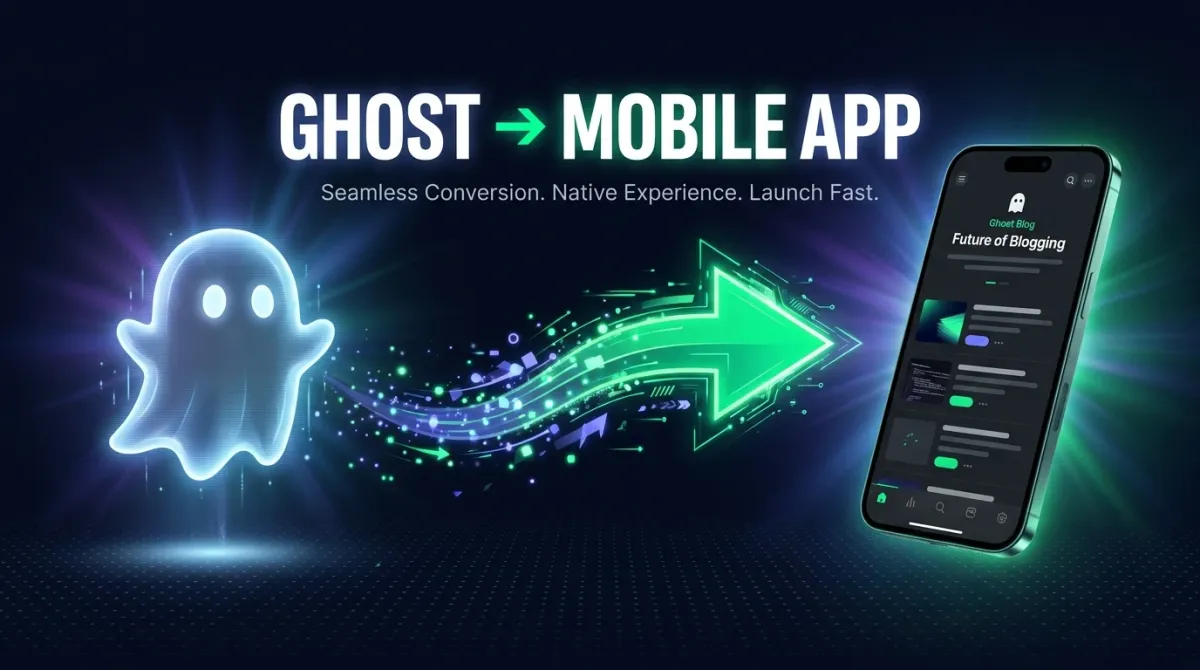
The Ghost-to-app conversion flow: URL in, native app out.
How AppOfWeb Turns a Ghost URL into an App
AppOfWeb takes your Ghost blog URL and wraps it inside a native app shell — the result is a real app that users install, not a website shortcut.
Here's what that means technically, without going deep into the weeds:
- Your Ghost site loads inside a WebView component — the same rendering engine browsers use, but embedded inside a native app container.
- The native shell handles things the web can't: push notifications, app icon, splash screen, home screen presence, and app store listing.
- Ghost itself doesn't change. No plugins. No API integrations. No modifications to your theme.
- Content updates happen instantly — when you publish a new post in Ghost, app users see it immediately. No app update required.
Your Ghost site keeps running exactly as it does today. The app is a window into it — a window that lives on your reader's home screen.
Step-by-Step: Convert Your Ghost Blog into an App
The whole process takes under ten minutes if your Ghost site is live. Here's the exact sequence.
-
Go to AppOfWeb and start a new project Open appofweb.com and click Create App. You don't need an account to start — you can preview the app before signing up.
-
Paste your Ghost blog URL Enter your Ghost site URL. This could be
yourblog.ghost.io, a Ghost (Pro) domain, or any custom domain you've connected to Ghost. AppOfWeb loads a live preview immediately. -
Set your app name Type the name you want users to see under your icon on their home screen. Keep it short — most phones show around 12–14 characters before cutting off.
-
Upload your app icon Upload a square PNG at least 512×512 pixels. This becomes your home screen icon. Use your blog's logo or a clean version of it with no text if possible — icons are tiny, and text gets unreadable fast.
-
Choose a splash screen color Pick the background color shown while your app loads. Match it to your Ghost theme's background color for a seamless transition.
-
Configure push notifications (optional but recommended) Toggle push notifications on. AppOfWeb walks you through the setup. Once configured, you can notify your readers every time you publish — dramatically better than relying on readers to remember to check back.
-
Preview on your actual phone AppOfWeb generates a QR code. Scan it with your phone to open a live preview of the app. Test your Ghost navigation, membership sign-in, and any paid content gating — all of it should work exactly as on the web.
-
Download your app files Download the Android APK or AAB file for the Play Store, and the iOS build files for the App Store. Submit through your own developer accounts (Google Play costs a one-time $25; Apple charges $99/year).
Key Features You Get with a Ghost App
Beyond the basic WebView wrapper, AppOfWeb adds native-layer features your Ghost site can't provide on its own.
Push Notifications
Alert readers the moment a new post goes live. Far higher open rates than email newsletters for time-sensitive content.
Home Screen Icon
Your branded icon lives on the reader's phone. One tap to your content — no URLs, no browsers, no bookmarks.
Ghost Membership Support
Ghost's sign-up, sign-in, and paid subscription flows all work inside the app. Nothing to rebuild.
Instant Content Updates
Publish in Ghost and app users see it immediately. No app store update process needed for content changes.
Android + iOS from One URL
Both platform builds come from the same configuration. Set it up once.
App Store Ready
Build files meet Google Play and Apple App Store submission requirements.
What the App Cannot Do (Be Realistic)
A WebView-based app does have limits worth knowing before you ship:
- Offline reading — articles aren't cached locally by default. Readers need a connection.
- Deep native integrations — features like Face ID login or Apple Pay require custom native development, not available via this approach.
- Native UI patterns — the reading UI is your Ghost theme, not a native iOS or Android design language. If your theme is great, this is fine. If it's rough on mobile, fix the theme first.
For a content publication, these limits matter less than they would for a complex SaaS product. Most Ghost readers just want to read — and the app delivers that perfectly.
Common Mistakes to Avoid
Most problems with Ghost app wrappers come from a handful of avoidable issues. Here are the ones that trip people up most often.
1. Uploading a Low-Resolution Icon
A blurry icon looks amateur and can cause App Store rejection. Use a square PNG at minimum 512×512 pixels. AppOfWeb will generate all the required sizes from that single file.
2. Not Testing Ghost's Membership Flow in the App
Ghost's sign-in flow uses magic links — an email with a sign-in link. That link opens in a browser by default, which can break the flow inside a WebView. Test this in the preview before submitting to the store. If sign-in links don't redirect back into the app, check the AppOfWeb deep-link settings.
3. Picking the Wrong Splash Screen Color
If your splash color doesn't match your Ghost theme background, users see a flash of color before the site loads. Small thing, but it signals "this is a cheap wrapper." Match the colors — your theme's background-color is usually in your Ghost theme's CSS.
4. Submitting Without a Privacy Policy
Both the Play Store and App Store require a privacy policy URL for any app that collects user data. If your Ghost blog has membership or email sign-up, it collects data. Ghost provides a basic privacy policy template — use that URL in your store listing.
5. Ignoring App Store Guidelines on Content
Apple's App Store review team looks at the content of WebView apps. If your Ghost blog covers sensitive topics (finance, health, adult content), make sure your app's metadata accurately describes the content and you have the appropriate content ratings set. Surprises during review slow down your launch by weeks.
6. Launching Without Push Notifications Configured
Push notifications are the single biggest advantage an app has over your mobile website. Setting them up takes a few extra minutes but dramatically changes the reader engagement picture. Don't skip it just to ship faster.
Frequently Asked Questions
No. AppOfWeb wraps your existing Ghost URL into a native app shell. Ghost keeps running exactly as it does today — no plugin installs, no theme edits, no API keys required.
Yes. Ghost (Pro), self-hosted Ghost, and any public Ghost URL all work the same way. AppOfWeb just needs a publicly accessible URL.
Yes. Because the app loads your Ghost site inside a WebView, all Ghost membership flows — sign up, sign in, manage subscription — work exactly as they do on the web. No rebuilding required.
Yes. AppOfWeb supports push notifications. You can trigger them manually or connect them to your Ghost publishing workflow so readers get notified the moment a new post goes live.
Nothing breaks. The app always loads the live version of your Ghost site, so any theme update, new post, or layout change is instantly reflected for all app users — no app update required.
Yes. AppOfWeb generates the necessary build files for both Android (APK/AAB) and iOS. You submit those to the respective stores through your own developer accounts. Google Play requires a one-time $25 registration fee; Apple charges $99/year.
AppOfWeb offers a free tier that lets you build and preview the app on your phone before paying. Check the current pricing page at appofweb.com for the latest plan details — pricing and tier limits change, so check the current form rather than relying on any specific numbers here.
Conclusion
Ghost is a great platform for serious publishers. Its membership system, SEO, and writing experience are genuinely excellent. The one gap — mobile app presence — is easy to fill without writing code, managing a codebase, or hiring a developer.
The process is straightforward: paste your Ghost URL into AppOfWeb, set a name and icon, configure push notifications, preview on your phone, and download the build files. You're looking at under ten minutes to have something real to test.
Key Takeaways
- A native app gives Ghost readers a home-screen experience and push notifications — things a mobile browser can't reliably deliver.
- AppOfWeb wraps your Ghost URL into a real app without any changes to your Ghost site.
- Ghost's membership and subscription flows work inside the app automatically.
- Content updates publish instantly to app users — no app store update needed.
- Common pitfalls (low-res icons, untested membership flows, missing privacy policy) are easy to avoid if you check them before submitting to the stores.
- The WebView app approach is now well within App Store guidelines as long as your content is substantive — Ghost publications clear this bar easily.
Ready to Build Your Ghost App?
Turn your Ghost blog into a real mobile app in under 10 minutes. No code, no developer, no hassle.
Create Your App Free →