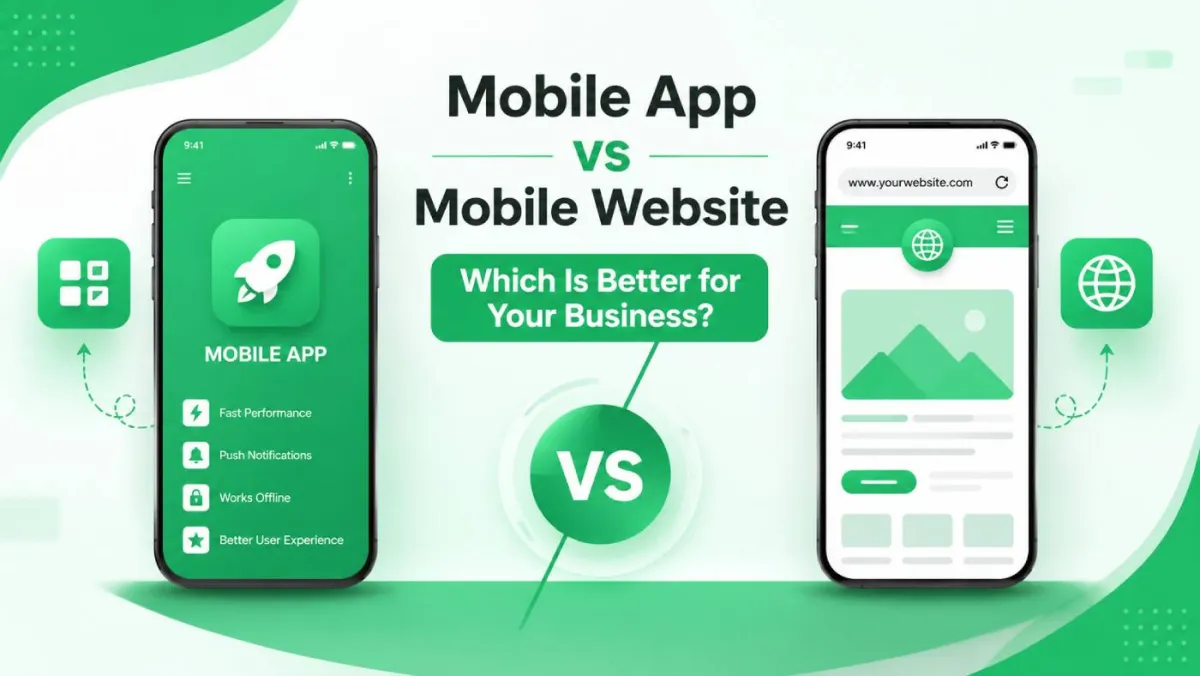
Mobile App vs Mobile Website: Which Is Better for Your Business?
So you've decided to go mobile. Smart move — mobile now drives the majority of global web traffic, and that number keeps climbing. The question is: what exactly does "going mobile" mean for your business?
Here's where it gets interesting. Some people will tell you that apps are the future. Others swear by mobile-optimised websites. A third camp will hand you a pamphlet about Progressive Web Apps and then disappear mysteriously. Everyone has an opinion, and honestly? They're all at least a little bit right.
Here's the truth: the mobile app vs mobile website debate doesn't have a universal winner. The right answer depends entirely on who your users are, what you want them to do, and how much time and money you're willing to invest. By the end of this post, you'll have a clear, practical framework to work it out for yourself — no generic advice, no hand-waving.
Let's dig in.
Understanding the Basics — What Are We Actually Comparing?
Before we go head-to-head, let's make sure we're talking about the same things. These terms get used loosely, and the nuances matter.
What Is a Mobile Website?
A mobile website is exactly what it sounds like: a website that's built or optimised to display properly on smartphones and tablets. You access it through a browser — Chrome, Safari, Firefox — and there's nothing to install. You just visit the URL and off you go.
There are two main flavours:
Responsive Web Design
This is the industry standard today. A responsive website is a single website that automatically adjusts its layout to fit any screen — whether you're on a 6-inch phone, a tablet, or a widescreen monitor. The content is the same; the presentation shifts to suit the device.
If you're building a website in 2025, responsive design isn't optional. It's table stakes.
Dedicated Mobile Sites (m-dot)
You might have seen these in the wild — URLs that start with m.yoursite.com. These are separate versions of a website designed just for mobile. They were common in the early 2010s, but they're largely outdated now. Why? Because they create duplicate content headaches for SEO, require double the maintenance effort, and often deliver a worse experience than a well-built responsive site. If someone recommends this approach today, raise an eyebrow.
What Is a Mobile App?
A mobile app is software that's installed directly on your device. You download it from the Apple App Store or Google Play, and it runs natively on your phone's operating system. Apps can be:
Native Apps
Built specifically for one platform — iOS uses Swift or Objective-C, Android uses Kotlin or Java. Native apps give you the best possible performance and full access to every device feature. They're also the most expensive to build, because you're essentially building (and maintaining) two separate products.
Cross-Platform Apps
Tools like React Native and Flutter let developers write one codebase and deploy it to both iOS and Android. You get faster development and lower cost, with a small trade-off in performance compared to fully native apps. For many businesses, this trade-off is absolutely worth it.
Progressive Web Apps (PWAs)
Here's where it gets genuinely interesting. PWAs are websites that behave like apps. They can be added to your home screen, work offline, and even send push notifications. They live on the web but feel native. We'll come back to these later because they deserve their own proper discussion — they complicate the "app vs website" binary in a good way.
Why This Decision Is More Nuanced Than It Looks
Here's the thing most "app vs website" comparisons miss: this often isn't an either/or question. Many successful businesses use both — a website to attract and convert new customers, and an app to keep existing ones engaged.
The right path for your business depends on four things: your audience, your goals, your budget, and your timeline. The sections below will give you a clear framework to evaluate each one.
Head-to-Head Comparison — The 9 Dimensions That Matter Most
Let's get into the meat of it.
1. User Experience and Engagement
Mobile apps have a clear edge here. They load faster, respond more smoothly, and can use native gestures, haptics, and animations that feel natural on a phone. Think of the difference between using a banking app versus a bank's mobile website — the app just feels better.
But here's the flip side: mobile websites are frictionless to access. No download required. No storage used up. No "are you sure you want to install this?" dialogue to navigate. For first-time visitors especially, a website's instant accessibility wins over an app's superior experience every time.
The key question to ask: How often will your users return, and how deeply do they need to interact? Occasional visitors don't need an app. Power users who return daily will appreciate one.
2. Performance and Speed
Native apps load faster because the core assets live on the device — no waiting for HTTP requests on every screen. Mobile websites, by contrast, depend on the user's network connection and browser rendering speed, which adds latency.
That said, PWAs have dramatically closed this gap using service workers and local caching. A well-built PWA can feel nearly as fast as a native app for most use cases.
One thing to keep in mind: your users' expectations are set by the best apps in your category, not the average. If your product feels slow compared to what they're used to, they'll notice.
3. Access to Device Features
This is one area where apps hold a significant structural advantage.
| Feature | Native App | Mobile Website | PWA |
|---|---|---|---|
| Camera | ✅ Full access | ⚠️ Limited | ⚠️ Limited |
| GPS / Geolocation | ✅ Full | ✅ Via browser API | ✅ Via browser API |
| Push Notifications | ✅ Full | ❌ Not supported | ✅ Android / ⚠️ iOS |
| Biometric Auth | ✅ Full | ⚠️ Partial | ⚠️ Partial |
| Bluetooth / NFC | ✅ Full | ⚠️ Very limited | ⚠️ Very limited |
| Offline mode | ✅ Full | ❌ No | ✅ Via service workers |
| AR (ARKit / ARCore) | ✅ Full | ❌ No | ❌ No |
If your product genuinely depends on deep hardware integration — augmented reality, Bluetooth connectivity, advanced camera features — a native app isn't optional. It's the only realistic path.
4. Offline Functionality
Native apps can work fully offline. They store data locally, sync in the background when connectivity returns, and keep users productive regardless of their signal strength.
Mobile websites simply can't do this — unless they're built as PWAs, which use service workers to cache content and allow limited offline use.
Industries where offline capability isn't negotiable:
- Field service and inspection tools — engineers in basements, warehouses, or remote sites
- Travel apps — boarding passes and hotel bookings need to be accessible at 30,000 feet
- Healthcare tools — patient records need to be accessible when the WiFi decides to take a day off
5. Discoverability and SEO
This is one of the clearest advantages mobile websites hold. A well-optimised mobile website can appear in Google search results, be shared via links, be bookmarked, and be found by users who've never heard of you before. It's the natural home of your organic traffic strategy.
Apps, by contrast, live inside the App Store or Google Play. They're discoverable through App Store Optimisation (ASO), but they're not indexed by Google in any meaningful way. If someone searches for "best budgeting tool for freelancers," your app won't appear in those results — your website might. If ASO is your growth strategy, the work starts with the App Store keyword field — 100 hidden characters that determine which searches surface your app.
For any business that relies on inbound traffic, content marketing, or SEO-driven growth, the mobile website isn't just preferable — it's essential.
6. Development Cost and Timeline
Let's be direct about this: costs vary enormously depending on your location, the complexity of what you're building, and whether you're working with an agency, freelancers, or an in-house team. Rather than throwing out numbers that might be wildly off for your context, here's the general hierarchy:
- Responsive mobile website — typically the lowest cost and fastest to ship
- PWA — often a cost-efficient upgrade from an existing website, delivering a lot of app-like functionality without app store overhead
- Cross-platform app — middle ground; one codebase, two platforms
- Native iOS + Android apps — the highest cost and longest timeline, because you're building and maintaining two separate products
Hidden costs to budget for:
- Annual Apple Developer Program fee ($99/year)
- Google Play developer registration (one-time $25)
- App store review cycles (can take days)
- QA across multiple OS versions and screen sizes
- Ongoing maintenance as iOS and Android release updates
7. Maintenance and Updates
Publishing an update to a mobile website is as simple as deploying new code. It's live instantly for every user, no approval required.
App updates are a different story. You submit to the App Store or Google Play, wait for review (which can take anywhere from a few hours to several days), and then... many users don't actually update immediately. Fragmentation is a real challenge — you can end up supporting multiple app versions simultaneously, each with slightly different behaviour.
If your product needs to change rapidly — think early-stage startups, or products with frequent A/B testing — the website's update cycle is a meaningful operational advantage.
8. Monetisation Options
Both platforms support meaningful monetisation, but in different ways:
Mobile apps:
- In-app purchases and subscriptions handled natively through Apple Pay and Google Pay — frictionless for users
- App store subscription billing makes recurring revenue reliable
- In-app advertising with mature SDK ecosystems
- Trade-off: Apple and Google take 15–30% of revenue generated through the app store
Mobile websites:
- E-commerce, subscriptions, and advertising are all viable
- More control over payment processing and lower platform fees
- More payment gateway dependencies to manage
If you're building a subscription product and want the cleanest possible billing experience, native app subscriptions are hard to beat — despite the platform cut. If you want to keep more revenue and have more flexibility, web-based billing gives you more control.
9. Security and Data Privacy
Both options can be made secure when built correctly, but they have different risk profiles.
Native apps run in a sandboxed environment on the device, and the App Store review process adds a layer of vetting (however imperfect). Data stored locally is isolated from other apps.
Mobile websites are exposed to the standard web threat landscape — phishing, man-in-the-middle attacks, and malicious scripts. HTTPS is essential, and browser security has improved substantially, but the attack surface is broader.
Compliance considerations: Whether you're subject to GDPR, CCPA, HIPAA, or other regulations, both platforms require careful implementation. The platform doesn't protect you — your architecture does. Get legal counsel involved early if you're handling sensitive personal or health data.
When a Mobile Website Is the Right Choice
Sometimes the answer is obvious. Here's when a mobile website is almost certainly the right starting point.
You're Focused on Reaching New Audiences
Search engines index websites, not apps. If organic traffic, content marketing, or paid search are part of your growth strategy, you need a website. New users won't download an app from a brand they've never heard of — they'll Google you first.
Your Budget or Timeline Is Constrained
A mobile website gets you to market faster and for less cost. You can iterate, test ideas, and gather real user feedback without waiting for app store approvals. For most early-stage products, this speed advantage is significant.
Your Use Case Doesn't Need Device-Specific Features
Information sites, blogs, lead generation pages, and standard e-commerce checkout flows don't need camera access or push notifications. A fast, responsive website will serve your users well.
Your Users Are Occasional or One-Time Visitors
If someone only needs to interact with your product once or twice a year, asking them to install an app creates unnecessary friction. A restaurant's website, a clinic's booking page, a conference's schedule — these don't need to live on someone's home screen.
You Need Maximum Reach
A website works on any browser, any OS, any device. No exclusions, no compatibility issues, no "sorry, your device isn't supported."
When a Mobile App Is the Right Choice
Equally, there are situations where an app isn't just preferable — it's the right tool for the job.
Your Users Return Frequently and Engage Deeply
Utility apps, productivity tools, social platforms, health trackers, and financial tools all benefit from app-level engagement. The home screen is powerful real estate — out of sight really does mean out of mind on the web.
You Need Advanced Device Integration
If your product requires continuous GPS tracking, Bluetooth connectivity, background processing, biometric authentication, or augmented reality, a native app isn't a nice-to-have. It's the only option that works reliably.
Offline or Low-Connectivity Functionality Is Essential
Field teams, delivery drivers, healthcare workers in low-signal environments, and frequent travellers all need products that work without a reliable connection.
You Plan to Monetise Through In-App Purchases or Subscriptions
If subscriptions are central to your revenue model, native app billing is a genuinely superior experience for users — and the App Store handles a lot of the billing infrastructure complexity for you.
Your Brand Experience Demands Premium Polish
For high-end consumer products, enterprise tools, or platforms where UX is a genuine competitive differentiator, the performance ceiling of a native app is worth the investment.
You Need Push Notifications Beyond PWA Limits
Push notifications are one of the most effective re-engagement tools available. Native apps have mature, reliable push notification systems on both iOS and Android. PWAs now support push notifications on Android, and iOS support has improved — but native app push remains the more reliable option if re-engagement is critical to your business. The push gap is the sharpest difference in a direct PWA vs WebView app comparison, where a WebView app reaches every iPhone user who installed normally.
The Third Option Nobody Talks About Enough — Progressive Web Apps (PWAs)
Seriously, why does every "app vs website" post bury this or skip it entirely?
PWAs are websites that have been enhanced with modern browser capabilities to behave like native apps. They're served over HTTPS (like a regular website), but they can be installed to the home screen, work offline, and send push notifications — without going anywhere near an app store.
What Makes PWAs Different
- One codebase, all platforms — no separate iOS and Android builds to maintain
- No app store required — you control deployment and updates entirely
- Installable — users can add your PWA to their home screen in two taps
- Offline-capable — service workers cache content for use without connectivity
- Discoverable — PWAs are indexed by search engines, just like websites
What PWAs Can and Cannot Do (Honest Assessment)
PWAs have come a long way. On Android especially, the gap with native apps has narrowed significantly. But they still have limitations:
- iOS (Safari/WebKit) has historically been slower to implement PWA features than Chrome on Android. Apple has been gradually improving this, but the gap persists.
- Some advanced hardware features (Bluetooth, NFC, AR, background processing) remain out of reach for PWAs.
- App Store presence — if discoverability within the App Store matters to your business, a PWA bypasses that entirely (which can be a pro or a con).
Who Should Seriously Consider a PWA
PWAs are a strong option for:
- Businesses that want app-like engagement without app store dependency
- Companies targeting markets where users are storage-conscious (common in developing markets)
- Startups that want to validate an app concept before committing to native development
- Any product where the web already delivers 80% of what's needed, and native is the remaining 20%
PWA vs Native App — The Honest Trade-Off
| Factor | PWA | Native App |
|---|---|---|
| Performance ceiling | Good, not best-in-class | Best possible |
| App store presence | No | Yes |
| Development cost | Lower | Higher |
| Feature access (camera, BT, etc.) | Partial | Full |
| Push notifications | Android: good / iOS: improving | Full, reliable |
| Update speed | Instant | Store review required |
| Offline capability | Yes (via service workers) | Yes |
| Discoverability | SEO / web | App store search |
A Decision Framework — How to Choose the Right Path
Here's a practical five-step process to work out what's right for your business. Go through these in order.
Step 1 — Define Your Primary Goal
This single question eliminates a lot of confusion:
- Acquire new users → lean strongly toward a mobile website (SEO, shareability, no friction)
- Retain and engage existing users → lean toward an app (push notifications, home screen presence, deeper UX)
- Both at once → consider a website plus app as a phased approach, or a PWA as a practical bridge
Step 2 — Profile Your Target User
Ask yourself:
- How tech-savvy is your audience? Will they comfortably download and maintain an app?
- Would they download an app for your specific category, or does it feel like overkill?
- What devices do they predominantly use (iOS, Android, split)?
- How frequently will they engage with your product — daily, weekly, or occasionally?
Step 3 — Audit Your Required Features
Write down every feature your product needs. Then map each one against what's achievable on web, app, and PWA. Pay particular attention to your non-negotiables — the features your product genuinely cannot work without. Those features often make the decision for you.
Step 4 — Be Honest About Your Resources
- Budget: What can you realistically spend on development and ongoing maintenance?
- Team: Do you have in-house mobile developers, or will this be agency or freelancer work?
- Timeline: Is there a launch deadline that rules out longer development cycles?
- Ongoing: Who will maintain and update the product after launch?
Step 5 — Think About Your Long-Term Roadmap
Where do you want to be in 12–24 months? Does your choice today limit your options tomorrow? A very common and sensible path is to launch a mobile website first, gather real user data, and then build a native app once you understand what your users actually need. Don't build the app before you've validated the product.
Quick Reference Decision Matrix
| Criteria | Mobile Website | Native App | PWA |
|---|---|---|---|
| Budget-friendly | ✅ High | ❌ Low | ✅ High |
| Fast to ship | ✅ Yes | ❌ No | ✅ Yes |
| SEO / discoverability | ✅ Full | ❌ No | ✅ Full |
| Offline use | ❌ No | ✅ Full | ✅ Partial |
| Device features | ⚠️ Partial | ✅ Full | ⚠️ Partial |
| Push notifications | ❌ No | ✅ Full | ✅ Android / ⚠️ iOS |
| High return user rate | ⚠️ Possible | ✅ Strong | ✅ Good |
| App store presence | ❌ No | ✅ Yes | ❌ No |
| Instant updates | ✅ Yes | ❌ Store review | ✅ Yes |
| Maximum device reach | ✅ All | ❌ Store platforms | ✅ All |
What the Research and Industry Data Show
Mobile Usage Trends Worth Knowing
The scale of mobile usage today is genuinely staggering. Mobile accounts for roughly 58% of global web traffic, with desktop at around 40% and tablets making up the remaining 2%. Around 88% of mobile time is spent inside apps, while mobile browsers account for just 12%.
Global Web Traffic
Mobile Time Spent
That 88/12 split is the most important number in this post. If you're only on the mobile web, you're fighting for 12% of your users' mobile attention. If you have an app, you're in the arena where almost all mobile engagement happens.
That said, the web remains essential for discovery. SEO-driven growth, content marketing, and paid traffic all land on web pages — not apps. You need the web to find new users and an app to keep them.
App Abandonment and Retention Realities
Here's where it gets sobering. Globally, only about 25% of users continue using an app one day after installation. By day seven, the average retention rate drops to around 10.7%. By day 30, just around 5% of users remain active.
More than 50% of apps are removed within 30 days of being installed.
The implication is real: your app needs to earn its place on a user's device. Downloads are vanity. Retention is the actual measure of success. If users install your app but delete it within a week, you've spent development budget to acquire users you don't keep.
This doesn't mean apps are a bad investment — it means the bar for justifying an app is higher than many businesses expect. If users have a compelling reason to keep your app (utility, habit, genuine value), retention can be excellent. If they don't, those install numbers are misleading.
Mobile Commerce and Conversion
Mobile devices accounted for 57% of global e-commerce transactions in 2024, projected to rise to around 64% by 2030. But there's a catch: mobile drives the majority of traffic but converts at roughly half the rate of desktop, a gap that represents both a challenge and an opportunity.
The gap comes from real friction — small screens, fiddly forms, checkout processes that weren't designed for thumbs. Businesses that close this gap — typically by building native apps with smooth, native checkout — tend to see significantly better conversion rates from their mobile users.
Real Business Scenarios — Thinking Through Common Use Cases
Scenario 1 — A Local Service Business (Restaurant, Salon, Clinic)
Primary need: Discoverability, booking, hours, contact.
Best path: A fast, mobile-optimised website. Potentially with PWA features (home screen shortcut, offline access to hours and menu) for regular customers.
Why a native app is overkill: Most interactions are brief and infrequent. You need to be found in local search first. A native app won't help you rank in "best coffee near me" — your website will.
Scenario 2 — An E-Commerce Brand
The dual strategy often makes the most sense: use your website for discovery and acquisition (SEO, paid ads, social traffic), and build an app for your loyal, returning customers who appreciate a faster, richer shopping experience.
Where to start: Get your mobile website's checkout experience right first. This has the highest ROI regardless of which path you take. Then, once you have a base of repeat customers who'd genuinely use an app, build one.
Scenario 3 — A SaaS Product or Business Tool
If users interact with it daily: The case for an app (or at minimum a PWA) is strong. Repeated, heavy use benefits enormously from the performance and device integration that apps provide.
Proven path: Many successful SaaS products started as web apps, validated product-market fit, and then built native mobile apps as a growth and retention investment once they had the data to justify it.
Scenario 4 — A Media, Content, or Community Platform
The two-lane strategy works well here: web for SEO and content discoverability, app for community engagement and daily active use. Content platforms like news publishers benefit from the reach of the web and the engagement depth of apps.
Push notifications in particular are a powerful tool for content re-engagement — hard to replicate reliably on the web alone.
Scenario 5 — A Startup Validating a Product Idea
Build on web first. It's faster, cheaper, and easier to pivot. A website gives you real user behaviour data without a multi-month development cycle.
Use what you learn from your web product to inform your app's feature prioritisation. Then, when you've validated demand and understand your users, make the move to native development with confidence.
Frequently Asked Questions
Can I have both a mobile app and a mobile website?
Yes — and many businesses should. They serve different stages of the customer journey rather than competing with each other. Your website finds and converts new customers; your app deepens engagement with existing ones. Many mature businesses run both successfully.
Which option is better for SEO?
Mobile websites win clearly on traditional SEO. Search engines index websites and rank them in search results. Apps aren't meaningfully indexed by Google — they won't appear in organic search results for your target keywords. A mobile-optimised website with strong Core Web Vitals is foundational to organic search visibility. If SEO matters to your growth strategy, there's no contest here.
How much does it cost to build a mobile app vs. a mobile website?
Costs vary enormously based on complexity, platform, geography, and who's building it. A simple responsive website costs far less than a cross-platform app, which in turn costs less than native iOS and Android apps built separately. Rather than working from generic price ranges, define your feature list first, then get quotes from two or three developers or agencies with that spec in hand. Better questions lead to better proposals.
What is a Progressive Web App and do I need one?
A PWA is a website enhanced with modern browser capabilities to behave like an app — it can be installed to the home screen, work offline, and send push notifications, without going through an app store. For businesses that want app-like features without native app costs or app store dependency, a PWA is often the smartest starting point. It's worth evaluating seriously before committing to full native app development.
Do users actually download apps anymore?
Yes, but they're selective. Global app download volumes remain high, but user expectations have risen. People are protective of their home screens and device storage. Your app needs a compelling, specific reason to earn that space — convenience that outweighs the friction of downloading, setting up, and keeping an app around. If you can't articulate clearly why a user would want your app on their phone, that's worth sitting with before investing in development.
Which is better for user retention and engagement?
Native apps generally deliver better retention metrics when users choose to keep them. Push notifications, home screen presence, and tailored native UX all contribute. But the caveat is important: if users don't install your app, or install and quickly uninstall it, the advantage disappears entirely. Category and use case matter enormously — a daily banking app retains very differently from a once-a-year travel booking app.
Should I build for iOS or Android first?
This only applies if you're going native. The answer depends on where your target users are. In North America and Western Europe, iOS often represents higher-value customers and stronger monetisation. In South and Southeast Asia, Latin America, and Africa, Android dominates by market share. If your audience is split, a cross-platform approach (React Native or Flutter) gives you both without maintaining two fully separate codebases.
Conclusion
What We've Covered
The mobile app vs mobile website debate doesn't have a winner — it has a right answer for each specific business context. Mobile websites deliver unbeatable reach, discoverability, and top-of-funnel power. Native apps deliver unmatched engagement, device integration, and retention for users who've bought in. Progressive Web Apps sit meaningfully in the middle and are underutilised by most businesses.
If you land on "app," the next decision is how to build it. A WebView app turns your existing site into a real store-listed app without a rewrite — see WebView apps vs. native apps for the trade-offs, and how to convert your website into an Android app for the process and costs.
Key Takeaways
- There is no universally "better" option — the right choice depends on your audience, goals, budget, and feature requirements.
- Mobile websites excel at reach and discovery — if SEO or inbound traffic matters to your business, start here.
- Native apps excel at engagement and retention — but only when users have a compelling reason to keep them.
- PWAs are an underutilised middle ground — worth serious consideration before committing to native development.
- Many businesses benefit from both — a phased approach (web first, app later) is often the smartest path.
- Start with your user — their behaviour and expectations should drive the decision more than any technology preference.
Your Next Steps
- Revisit the 5-step decision framework above with your specific business context in front of you.
- Audit your current mobile presence — what are users actually doing on mobile, and what's missing?
- Define one primary goal your mobile experience needs to achieve in the next 12 months.
- Talk to a developer or agency with your framework in hand — better questions lead to better proposals and fewer expensive surprises.
- Start with a phased roadmap — trying to do everything at once rarely ends well.
*This post was last updated in July 2026. Mobile usage statistics and app platform capabilities evolve quickly — data points cited here reflect the best available figures at the time of writing.*