Firebase vs OneSignal Push Notifications: Which Is Better for Android & iOS in 2026?
You've got an app. You want to send push notifications. Someone on your team types "Firebase vs OneSignal" into Google, and suddenly you're 12 browser tabs deep, more confused than when you started.
Sound familiar?
Here's the honest answer: both tools are good. The question isn't which one is better — it's which one is better for you, your team, and the kind of notifications you actually need to send. This guide breaks down exactly that, from the basics all the way to migration gotchas, in plain English.
No fluff. No vendor cheerleading. Let's dig in.
What Are Push Notifications? (Quick Primer)
If you already know what push notifications are, skip ahead. If you're newer to this — welcome, this bit's for you.
A push notification is that little message that pops up on your phone even when you're not using the app. Your food delivery app says "Your order is on the way." Your bank says "We noticed a login from a new device." That's push notifications doing their job.
How Push Notifications Actually Work Under the Hood
Here's the part most tutorials skip: a push notification is never just one company sending a message to your phone. It's a chain.
Your Server
Push Platform
OS Gateway
User Device
Step by step:
- Your app's backend decides a notification needs to go out
- It sends the message to a push platform (Firebase, OneSignal, etc.)
- That platform forwards it to the OS gateway — FCM (Firebase Cloud Messaging) for Android, APNs (Apple Push Notification service) for iOS
- The OS gateway delivers it to the device
The key insight here is this: FCM and APNs are the actual delivery pipes. They're operated by Google and Apple respectively, and they are essentially mandatory. Even OneSignal uses FCM for Android delivery and APNs for iOS delivery under the hood. OneSignal isn't replacing those pipes — it's sitting on top of them.
So when people debate "Firebase vs OneSignal," they're really debating what sits above the pipe, not the pipe itself.
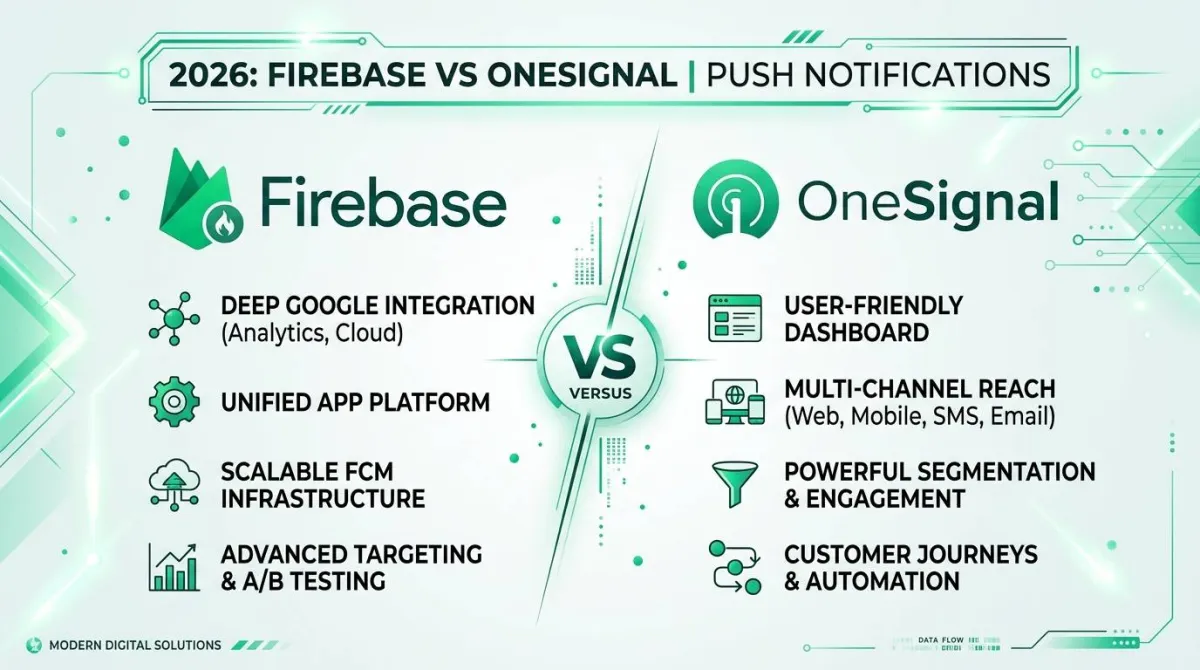
Firebase Cloud Messaging (FCM) — What You're Actually Getting
Firebase Cloud Messaging is Google's push notification transport service. It's been around since 2012 (originally as Google Cloud Messaging), and it's essentially the backbone of Android push notifications worldwide.
FCM Core Features in 2026
- Free, with no message volume limits. You can send a million notifications and pay nothing for the transport itself.
- HTTP v1 API for sending messages server-side. (The older legacy REST API was deprecated — if you're still using it, migrate now.)
- Topics and device groups — subscribe devices to topics, then broadcast to all of them at once. Great for "news alerts" or "sports scores" use cases.
- Two message types — notification messages (auto-displayed by the OS) and data messages (delivered silently to your app's code, so you handle display yourself).
- Firebase ecosystem integration — plays nicely with Firebase Analytics, Crashlytics, Remote Config, and the rest of the Firebase family.
What FCM Does NOT Include Out of the Box
And here's where things get real. FCM is a transport layer, not a full platform. That means:
- No dashboard for marketers or PMs to send campaigns — everything is code
- No segmentation UI — you can't filter "send to users in Germany who haven't opened the app in 7 days" without building that logic yourself
- No A/B testing for notification copy or timing
- No user-level message history or delivery receipts in any useful form
- No unified view across Android, iOS, and Web
- No retry logic beyond basic error handling — you build that or it doesn't exist
Think of FCM like the postal service. It delivers the letter. It doesn't help you write it, address it, track whether it was read, or let your marketing team send letters without involving IT.
Who FCM Is Best For
FCM is a great fit if:
- You're a developer who wants full control over how notifications are built and sent
- You're already using Firebase for auth, Firestore, or other services
- Your notifications are purely transactional — OTP codes, order confirmations, security alerts
- You have the engineering bandwidth to build the tooling around it
OneSignal — What You're Actually Getting
OneSignal is a managed push notification platform. It sits on top of FCM and APNs, adds a tonne of features, and wraps everything in a dashboard that non-engineers can actually use.
OneSignal Core Features in 2026
- Multi-platform SDKs — Android, iOS, Web, React Native, Flutter, Unity, Cordova. One integration covers them all.
- A dashboard humans can use — marketers can write and send campaigns without touching a line of code
- Audience segmentation — filter by behaviour, attributes, location, language, app version, last active, and more
- A/B testing — test different notification copy or delivery timing (available on paid plans)
- In-app messages — pop-up messages inside the app, not just push
- SMS and email (paid tiers) — multi-channel from one platform
- Delivery analytics — see how many were sent, delivered, opened, and who opted out
- Automated messaging flows — drip sequences, lifecycle triggers, time zone–aware scheduling
What OneSignal Abstracts Away (and What You Give Up)
OneSignal handles a lot automatically. That's mostly a good thing — but there are trade-offs worth knowing:
- Token management is automatic, which saves you headaches, but you have less visibility into what's happening
- Payload normalization across platforms is great for consistency but can be less flexible for custom use cases
- Data residency — user identifiers are stored on OneSignal's servers (US-based by default). For EU-regulated products, check their current data residency and DPA options carefully
- Vendor lock-in is real — exporting your segments and delivery logs before you leave is possible but needs planning
- The free tier is generous but has limits — more on that shortly
Who OneSignal Is Best For
OneSignal is a great fit if:
- Your marketing or product team needs to send campaigns without engineering support
- You want multi-channel messaging (push + in-app + email + SMS) from one place
- You want to ship in days, not weeks
- Segmentation, A/B testing, and lifecycle automation are priorities
- You'd rather pay for a platform than maintain your own push infrastructure
Firebase vs OneSignal — Head-to-Head Comparison
Let's put them side by side.
Feature Comparison
| Feature | Firebase (FCM) | OneSignal |
|---|---|---|
| Android Push Delivery | Native (FCM is the transport) | Via FCM under the hood |
| iOS Push Delivery | Via APNs (Firebase SDK) | Via APNs under the hood |
| Web Push | Yes (Firebase JS SDK) | Yes (multi-browser) |
| Dashboard for Marketers | No | Yes |
| Audience Segmentation | Manual (code only) | Built-in UI |
| A/B Testing | No | Yes (paid plans) |
| In-App Messages | No | Yes |
| Rich Notifications (images) | Yes | Yes |
| Message Analytics | Firebase Analytics integration | Built-in delivery reports |
| Base Cost | Free (transport) | Free tier + paid plans |
| React Native SDK | Official | Official |
| Flutter SDK | Official | Official |
| Data Residency Control | GCP region selection | Limited on lower tiers |
| Self-Hostable | No | No |
Pricing — Free Tier Reality Check
FCM is free. Full stop. No per-message fees, no subscriber limits. The catch is that "free" only covers the transport. Costs creep in from adjacent services:
- Cloud Functions that trigger your sends
- Firestore reads that drive segmentation logic
- Cloud Storage bandwidth if you're hosting images for rich notifications
OneSignal's free plan is genuinely useful for smaller apps. It covers basic push for web and mobile with a subscriber cap. Paid plans unlock higher limits, advanced segmentation, A/B testing, multi-channel, and data residency options.
Note: Pricing tiers change. Always check onesignal.com/pricing and firebase.google.com/pricing directly before making budget decisions.
There's also a hidden cost that never shows up in a spreadsheet: engineering time. If your FCM-only setup requires a sprint every quarter to chase SDK changes, token bugs, or edge-case failures, that's real money. It's worth modelling that honestly against what a OneSignal subscription would cost.
DIY (Firebase Direct)
$1,200 in hidden engineering timePlatform (OneSignal)
~$99+ subscription + minimal dev timeSetup Complexity
FCM direct setup involves:
- Firebase project creation
google-services.json(Android) orGoogleService-Info.plist(iOS)- SDK integration in your app
- Server-side API integration for sending
- Token management logic you write yourself
OneSignal setup involves:
- OneSignal account + app creation
- SDK integration with your OneSignal App ID
- Dashboard configuration for your platform credentials
- Server API is optional (the dashboard handles basic sending)
The 80/20 of it: OneSignal is faster to ship. FCM is more powerful if you invest the time to build properly around it.
Reliability and Delivery Rates
Here's something worth saying plainly: both tools use the same final delivery gateways. FCM for Android. APNs for iOS. The message has to pass through those pipes regardless of which tool you use.
Where they differ is in what happens before the gateway:
- Retry logic — OneSignal manages retries for you; with FCM you implement your own
- Token refresh handling — OneSignal handles stale token detection automatically; with FCM it's on you
- Deduplication — OneSignal prevents duplicate sends; with FCM you build that guard
Also worth saying: ignore any vendor's delivery rate claims that aren't independently verified. Both tools will tell you their delivery rates are great. In practice, delivery depends far more on your notification channel setup, user permissions, and whether you've built good token hygiene than which platform you picked.
Android Push Notifications — Firebase vs OneSignal in Depth
Android is where the FCM vs OneSignal debate gets the most nuanced, so let's go deep.
How Android Push Delivery Works in 2026
For apps distributed through Google Play, FCM is the required delivery transport. Android's OS design routes push notifications through FCM rather than letting apps maintain their own persistent background connections. This keeps battery life and network usage sane at the OS level.
A few things that matter in 2026 specifically:
- Notification channels are non-negotiable on modern Android. If your "critical security alert" shares a channel with "marketing promo," users will mute both. Set up channels properly, with the right importance levels.
- Background execution limits (API 34+) mean apps can't run freely in the background. Your notification handling needs to respect this — data messages that expect background processing can behave differently than you expect.
- OEM behaviour differences are a real headache. Samsung, Xiaomi, and Huawei devices all implement their own battery optimization layers that can delay or kill background processes. This affects delivery even when FCM is working perfectly.
Using FCM Directly on Android
The core flow looks like this:
- Set up a Firebase project, add
google-services.jsonto your Android app - Implement
FirebaseMessagingServicein your app - Override
onMessageReceived()to handle data messages (notification messages are auto-displayed) - Retrieve the FCM token and sync it to your server
- Create notification channels with appropriate importance levels
The most common source of silent failures? Token management. FCM tokens change when users reinstall your app, restore from backup, or clear app data. If your server is holding onto stale tokens, your sends look successful on the backend but the user never sees anything.
Using OneSignal on Android
OneSignal's Android SDK wraps FCM. In practice:
- You supply your OneSignal App ID instead of (or alongside)
google-services.json - OneSignal handles token registration and refresh automatically
- Custom sounds, large images, and notification action buttons are configurable through the dashboard or API
- Things that still need native code: custom notification styling beyond OneSignal's templates, deep link handling for custom schemes
Android-Specific Gotchas (Both Tools)
Regardless of which tool you use, watch out for these:
- Token churn on reinstall — both tools handle this, but OneSignal does it automatically while FCM requires your server to update its token records
- Doze mode and App Standby — Android can delay or batch notifications when the device is in a low-activity state. Critical alerts need the right priority flags.
- OEM battery kill switches — some manufacturers kill background processes aggressively. Guide users toward battery optimization whitelisting for your app if notifications are reliability-critical.
- Testing on real devices — emulators don't replicate OEM battery management. Always test on real hardware from the manufacturers your users actually have.
iOS Push Notifications — Firebase vs OneSignal in Depth
iOS has its own personality when it comes to push, and it's worth knowing the specifics.
How iOS Push Delivery Works in 2026
Apple's Push Notification service (APNs) is the only permitted delivery path for iOS push notifications — full stop. No exceptions, no workarounds.
A few things that matter in 2026:
- Use APNs auth keys (.p8 files) rather than certificates. Certificates expire; auth keys don't. If you're still on certificates, switch now — it'll save you a 2am production incident.
- Notification Service Extensions let you modify the notification payload after it arrives on the device, before it's displayed. This is how rich media (images, videos) and end-to-end payload modifications work on iOS.
- Critical alerts bypass the mute switch and Do Not Disturb — but they require explicit Apple entitlement approval. They're meant for genuinely critical situations (medical alerts, emergency notifications).
- iOS Notification Summaries (iOS 15+) can batch your notifications into a summary at certain times of day. Time-sensitive notifications can break out of this — both SDKs support the
interruption-levelflag needed to opt into this behaviour.
Firebase on iOS — What You're Working With
Firebase's iOS SDK communicates with APNs — but it does so through FCM's infrastructure under the hood. The notifications still arrive via APNs; Firebase is just the middle layer coordinating it.
The big thing to know here is method swizzling. By default, the Firebase iOS SDK uses swizzling to automatically intercept APNs token registration and notification delivery callbacks. This works fine in most cases, but it can cause conflicts if you're using other SDKs that also handle APNs, or if you need precise control over the token lifecycle.
You can disable swizzling by adding FirebaseAppDelegateProxyEnabled = NO to your Info.plist, but then you need to manually forward the relevant AppDelegate callbacks to Firebase yourself.
For silent (background) notifications, you'll use the content-available flag in your payload along with the right apns-priority setting. Firebase supports this, but it requires careful configuration to avoid Apple's background fetch rate limiting.
OneSignal on iOS — What's Different
OneSignal's iOS setup has a distinctive step: the OneSignalNotificationServiceExtension. This is a separate app extension target you add to your Xcode project. It's what enables rich media delivery (images, buttons, badges) and gives OneSignal click tracking visibility.
OneSignal supports provisional authorization (iOS 12+), which lets you deliver notifications quietly to the Notification Centre without the user having to tap "Allow" first. It's a useful way to demonstrate value before asking for full permission.
For Live Activities and Dynamic Island updates — which have evolved quickly — check OneSignal's current SDK docs directly. Both Firebase and OneSignal's support for this feature has been a moving target through 2024–2026, and docs change faster than any blog post can keep up with.
iOS-Specific Gotchas (Both Tools)
- Provisioning profiles and entitlements are the most common iOS setup failure. Push notifications require the right entitlements in your provisioning profile. When in doubt, regenerate your profile after enabling push in the Apple Developer console.
- APNs sandbox vs production mismatch is a classic trap. Your development build uses the sandbox APNs environment; your production build uses the production environment. Sending a production token to sandbox (or vice versa) fails silently.
- Thread identifiers in your payload control notification grouping. If you don't set them intentionally, iOS will group notifications in ways you might not expect.
- Apple Watch and App Clips have limited push notification support — if those are part of your product, check current platform constraints before designing your notification flows.
Cross-Platform and Framework Considerations
Building in React Native or Flutter? Here's what matters.
React Native — Firebase vs OneSignal
Both have mature, officially maintained React Native packages:
- Firebase:
@react-native-firebase/messaging(part of the React Native Firebase suite) - OneSignal:
react-native-onesignal
Both work well. The practical differences:
- If you're already using
@react-native-firebasefor other Firebase services (auth, Firestore, etc.), using the messaging module is the natural choice — it's one consistent library. - If your priority is the OneSignal dashboard and analytics features, the OneSignal RN package integrates cleanly and is well maintained.
- Common pitfall: Background message handler registration order matters in React Native. Register your handlers before any navigation or state setup, or you'll miss notifications that arrive while the app is fully closed.
Flutter — Firebase vs OneSignal
- Firebase:
firebase_messaging— part of the FlutterFire collection - OneSignal:
onesignal_flutter
The pattern is similar to React Native: teams already using FlutterFire tend to stick with firebase_messaging; teams prioritising multi-channel and the OneSignal dashboard reach for onesignal_flutter.
One note: Flutter's platform channel architecture means there are occasionally subtle differences in how notification tap events are surfaced between platforms. Test both Android and iOS specifically.
Web Push Notifications
Web push is supported by both — but it's worth knowing the browser landscape:
With Firebase JS SDK:
- Uses VAPID keys for authentication
- Requires a service worker (
firebase-messaging-sw.js) in your web root - Token retrieval via
getToken()
With OneSignal Web:
- Supports same-domain service worker setup or a OneSignal subdomain approach
- Dashboard-configurable prompts for opt-in
Browser support in 2026:
- Chrome, Firefox, Edge: solid support
- Safari on macOS: supported since Safari 16 (macOS Ventura)
- Safari on iOS: supported since iOS 16.4, but with meaningful caveats — users must add your site to their Home Screen for it to work as a web app. Standard in-browser web push on iOS Safari still has limitations.
Segmentation, Analytics, and Automation — Where the Real Difference Lives
If you only read one section to understand why teams switch from FCM to OneSignal (or vice versa), make it this one.
Segmentation Capabilities
FCM gives you two tools for reaching groups of users:
- Topics — devices subscribe to named topics, you broadcast to the topic. Simple and scalable, but no filtering logic.
- Device groups — group tokens together manually. Not really a segmentation tool.
That's it. There's no UI, no filtering by user attributes, no "send to users who haven't opened the app in 14 days."
OneSignal gives you a proper audience builder:
- Filter by custom tags (you define and set these from your app code)
- Filter by app version, OS version, device type, language, country
- Filter by session count, last active date, first session date
- Combine filters with AND/OR logic
- Save segments and reuse them
For re-engagement campaigns, onboarding sequences, or any notification that should reach a specific subset of users — OneSignal's segmentation is genuinely useful out of the box.
Delivery Analytics
FCM: Delivery reports exist in the Firebase Console, but they're limited. For real analytics — per-notification open rates, click rates, cohort analysis — you'll need to integrate Firebase Analytics and build your own reporting, or export to BigQuery.
OneSignal: Built-in reporting shows sent, delivered, opened, and opted-out counts per notification, per segment, and over time. Not as deep as a dedicated analytics platform, but enough for most teams to operate day-to-day.
One important caveat for both tools: "delivered" doesn't always mean "seen." Delivery typically means the OS acknowledged receipt. Whether the user actually looked at the notification depends on a lot of factors neither tool can control.
Automation and Triggered Messaging
FCM has no built-in automation. If you want to send a welcome notification 24 hours after signup, or re-engage users who haven't opened the app in a week, you build that logic yourself — usually with Cloud Functions, Pub/Sub, or a third-party CRM.
OneSignal has a Journey builder for automated sequences, supports API-triggered messages (your backend calls OneSignal's API when an event happens), scheduled sends, and time zone–aware delivery.
When you outgrow OneSignal's automation — usually at enterprise scale or when you need deep personalisation from a data warehouse — you'll typically integrate with Braze, CleverTap, or Iterable. But for most product-stage companies, OneSignal's automation covers the common cases.
Security, Compliance, and Data Privacy in 2026
This stuff matters more than ever — especially if your users are in the EU.
Data Residency and GDPR
Firebase / FCM: Data is processed by Google. You can select a Firebase project region, and Google operates under its own DPA. Check Google's current regional availability for Firebase services.
OneSignal: Data is processed by OneSignal (US-based by default). Enterprise plans include data residency options. Lower-tier plans have limited control over where data lives.
Under GDPR, device tokens and user attributes are personal data. Both tools require you to:
- Have a lawful basis for sending notifications (usually consent)
- Honour opt-out requests promptly
- Be able to delete a user's notification data on request
Both vendors offer Data Processing Agreements (DPAs) — get them signed before you handle EU user data.
Server-Side Security Best Practices
Simple but important:
- Never put your FCM server key or OneSignal REST API key in client-side code. Both get compromised this way. Keep them server-side only.
- For Firebase, use the Firebase Admin SDK for server-side sends — it handles authentication properly and is available for Node.js, Python, Java, and Go.
- For OneSignal, authenticate API calls with your REST API Key, stored securely in environment variables or a secrets manager.
Notification Permission Prompts and User Consent
This directly affects your long-term delivery rates:
- iOS 12+ provisional authorization — lets you send quiet, non-interrupting notifications to the Notification Centre without asking for permission first. Users can then upgrade to full permission from there. OneSignal supports this; you can also implement it with Firebase.
- Android 13+
POST_NOTIFICATIONSpermission — since Android 13, apps must request notification permission at runtime, just like camera or location. Both SDKs handle the permission request, but when and how you ask matters.
The best time to ask for notification permission isn't at first app launch. It's after the user has experienced value from the app. A user who's just placed their first order understands why delivery notifications matter. A user who just downloaded your app doesn't. Better opt-in timing = better long-term delivery rates.
When to Upgrade Your Push Stack — Signals That FCM Alone Isn't Enough
If you started with FCM and are wondering whether to make a change, here are the signals that tend to show up.
Signs You've Outgrown DIY FCM
- You're building internal tooling to let non-engineers send notifications — that's a platform, and you're now maintaining it
- Token churn is consuming real engineering time each quarter
- You have no visibility into why delivery rates changed after an OS update
- Localisation, rich media, and A/B testing each require custom engineering per campaign
- "Debug push notification failures" is showing up in your on-call rotation
Signs OneSignal's Free Tier Is No Longer Enough
- Subscriber count is approaching the free plan limit
- You need custom data residency for GDPR, HIPAA, or financial compliance
- You need API rate limits higher than the free plan allows
- You want SLA guarantees on delivery infrastructure
Signs You Should Consider a Custom Infrastructure Play
- You need full control over delivery telemetry at the message level
- Compliance requires you to own the data pipeline end to end
- Notification volume is high enough that per-subscriber SaaS pricing becomes expensive
- You have the engineering bandwidth to operate Kafka, a custom fan-out service, and token management
Most teams don't reach that third scenario. But it's worth knowing it exists.
Migrating Between Firebase and OneSignal
Switching stacks mid-flight is nerve-wracking. Here's how to do it without breaking things.
Migrating from FCM-Only to OneSignal
- Audit your use cases first. Map every notification type: transactional (OTPs, alerts), lifecycle (onboarding sequences), and marketing (campaigns). Start migrating the lowest-risk category.
- Run dual-send during transition. Set up OneSignal alongside your existing FCM implementation and send the same notifications through both for a validation period.
- Import existing FCM tokens into OneSignal. OneSignal supports device token import — this is how you avoid losing your existing subscribers.
- Normalise your payload schema. Make sure your analytics tracking isn't broken by the switch — notification click events need to map cleanly to your analytics events.
- Validate rich media and deep links before cutover. The image fetch path and URL scheme handling are where surprises hide.
- Sunset FCM-direct calls gradually — keeping Firebase SDK in place on iOS is fine since OneSignal still routes through APNs anyway.
Migrating from OneSignal to Firebase (or Custom)
- Export your data before anything else. Player IDs, segments, and delivery history. Once you downgrade or cancel, access may be limited.
- Map OneSignal player IDs to FCM tokens. These aren't always a direct one-to-one mapping.
- Rebuild your automation flows in the new toolchain before you turn off OneSignal — not after.
- Run parallel sends long enough to validate delivery parity between old and new setups.
What to Never Skip When Migrating
- APNs auth key configuration — a mismatch between your new setup and Apple's records causes silent iOS failures that are annoying to debug
- Android notification channel IDs — if your new SDK uses different channel IDs, users who had muted old channels may find them unmuted, or vice versa
- Deep link handlers — URL scheme handling and App Links behaviour can quietly break on SDK migration, so test every notification type that opens a specific screen
Firebase vs OneSignal Decision Framework — Which Is Right for You?
Let's make this simple.
Choose Firebase (FCM Direct) If…
- You want zero dependency on a third-party SaaS for core notification delivery
- Your notifications are entirely transactional — OTPs, security alerts, order status
- You're already in the Firebase / GCP ecosystem and want to stay there
- You have the engineering resources to build segmentation, analytics, and retry logic
- You need deep payload customisation that a platform layer might constrain
Choose OneSignal If…
- Your marketing or product team needs to send campaigns without engineering support
- You need multi-channel (push + in-app + email + SMS) from one platform
- You want to ship in days, not weeks
- A/B testing, lifecycle automation, and segmentation are on your roadmap
- You'd rather pay for a platform than maintain push infrastructure as a core competency
Consider a Hybrid Approach If…
- You want OneSignal for marketing campaigns and FCM direct for transactional messages — separating them by reliability requirements makes sense
- You need to separate data flows for compliance reasons
- You're evaluating enterprise alternatives (Braze, Iterable, CleverTap) and want to keep options open
Hybrid setups add complexity — two SDKs means more iOS APNs token handling to manage carefully — but for mature products with distinct notification use cases, it's a reasonable architecture. Building a hybrid or WebView app? Check our guide on how push notifications work in WebView apps.
Frequently Asked Questions
- Frequency — too many notifications is the top reason users mute or uninstall
- Relevance — notifications that feel irrelevant get ignored, then turned off
- Timing — a 3am notification is a fast path to opt-out
- User control — use Android notification channels and iOS categories to let users turn off specific notification types without nuking all of them
Conclusion — The Right Answer for Your 2026 Stack
Here's the honest summary: Firebase (FCM) and OneSignal are solving different parts of the same problem.
FCM is infrastructure. It's the pipe that carries your messages to Android devices. It's free, powerful, and gives you complete control — but it's a starting point, not a complete solution.
OneSignal is a platform. It sits above FCM and APNs, adds everything you'd need to operate push notifications as a product feature — segmentation, analytics, automation, a dashboard — and makes it accessible to your whole team, not just engineers.
Both ultimately use the same delivery gateways. The difference is what you build (or buy) above them.
Key Takeaways
- FCM is not optional for Android — it's the required delivery layer for Google Play apps, regardless of which tool you use on top
- OneSignal adds a product layer on top of FCM/APNs — useful if you want segmentation, dashboards, and automation without building them
- The "better" tool depends on your team's capacity, your notification use cases, and your compliance requirements
- Migrating is feasible, but plan around token management, analytics continuity, and APNs configuration
- In 2026, React Native and Flutter both have mature SDKs for each tool — your framework choice alone shouldn't drive the decision
Your Next Steps
- Starting fresh? Prototype with OneSignal for the fastest time-to-value, while setting up FCM credentials in Firebase so you have the option to go direct later.
- On FCM only? Ask honestly whether non-engineers are asking to send campaigns. If the answer is yes, evaluate OneSignal or a similar platform before someone builds an internal tool that becomes permanent.
- On OneSignal? Audit your free vs paid tier limits and your data residency obligations before you hit a compliance event or a scaling ceiling.
- Regardless of stack: Implement end-to-end delivery telemetry before you need it in an incident. The teams that know their delivery funnel cold are the ones who fix incidents in minutes instead of hours.
Last updated: June 2026. Pricing, SDK features, and platform support change frequently — verify details directly with Firebase and OneSignal documentation before making final decisions.