Why Was My App Rejected by Apple? 10 Most Common Reasons in 2026
So you finally hit submit. Weeks (okay, months) of late nights, your launch date is circled in red on the calendar, your friends and family already know the app is "almost live"... and then the email shows up. Subject line: "Your app has been rejected."
Take a breath. Seriously. A rejection from Apple almost never means your app is bad. It usually means one specific box wasn't ticked, and most of the time it gets fixed and resubmitted within 24 to 72 hours.
Here's the thing that makes this less scary: Apple doesn't reject apps on a whim. Every single app gets checked against the App Review Guidelines, which are organized into five simple buckets: Safety, Performance, Business, Design, and Legal. Your rejection notice always points to one (or more) of these. Find the exact guideline number, fix that one thing, and you're usually back in business.
This guide walks through the 10 most common rejection reasons in 2026, including the new stuff Apple added this year, like the mandatory SDK upgrade and the new AI data-sharing rules. Each one comes with the exact guideline number, why it trips people up, and exactly how to fix it.
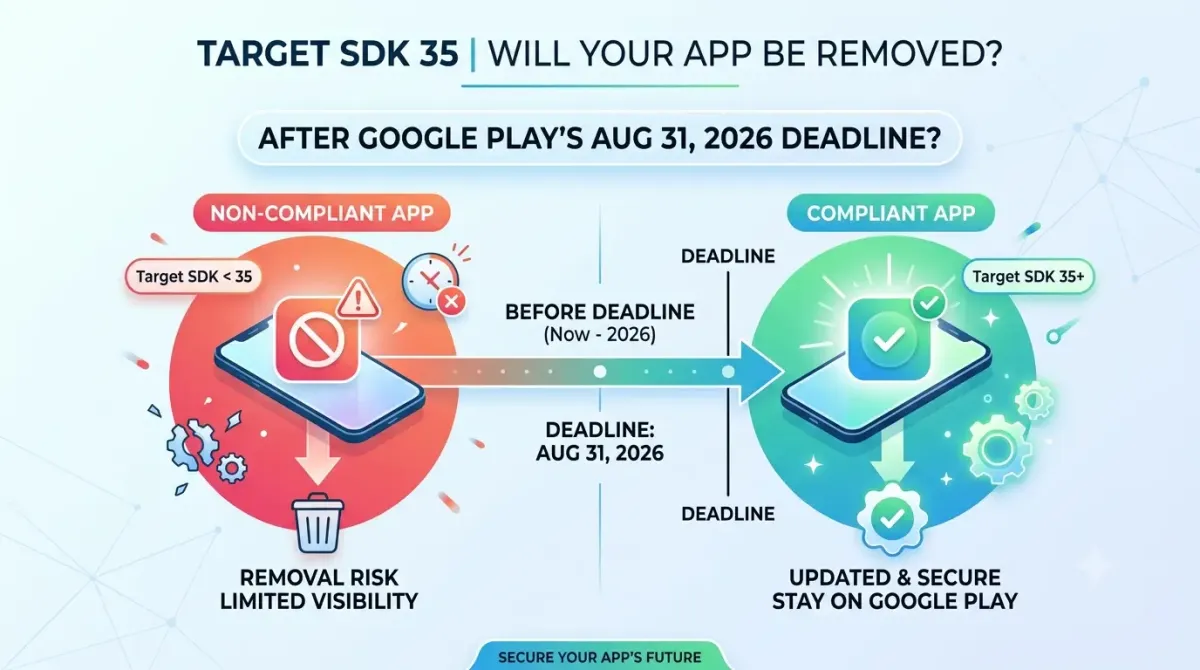
Also launching on Android? Be sure to check our companion guide: Why Was My App Rejected by Google Play? 10 Common Reasons & Fixes (2026).
How to read this guide (and find your reason fast)
Open the rejection notice in App Store Connect and look for a guideline number, something like "2.1" or "5.1.2." That number is your shortcut. Find it in the table below and jump straight to that section.
| # | Reason | Guideline |
|---|---|---|
| 1 | App crashes, freezes, or is buggy | 2.1 |
| 2 | Missing demo account or broken backend | 2.1 |
| 3 | Misleading screenshots or description | 2.3 |
| 4 | Privacy policy or permission problems | 5.1.1 |
| 5 | Missing privacy manifest for SDKs | 5.1.1 |
| 6 | Tracking users without permission | 5.1.2 |
| 7 | No way to delete your account in-app | 5.1.1(v) |
| 8 | Payment rules broken | 3.1.1 |
| 9 | App is too thin, spammy, or a clone | 4.2 / 4.3 |
| 10 | Old SDK or banned APIs | 2.5.1 |
One more thing before you dive in: it's totally normal for more than one of these to fire at once. Don't panic if your notice mentions two or three guidelines. Just work through them one at a time.
First, what does an App Store rejection actually mean?
Before we get into the list, let's clear up some confusing vocabulary, because Apple uses three different words that sound similar but mean very different things.
Rejection vs. removal vs. ban
- Rejection — Your app (or update) didn't pass review. You fix it and send it back. This is the most common outcome and the easiest to bounce back from.
- Removal — Your app was already live, and Apple pulled it down after the fact, usually for a guideline violation discovered later.
- Account termination — Your whole developer account gets shut down. This is reserved for serious or repeated abuse, like fraud, not for a single honest mistake.
A regular rejection does not put your developer account at risk. Apple isn't keeping score against you for typos in your demo notes.
Where rejections come from: the five guideline pillars
Every guideline number you'll ever see falls under one of these five sections:
Here's a fun (or terrifying, depending on your mood) detail: Apple's reviewers actually test apps on real devices, not just simulators, and they poke at your core features rather than just glancing at the home screen.
How common is rejection, really?
Pretty common, but not in a "your app is doomed" way. According to Apple's own 2025 App Store transparency numbers, App Review evaluated more than 9.1 million submissions last year and rejected over 2 million of them, a mix of roughly 1.2 million new apps and nearly 800,000 app updates. Within that, Apple flagged over 443,000 submissions for privacy issues and more than 371,000 for spam, copycat, or misleading behavior.
That sounds like a lot, and it is. But it also means almost everyone hits a rejection at some point, including very experienced teams. It's a normal part of the process, not a red flag about your app.
The 10 Most Common Reasons Your App Was Rejected in 2026
We've ordered these roughly from "happens to almost everyone" to "brand-new 2026 stuff that trips up even seasoned developers." If you're in a hurry, jump straight to your number from the table above.
1. Crashes, bugs, and broken functionality (Guideline 2.1)
This is the single biggest cause of rejections, by a wide margin, so it earns the top spot.
What it means
Your app crashes on launch, freezes mid-use, shows a blank white screen, or has a button that just... does nothing when the reviewer taps it.
Why it happens
Usually it's a "works on my machine" problem. Teams test on a simulator or the newest iPhone, but the reviewer's device is different. Sometimes a debug build accidentally gets submitted instead of the polished production version, or a backend server hiccups right during the review window.
How to fix it
- Test on a real, slightly older device, not just a simulator or this year's flagship.
- Double check you're uploading the final production build, not a debug version.
- Run Xcode's Instruments tool to catch memory leaks, CPU spikes, and battery drain before they catch you.
- Click every link and button yourself, including empty states and the very first screen a brand-new user sees.
- Make sure your backend is awake and stable for the whole review period. Reviewers won't wait around for a sleepy server.
2. Incomplete submissions: missing demo accounts and placeholder content (Guideline 2.1)
Same guideline number as above, but a completely different headache, and common enough to deserve its own spot.
What it means
The reviewer literally cannot get into your app. Maybe there's a login wall with no working test account, or there's still a "Lorem ipsum, coming soon!" placeholder sitting on a screen.
Why it happens
Someone forgot to fill in the App Review notes, the demo password expired, or the app points at a staging server that nobody remembered to leave running.
How to fix it
- Provide a demo account with credentials you tested today, not last month.
- Write clear, specific review notes that walk the reviewer through anything non-obvious.
- If a feature is gated behind a paywall or invite code, make sure the reviewer has a way around it.
- Sweep your app for placeholder text, dummy images, and "coming soon" screens before you hit submit.
3. Inaccurate or misleading metadata and screenshots (Guideline 2.3)
What it means
Your screenshots, description, or app name promise something the app doesn't actually deliver: a feature that doesn't exist yet, a mockup that doesn't match the real interface, or wording borrowed from a competitor.
Why it happens
Marketing assets get created early and full of ambition, then nobody updates them after a redesign — rebuilding the set from fresh captures with a screenshot generator takes minutes and removes the mismatch. Or someone stuffs the keyword field with trendy terms hoping for a search boost. Apple's guidelines prohibit competitor names, irrelevant terms, and pricing language in the keyword field — and enforcement has tightened in 2026. See our guide on how to write App Store keywords correctly to avoid a metadata rejection.
How to fix it
- Use real, current screenshots taken from the actual shipped app, not concept art.
- Keep your app name short, relevant, and free of pricing claims or competitor names.
- Make sure your description matches what the app genuinely does, nothing more.
4. Privacy policy and permission-string problems (Guideline 5.1.1)
What it means
Either your privacy policy link is missing or broken, or your permission pop-ups (the ones asking for camera, location, microphone, and so on) don't clearly explain why you need that access.
Why it happens
Developers leave the default, vague permission text in place, or they request access "just in case" for a feature the app doesn't actually use.
How to fix it
- Write a specific, human sentence for every permission request explaining exactly why you need it.
- Only ask for a permission right when it's relevant, not all upfront during onboarding.
- If your app declares a background mode like audio or location, make sure it genuinely uses it. Apple checks.
- Click your own privacy policy link and confirm it actually loads.
5. Missing privacy manifests and undeclared "required reason" APIs (Guideline 5.1.1 and third-party SDKs)
This one's sneaky because it can reject you for code you didn't even write yourself.
What it means
Apple requires a privacy manifest, plus an approved reason, for certain sensitive system calls (things like file timestamps or disk space checks) used anywhere in your app, including inside third-party SDKs you've bundled in. If any piece of that is missing or unsigned, the whole app gets bounced, often by an automated check before a human reviewer even looks at it.
Why it happens
An analytics or ad SDK that was fine six months ago hasn't been updated with a current manifest, and you had no idea it was even calling those APIs.
How to fix it
- Audit every third-party SDK in your app (analytics, ads, crash reporting) and confirm each one ships a current, signed privacy manifest.
- Declare the approved reason for every required-reason API your code or your dependencies touch.
- Drop or swap out any SDK that hasn't kept up, and re-check this on every single update, not just your first launch.
6. App Tracking Transparency violations (Guideline 5.1.2)
What it means
You're tracking users across other apps or websites for advertising purposes, or pulling the device's advertising identifier, without showing Apple's official tracking permission prompt first.
Why it happens
An attribution or ad SDK quietly grabs tracking data before the prompt has even appeared, or the prompt is wired up to show too late.
How to fix it
- Implement Apple's tracking permission system correctly, and trigger it before any tracking activity starts, not after.
- This applies even if the tracking is just for attribution. There's no "it's a small amount of tracking" exception.
7. No in-app account deletion (Guideline 5.1.1(v))
This requirement has technically been around since 2022, and it is still tripping people up in 2026.
What it means
If users can sign up for an account inside your app, they need to be able to delete that account from inside the app too. A visible, working button, not a "please email us" workaround.
Why it happens
Teams build the sign-up flow, ship it, and quietly forget the deletion flow, or they bury it behind a support ticket instead.
How to fix it
- Add a clear "Delete Account" option, usually somewhere in Settings, that actually removes the account and its data.
- Test it end to end yourself. Reviewers specifically look for this one, and Apple even has a step-by-step guide for setting it up.
8. Payment and in-app purchase violations (Guideline 3.1.1)
What it means
You're selling digital goods or subscriptions through your own checkout, a website link, or some other workaround instead of Apple's In-App Purchase system.
Why it happens
Teams want to avoid Apple's commission, so they route digital purchases through the web instead, not realizing this is one of the more strictly enforced rules on the entire App Store.
How to fix it
- Use Apple's In-App Purchase system (StoreKit) for anything digital: subscriptions, levels, premium content, the works.
- Clearly show the price, how often it renews, and how to cancel before someone buys.
- One nuance worth knowing: following a court ruling, apps distributed on the US storefront can now include buttons or links to outside payment options, and the EU has its own separate set of rules under the Digital Markets Act. Almost everywhere else, In-App Purchase is still required for digital goods, so double check the rules for each region you publish in before assuming a workaround applies everywhere. Read our complete breakdown of Apple Guideline 3.1.1 for web-based apps.
9. Minimum functionality, spam, and the AI app crackdown (Guidelines 4.2 and 4.3)
This is where Apple has been tightening the screws hardest in 2026.
What it means
- Minimum Functionality (4.2): your app is too thin, basically a repackaged website or a single static feature dressed up as an app. Read our dedicated guide on how to pass Apple Guideline 4.2 review for WebView apps.
- Spam (4.3): near-identical clones, or piling into an already-saturated category without doing anything new.
- The 2026 twist: Apple updated this guideline again in June 2026 to specifically call out low-effort apps in crowded categories, and it now reserves the right to remove existing apps that go stale and stop attracting users, not just reject new ones at the door. AI-generated "prompt-to-app" submissions with little original value are getting extra scrutiny too.
Why it happens
No-code builders and AI app generators make it incredibly fast to spin up something that technically works but doesn't offer much beyond what a website already does. Agencies sometimes submit a dozen cosmetically different clones from the same template.
How to fix it
- Make sure your app does something a website genuinely can't, native features, offline use, real interactivity.
- If you're using a template or AI builder, add enough original functionality and content that it stands on its own.
- Consolidate near-duplicate apps into one strong product instead of several thin ones.
- Don't assume the builder handles compliance for you. You're still the one Apple holds responsible.
10. Outdated builds, deprecated APIs, and the iOS 26 SDK mandate (Guideline 2.5.1)
The most 2026-specific item on this list, and the one that quietly blocks a lot of submissions before a human ever sees them.
What it means
Apple's guidelines require apps to use only public, supported APIs and to keep up with the current OS. The big headline for 2026: since April 28, 2026, every app or update uploaded to App Store Connect must be built with Xcode 26 and the matching iOS 26 SDK (or the equivalent for tvOS, visionOS, and watchOS). Builds made with older tools get an automatic rejection before review even starts.
Why it happens
A team's CI pipeline is still pinned to an older Xcode version, or there are deprecated APIs (or worse, private undocumented ones) hiding somewhere in the codebase.
How to fix it
- Update Xcode and your CI runners to the current required version, and make sure your team's Macs are running a compatible macOS version too.
- Search your project for deprecated APIs and swap them out, and remove any private API calls entirely.
- Pay attention to warnings, not just errors. Today's harmless warning is often next year's rejection.
- Good news: this only changes which SDK you build with. You can keep an older deployment target, so users on older iPhones aren't affected at all.
Bonus 2026 watch-item: disclosing AI features
If your app sends user data to an external AI service (think a third-party chatbot API or an image-generation tool), Apple now requires you to clearly tell users which provider is involved and what data is shared, and to get their explicit permission before doing it. This rule, guideline 5.1.2(i), took effect in November 2025 and is brand new territory for a lot of AI-powered apps. A simple, well-timed consent screen before the AI feature kicks in usually covers it.
Check the boxes below before you hit submit to calculate your Readiness Score and reduce the risk of a predictable rejection.
Readiness Score
0%What to do the moment you get a rejection (the recovery playbook)
Getting rejected stings for about thirty seconds, then it's just a checklist. Here's the order that gets apps back on the store fastest.
Step 1: Read the notice and find the guideline number. Apple's rejection messages are specific, often including a screenshot of exactly what the reviewer saw. Read that part carefully before you touch any code.
Step 2: Make a surgical fix. Fix the exact thing that was cited and resist the urge to also refactor three other features while you're in there. Bundling in unrelated changes just expands what could go wrong on the next review.
Step 3: Reply in the Resolution Center. Don't just silently resubmit. Write a short, clear, polite explanation of what you changed, with a screenshot or quick video if it helps. Reference the guideline number back to them.
Step 4: Resubmit, or appeal only if you genuinely disagree. In most cases, fixing and resubmitting is faster than appealing. If you truly think the reviewer got it wrong, reply in the Resolution Center first, and escalate to the App Review Board only if that doesn't resolve it. Trying to pressure Apple through social media rarely speeds things up and can make things worse.
A pre-submission checklist to avoid the repeat trip
Run through this before every single submission, not just your first one:
- Demo credentials tested today, with clear review notes
- Every permission string is specific and accurate
- Privacy manifests current for your app and every SDK inside it
- A working in-app "Delete Account" flow
- Real, current screenshots and accurate metadata
- Built with the current required Xcode and SDK version
- In-app purchases handled through StoreKit, with clear pricing
- Tested on a real, slightly older device through TestFlight
Frequently Asked Questions
Most Rejections Are Predictable, and Preventable
Here's the through-line of this entire guide: an App Store rejection is almost never a verdict on whether your app is good. It's a specific, named, fixable gap, and Apple tells you exactly which one in the rejection notice.
The biggest buckets to know are performance and completeness (2.1), metadata accuracy (2.3), privacy (5.1.x), and the policy or technical rules around payments, spam, and outdated builds (3.1.1, 4.x, 2.5.x). And 2026 adds a few new ones worth bookmarking: privacy manifests for required-reason APIs, mandatory in-app account deletion, AI disclosure for third-party data sharing, and the Xcode 26 / iOS 26 SDK build requirement.
Test on real devices, make targeted fixes, document them clearly in the Resolution Center, and run through your checklist before every release, not just the first one. That's really the whole game.