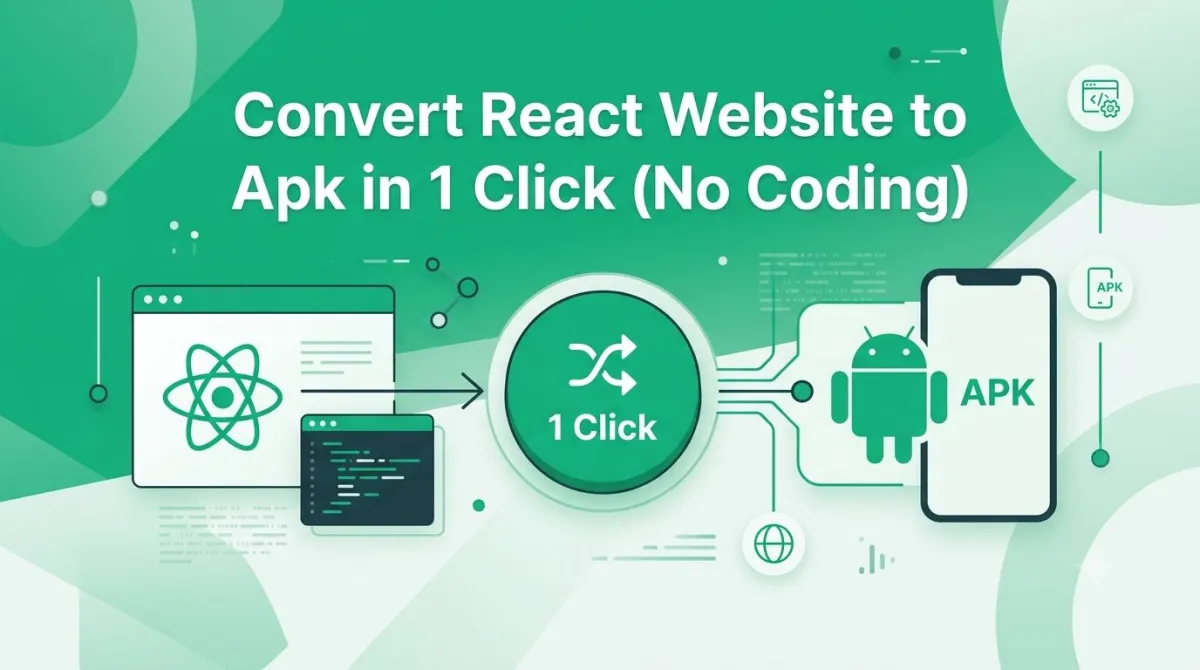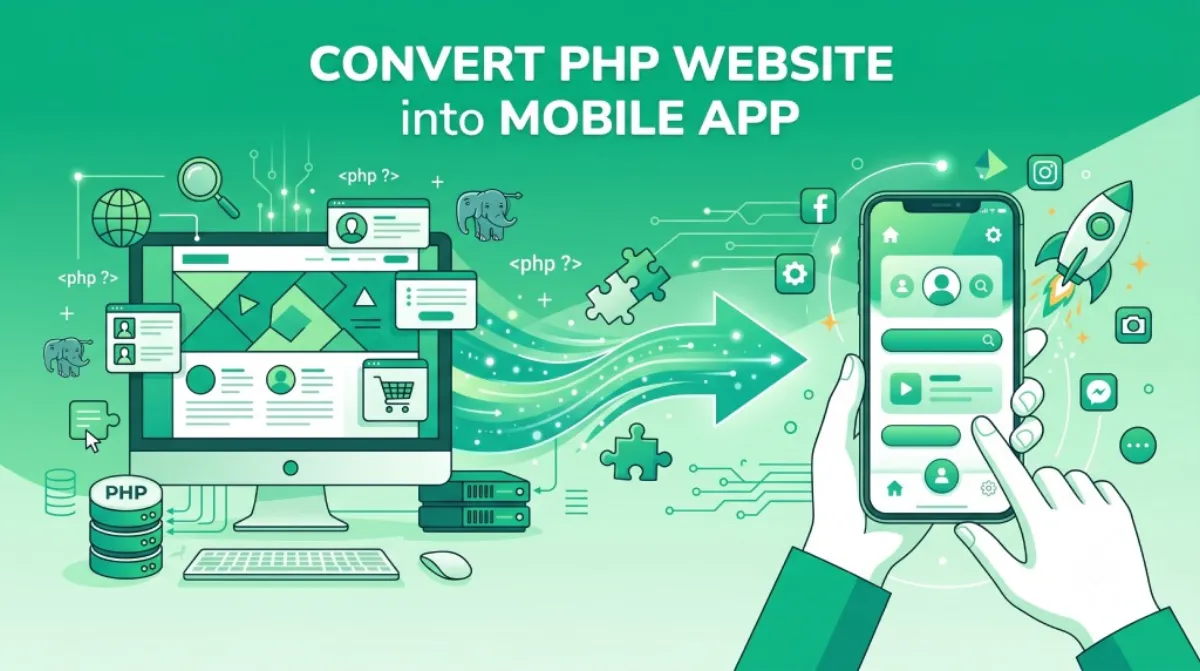
Convert PHP Website into Android & iOS App in 1 Click — No Coding Required
You've built a solid PHP website. Now get it on every phone — as a real, installable app — without touching a single line of native code.
Why Turn Your PHP Website into a Mobile App?
A PHP website is worth turning into a mobile app because roughly two-thirds of web traffic is now mobile, and an app on the home screen holds attention that a browser tab does not. Here's something that probably doesn't surprise you: people live on their phones. But just how much things have shifted in the last five years might.
The mobile-first shift: how users browse today vs. 5 years ago
Back in 2019, roughly half of web traffic came from mobile. Today, it's closer to two-thirds globally — and in many industries (food, retail, local services) it's even higher. Your PHP website might be perfectly functional, but if it's only living in a browser tab, you're already at a disadvantage compared to businesses that have an app icon sitting on a user's home screen.
What users expect from a native app experience (speed, offline, notifications)
Apps feel different from websites in a browser, and users notice. Here's what they're really looking for:
- Speed — no URL bar, no extra taps to navigate, instant launch
- Push notifications — you can reach your users even when they're not on your site
- Full-screen experience — no browser chrome eating up screen space
- That "official" feeling — an app icon on someone's phone just hits differently than a browser bookmark
The cost barrier of building a native app from scratch — and how to bypass it
Building a native app from scratch? You're looking at months of development work and costs that typically start around $10,000 and climb fast. For most small businesses, freelancers, and solo founders, that's simply not realistic.
That's where website-to-app converters come in. And if you've got a PHP website, you're in luck — the process is surprisingly simple.
What Is a Website-to-App Converter? (And How Does It Work?)
A website-to-app converter wraps your existing website inside a native Android and iOS shell, so it installs and behaves like an app without the site being rebuilt. Fair question. Let's break it down in plain English before we get into the how-to.
WebView-based apps explained in plain English
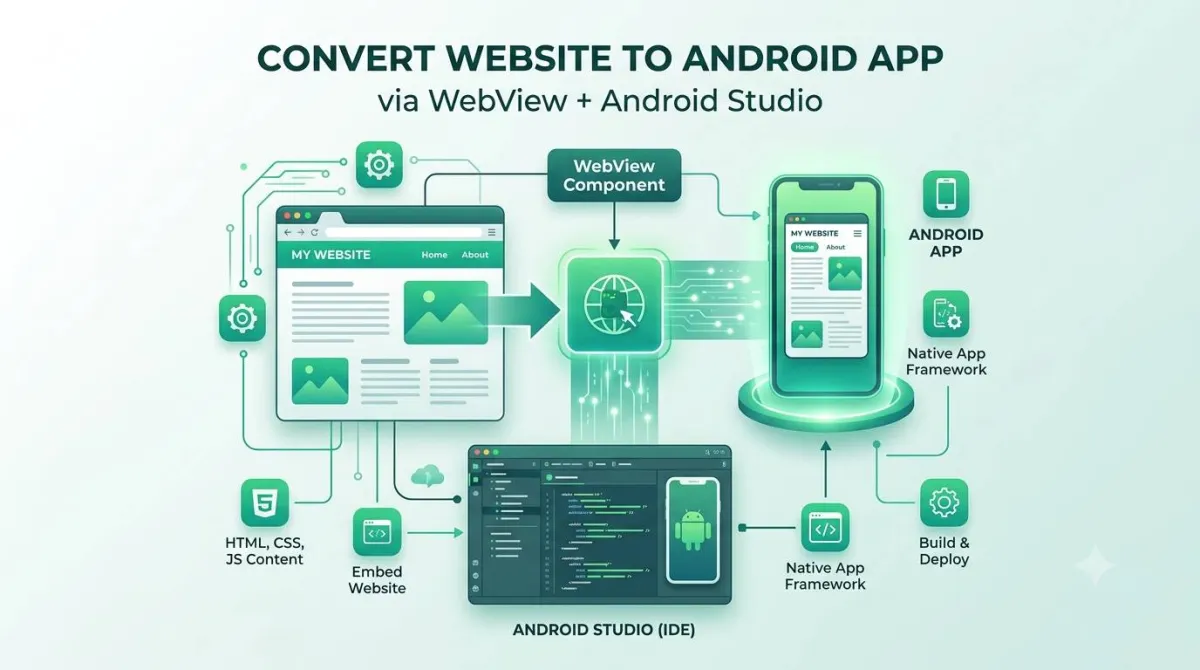
A WebView is basically a mini-browser engine built into a native app shell. Think of it like a picture frame — the frame is a real Android or iOS app (it lives on your phone, it has an icon, it can send notifications), but the "picture" inside it is your existing website, loaded and displayed in full screen.
The result? Users get an app experience. You don't have to rebuild anything.
How your website URL becomes a real installable app
The process is pretty straightforward:
- You provide your website URL
- A native app shell is built around it (for Android, iOS, or both)
- You customise the branding — icon, splash screen, colours, navigation
- You receive the finished app file, ready to test and publish
That's genuinely it. No code. No SDK. No developer needed.
Does it work with PHP, WordPress, Laravel, or any other stack?
Yes — and this is the part a lot of people don't expect. Because the app just loads your website URL, the technology behind your site doesn't matter at all. PHP, WordPress, Laravel, CodeIgniter, plain HTML — even a static site — all work exactly the same way. The app doesn't care what's running on your server.
Key difference: fully managed service vs. DIY tools
| DIY App Builder Tools | Fully Managed Service (AppOfWeb) |
|---|---|
| You configure everything yourself | Team handles all the technical setup |
| Can hit confusing errors mid-build | You submit a form, they build it |
| Publishing to stores? You're on your own | Optional store publishing add-on available |
| Support varies (often forum-only) | Revisions included, no extra charge |
Meet AppOfWeb: The Fully Managed PHP-to-App Service
AppOfWeb is a fully managed service rather than DIY software — you supply your PHP website's URL and the AppOfWeb team builds and delivers the apps. There are a few website-to-app tools floating around online. AppOfWeb takes a different approach — it's a service, not just software you figure out yourself.
What makes AppOfWeb different from generic converters
Most DIY app builders hand you a tool and a tutorial and wish you luck. AppOfWeb does the actual building for you. You fill in a form with your website URL and branding details, and a real build comes back. If something's not right, you request revisions — for free, as many times as you need.
Supported platforms: Android & iOS, both covered
AppOfWeb builds for both Android (APK / AAB for Google Play) and iOS. You can get both in one go, which matters if you want your app available to the full range of smartphone users.
Who is it built for? (freelancers, small businesses, agencies, solo founders)
Honestly, if you have a website and want an app without hiring developers, this is for you. More specifically:
- Freelancers who want to add app delivery to their service offering
- Small businesses that want an app presence without the enterprise price tag
- Agencies that can white-label or resell app builds to clients
- Solo founders validating an app idea before committing to full development
How to Convert Your PHP Website to an App in 1 Click — Step by Step
Converting a PHP website to an app takes five steps, most of which take about two minutes each. Right, let's get into the actual process. Five steps, and most of them take about two minutes each.
Submit your website URL
Head to AppOfWeb and paste in your website URL. That's the core of the whole thing — your site's address is what the app will load.
What to check before submitting (SSL, mobile-responsiveness)
- SSL certificate — your site needs to be on HTTPS (not HTTP). Most hosts include this for free these days, but double-check. An HTTP site won't load correctly inside an app.
- Mobile responsiveness — open your site on your phone. Does it look good? If menus are broken or text is tiny, sort that first. Your app will look exactly like your mobile website.
Customise your app's look and feel
This is where your app stops looking generic and starts looking like yours. You'll be asked for:
Uploading your app icon and designing your splash screen
- Icon: Upload a 1024×1024 px PNG. No rounded corners needed — both Android and iOS apply their own corner treatment automatically.
- Splash screen: This is the loading screen shown while your app starts up. Keep it simple: your logo on a solid or lightly branded background. Don't put too much text on it — it only shows for a second or two.
Setting your custom package name (e.g. com.yourbrand.app)
This is the unique identifier for your app in the store — formatted like com.yourbrand.app. Pick something that matches your brand and won't need changing later, because once it's published to the store, the package name is permanent.
Configuring the bottom navigation bar tabs and labels
This is the row of tabs at the bottom of your app (Home, Shop, Contact, etc.). Think about the three to five pages your users visit most. Those become your nav tabs. Give each one a short label and a matching icon.
Status bar color — match your brand palette
The thin bar at the top of the screen (where the clock and battery live). Setting this to match your brand's primary colour is a small detail that makes the whole app feel more polished.
AppOfWeb builds your app
Once you've submitted your details, you're done for now. The AppOfWeb team handles everything — compiling the native app, packaging it correctly for Android and iOS, applying all your branding. No action needed from you.
What happens behind the scenes (no action needed from you)
The team wraps your URL inside a native app shell, applies your icon, splash screen, package name, and nav configuration, then compiles it into a real, signed APK (Android) and IPA (iOS). It's the same process a developer would do — just handled for you.
Turnaround time — what to expect
Build times vary depending on volume, but you can typically expect your first build within a few business days. You'll be notified when it's ready.
Receive your build and test on your iPhone or Android
You'll get your app file — time to install it and take it for a spin.
How to install the test build on iOS (TestFlight or direct install)
Apple uses TestFlight for pre-release app testing. AppOfWeb can share your iOS build via TestFlight so you can install and test it on your iPhone before it ever hits the App Store.
How to sideload the APK on Android for testing
On Android, you can install the APK file directly on your phone for testing — no Play Store needed. Go to your phone's settings, allow installs from unknown sources, then open the APK. You'll be clicking through your app within seconds.
Request revisions (unlimited, no extra charge)
Something not right? Navigation tab labels need tweaking? Splash screen colour is slightly off? Request a revision. AppOfWeb includes unlimited revisions — there's no awkward "you've used your three revision allowance" email. Keep going until it's exactly how you want it.
Quick tip: Do your testing on multiple devices if you can — an iPhone SE and a larger Android like a Samsung Galaxy will show you how your app looks across different screen sizes before you publish.
Every Feature Included in Your App — Explained
Every feature listed below is part of the base build, not a paid upgrade. Here's a full breakdown of what comes in the box. The included features are all part of the base build — no surprises.
Your branding, front and centre from the moment someone taps your icon.
Tabs linking to your key pages. Feels native, works like any major app.
That familiar swipe-down gesture to reload. Users expect it; it's there.
A loading indicator so users know the app is working, not frozen.
Standard touch gesture for zooming in on content or images.
A branded offline screen instead of a scary browser error. Much friendlier.
Built-in sharing and a review prompt to grow installs organically.
Match the top status bar to your brand colour. Small detail, big polish.
Update your website and the app reflects it automatically. No rebuilds needed.
Your own com.yourbrand.app identifier for store identity.
Change your mind? Request tweaks until the app is exactly right.
A few features worth highlighting
App syncing — what this means: auto-reflecting live website changes inside the app
Because your app loads your live website, any update you make on your site instantly appears in the app. Change a price, publish a new blog post, update your menu — your app users see it without you pushing any kind of update. This is one of the biggest practical advantages of a WebView app over a native rebuild.
Why a custom offline screen beats a browser error page for user trust
When a user loses connectivity inside a browser, they see a scary "ERR_CONNECTION_TIMED_OUT" page with a cartoon dinosaur. Inside your app, they see a branded, friendly screen that says something like "No internet connection — try again." It's a small thing that keeps your app feeling professional and trustworthy even in an edge case.
How in-app sharing drives organic installs — and when to trigger the rate prompt
The share button lets users send your app to friends directly from inside the app — organic growth you don't have to pay for. The rate prompt encourages happy users to leave a review in the store. The trick is timing: show it after a user has completed an action they clearly enjoyed (made a purchase, read an article, booked a service) — not five seconds after they open the app for the first time.
How to plan your nav structure around your site's key pages — icons, labels, and active state tips
When planning your bottom navigation bar, keep tab labels short (one or two words max), pick icons that match their destination, and make sure the "active" state is visually obvious. A glowing accent dot or a filled icon works well. Navigation should always be immediately obvious — if a user has to guess what a tab does, it's the wrong label.
Why the package name matters for Play Store identity and SEO
The package name (com.yourcompany.yourapp) is your app's permanent identity in the Play Store and App Store. Search engines index it. It shows up in links. If you change it after publishing, you lose all your reviews and download history. Set it right the first time — use a name that reflects your brand and won't date badly.
How to use revisions effectively — what to test first
Don't use your first revision for cosmetic tweaks. Use it to test that core user journeys work — can users log in? Can they check out? Can they navigate to all key pages? Technical functionality first, polish second.
Optional Add-Ons Worth Knowing About
Two features sit outside the base build as optional add-ons: push notifications, and publishing to the App Store and Google Play on your behalf. The base build covers a lot. But depending on your goals, there are two add-ons that are genuinely useful.
Push Notifications Add-on
Push notifications are one of the most powerful reasons to have an app over a website. They let you reach your users directly — even when they're not using your app.
What push notifications can do for retention and re-engagement
Use cases: flash sale alerts, content updates, order status
- E-commerce: "Flash sale — 30% off for the next 2 hours"
- Content/blogs: "New post published: [your title here]"
- Restaurants/services: "Your order is ready for pickup"
- Memberships: "Your subscription renews tomorrow"
How the setup works via AppOfWeb
AppOfWeb handles the push notification setup as part of the add-on — you don't need to integrate Firebase or configure any backend yourself.
Publishing to the App Store & Google Play Add-on
Getting your app onto the stores is a separate step — and a surprisingly fiddly one if you've never done it before. AppOfWeb can handle the submission process for you as an add-on.
What you need before submitting to the stores (developer accounts, metadata)
- An Apple Developer account ($99/year) for App Store submission
- A Google Play Developer account ($25 one-time) for the Play Store
- App metadata: name, description, category, screenshots, and a privacy policy URL
How AppOfWeb handles the submission process on your behalf
Once you have your developer accounts set up, the AppOfWeb team handles the actual submission — preparing the store listing, uploading your binary, writing metadata (if needed), and managing the review process. You don't need to navigate either store's dashboard yourself.
Typical app review timelines for both platforms
| Platform | Typical Review Time | Notes |
|---|---|---|
| Google Play | 1–3 days | Generally faster, especially for first submissions |
| Apple App Store | 1–7 days | Apple's review is stricter; WebView apps need to provide clear value |
Heads up on App Store approval: Apple is selective about WebView apps. Apps that are simply a thin wrapper around a website with no distinct functionality can be rejected. Make sure your site offers genuine value — useful content, a product, a service — and you'll generally be fine. The AppOfWeb team can advise you on this.
Is a WebView App Good Enough? Honest Pros & Cons
A WebView app is a strong fit for e-commerce stores, blogs, restaurant menus, membership portals, directories and booking systems, and a poor fit for 3D games or anything needing deep camera or Bluetooth control. Let's not pretend WebView apps are magic. They're a great fit for a lot of use cases — but not all of them. Here's the straight truth.
Where WebView apps excel (content, e-commerce, directories, portals)
| Use case | Good fit? | Why |
|---|---|---|
| E-commerce store | ✅ Yes | Browse, search, buy — all web-based anyway |
| Blog or news site | ✅ Yes | Content loads fast, syncs instantly |
| Restaurant / menu | ✅ Yes | Simple, content-driven, easy updates |
| Membership or portal | ✅ Yes | Login, dashboards, user content all work |
| Directory or listings | ✅ Yes | Search and browse patterns work great |
| Booking system | ✅ Yes | If your booking form is web-based, it works |
| 3D game / real-time graphics | ❌ No | Heavy graphics need native rendering |
| Full Bluetooth / camera control | ❌ No | Deep hardware access requires native code |
When you might outgrow this solution (heavy animations, device hardware access)
WebView apps aren't the right answer for everything. You'd want to consider native development if:
- You need heavy animations or complex graphics (like a game)
- You need deep device hardware access — camera, GPS, accelerometer, Bluetooth
- Your app needs to work fully offline with local data storage
- You're building something like a real-time multiplayer feature or live video streaming
For most businesses? That list doesn't apply. And for those it does, a WebView app is still a great way to validate your concept before spending on native development.
💰 Cost Comparison Calculator
See how much you save by converting your existing PHP site vs. building a native app from scratch.
Performance tips: make your PHP site faster for a better in-app experience
Your app experience is only as fast as your website. A few quick wins:
Enable caching, compress images, use a CDN
- Enable caching — server-side caching (like Redis or a simple PHP cache) dramatically speeds up load times
- Compress images — oversized images are the #1 reason PHP sites feel slow on mobile. Use WebP format where possible.
- Use a CDN — a content delivery network (Cloudflare has a generous free tier) serves your assets from servers closer to your users
Ensure your site is mobile-responsive before converting
Check your site at 375px wide (iPhone SE width). If anything looks broken, fix it before converting. Your app will look exactly like your mobile site — the converter doesn't do any design work for you.
Who Should Use AppOfWeb? (Real-World Use Cases)
The businesses that get the most from AppOfWeb are the ones whose website already does the work and simply needs to live on a phone's home screen. Here's who gets the most out of this kind of service — see if you recognise yourself in any of these.
E-commerce stores wanting an app without rebuilding on Shopify
You've got a working PHP or WooCommerce store. You don't want to migrate to Shopify or rebuild from scratch. You just want your store to live on people's home screens with push notifications for sales. This is exactly what AppOfWeb is for.
Local businesses (restaurants, salons, clinics) adding an app presence
Restaurants, salons, clinics, gyms — businesses where customers are local and loyal. An app icon on their phone keeps you top of mind. Push a notification when you have a quiet Tuesday and need to fill bookings. It's genuinely useful, and it costs a fraction of what a developer would charge.
Portals, directories, and membership sites
If users log in regularly to access content or a dashboard, they'll benefit hugely from having an app. The login experience works the same way it does on your website — they just no longer need to remember your URL or hunt through their browser history.
News and blog publishers who want app-style reading
Readers who install your app are your most engaged audience. They've committed to keeping you on their phone. A push notification when you publish something new brings them straight back — no social media algorithm involved.
Agencies offering app delivery as a service to clients
If you're a web agency, this is an interesting opportunity. You can offer app builds as an add-on service to existing clients — without hiring an iOS or Android developer. AppOfWeb does the build; you're the account manager and the margin is yours to keep.
Frequently Asked Questions
1. Do I need to know how to code to use AppOfWeb?
Not at all. The whole point is that you don't need any technical knowledge. You fill in a form (your website URL, your branding details, your nav preferences), and the AppOfWeb team builds the app for you. The most technical thing you'll do is name your package — and even that's just picking something like com.yourbrand.app.
2. Will my app work if I update content on my website?
Yes — automatically. Because your app loads your live website URL, any change you make on your site shows up in the app instantly. New product listing, updated menu, new blog post — no app update required. This is called app syncing, and it's one of the biggest practical benefits of this approach.
3. Can I convert any website, or only PHP sites?
Any website with a public URL will work — PHP, WordPress, Laravel, CodeIgniter, plain HTML, or anything else. The app just loads your URL, so your server-side technology is completely irrelevant. The only requirements are that your site is on HTTPS and is mobile-responsive.
4. How long does it take to get my app build?
Typically a few business days for your first build. Once you've received it and tested it, revision requests are also turned around quickly. The timeline can vary based on current demand, but you'll be updated along the way.
5. Will my app get rejected by the App Store or Google Play?
Google Play is generally straightforward for WebView apps. The App Store is stricter — Apple wants apps to offer genuine value beyond just wrapping a website. As long as your site has real content, a product, or a service (i.e., it's not just a placeholder page), you're in good shape. The AppOfWeb team is experienced with store submissions and can advise on anything likely to cause a rejection.
6. What is the difference between the free build and the publishing add-on?
The base build gives you the finished app file — fully branded, ready to install and test on your own devices. The publishing add-on is a separate service where AppOfWeb handles the actual submission to the App Store and/or Google Play on your behalf. If you're comfortable doing the store submission yourself, you don't need the add-on. If you'd rather someone else navigate that process, it's available.
7. How do unlimited revisions work — is there a catch?
No catch. If you want to change your icon, tweak the splash screen, rename a nav tab, adjust the status bar colour — you just ask. Revisions cover branding and configuration changes to your existing build. What they don't cover is a completely new website URL (that would be a new project). But for everything related to how your app looks and is configured? Ask away.
Ready to Launch Your App Today? Here's Your Next Step
Let's recap what you actually get here: a real, installable app for both Android and iOS, built around your existing PHP website, with branding that's yours — and zero code written by you.
The biggest mistake to avoid: waiting until your website is "perfect"
Waiting until your website is "perfect" before converting it. It never will be — that's just how websites work. Your app will reflect your site as it is today, and it'll update automatically as you improve it. Don't let perfect be the enemy of launched.
Next steps checklist for the reader
Before you head to AppOfWeb, run through this list:
- Verify your site is mobile-responsive — open it on your phone and check
- Confirm your site is on HTTPS (check for the padlock in the browser)
- Prepare your app icon at 1024×1024 px (PNG, no rounded corners needed)
- Design a simple splash screen (logo + brand background colour)
- Decide on your package name:
com.yourbrand.app - List the 3–5 pages you want in your bottom navigation bar
- Head to AppOfWeb, paste your URL, and submit
One more thing: Once your app is live, the job isn't done — promoting it matters just as much as building it. Make sure you link to it from your website, email signature, and social profiles. Even a small push at launch gets you your first installs, and installs build momentum.
Convert My Website to an App — Starting Today
No code. No developer. Just paste your URL and let AppOfWeb handle the rest.
Convert My Website to an App Now → More Resources