Convert Your Magento Store Into a Professional Android & iOS App — Without the $50k Dev Project
Your Magento store is genuinely impressive. Multi-store views, complex attribute sets, layered navigation, a stack of carefully vetted extensions, and a self-hosted infrastructure your team has tuned over years.
And yet, on your customers' phones, it loses to a competitor whose app was built by a three-person agency and launched two years ago.
That's the gap. And it's not a Magento problem — it's a mobile strategy problem. One that doesn't require a six-figure development project to fix.
Your Competitors Already Have Apps. Your IT Roadmap Says "Maybe Next Year."
Most enterprise Magento teams are not missing the business case for an app — they are missing the roadmap capacity to build one. Enterprise Magento teams know this situation well. The business case for a native iOS and Android app is solid. Leadership wants it. The numbers support it. But the moment you ask for a scoping quote, reality arrives fast.
Custom mobile app builds for a Magento store of any real complexity run from $40,000 to $100,000+ — and that's before QA, App Store submission, and the ongoing maintenance contract you'll need the moment the dev agency hands over the keys. Add three to six months of development time, and even a Q3 approval rarely means a Q4 launch.
So it lands at the bottom of next year's IT roadmap. Again.
Custom Agency Build
$60,000 Estimated: 4-5 MonthsAppOfWeb Approach
Fraction of Cost Live in Days, Not MonthsMeanwhile, your enterprise competitors have a branded app sitting in the App Store. Customers download it, keep it on their home screen, and receive push notifications about every flash sale, restock, and loyalty reward you're not able to reach them with.
AppOfWeb closes that gap. It converts your existing Magento store URL into a fully published Android and iOS app — completely managed, no migration, no code, no waiting on IT budget cycles.
But before getting into how, it's worth understanding why Magento's mobile browser experience is the actual problem — and why the obvious fixes don't really solve it.
Magento Is Built for Enterprise Power, Not Mobile Speed
What Makes Magento Exceptional on Desktop
Magento's enterprise power and its mobile speed pull in opposite directions: the platform is built for catalogue depth and configurability, not for fast rendering on a phone. There's a reason enterprise teams choose Magento over every SaaS alternative. The platform is built for scale and complexity in a way that nothing else quite matches.
- Multi-store view architecture lets enterprise teams serve different languages, currencies, and brand experiences from a single Magento admin panel — with full control over which products, attributes, and pricing rules apply to each view.
- Self-hosted flexibility means your team controls the full server stack, codebase, and database. No platform vendor can deprecate a feature you depend on, cap your SKU count, or tell you how to structure your checkout.
- Enterprise security and scalability — Magento's patch cycle, ACL permission controls, and infrastructure options (Magento Commerce Cloud, dedicated hosting, on-premise) are genuinely enterprise-class. There's a reason it powers the catalogue operations of some of the largest retailers in the world.
That same architecture, however, is exactly what makes the mobile browser experience a problem.
Why That Same Architecture Creates a Mobile Problem
Enterprise Magento stores are not simple. And the front-end reflects that.
- Theme payload — Production Magento themes typically bundle large CSS frameworks, desktop layout logic, and JavaScript-heavy UI components that don't strip down cleanly on mobile. The theme built to look spectacular at 1440px does not automatically perform at 390px.
- Extension weight — The average production Magento store runs dozens of extensions. Many of them inject front-end scripts for search overlays, recommendation engines, loyalty widgets, and custom checkout steps. Each one compounds page load time on a mobile connection.
- Self-hosted maintenance reality — Every security patch, server update, and extension upgrade needs technical intervention. Optimising for mobile Core Web Vitals is yet another item on an already crowded IT list, and it competes directly with everything else your team is managing.
The result: a mobile browser experience that frustrates customers and drives bounce rates up — despite the sophistication running underneath it.
Why a PWA or Responsive Redesign Doesn't Fully Close the Gap
The two most common responses to Magento's mobile performance problem both have real limitations.
USER RETENTION OVER 90 DAYS (INDUSTRY AVG)
==========================================

Mobile Browser | ███ 12%
Responsive PWA | █████ 21%
Native App     | ███████████████ 64%

Conclusion: Apps drive habit. Browsers drive search.
Progressive Web Apps (PWAs) on Magento require either a significant investment in Magento's PWA Studio or a full headless architecture build. It's still a dev project — just a different one. Scoping it, resourcing it, and delivering it takes the same kind of timeline and budget allocation as a native app build.
Responsive theme upgrades improve layout on smaller screens, but they don't eliminate extension script overhead, and they don't deliver what enterprise competitors already have: a branded, native-feeling experience in the App Store and Google Play with push notification capability and home screen presence.
Neither option answers the actual question your customers are asking when they open the App Store and search your product category: "Is there an app for this?"
What a Magento App Delivers That a Mobile Site Cannot
Home Screen Presence and the Psychology of the Installed App
An app gives a Magento store a permanent place on the customer's home screen and an instant, app-like launch — neither of which a mobile browser bookmark can provide. An app icon on a customer's home screen is a brand touchpoint that a mobile browser bookmark simply cannot replicate. There's no URL to remember, no browser chrome in the way, and no competing tabs.
Customers return to a mobile site when they remember to search for it. They return to an installed app every time they see your icon. That's a meaningful difference in repeat purchase behaviour — and it's one that no amount of responsive design can manufacture.
Push Notifications — The Channel Your Mobile Site Cannot Use
Browser push notifications exist, technically. In practice, iOS has historically restricted them, opt-in rates across both platforms are low, and delivery is inconsistent enough that most marketing teams don't build strategies around them.
A native app delivers push notifications with full iOS and Android reliability. Flash sale alerts, order shipped confirmations, back-in-stock notifications for products your customers have been watching, loyalty tier updates — all of these go directly to the lock screen, delivered through the channel customers actually expect apps to use.
For Magento stores running complex promotional calendars across multiple store views, this is a genuine revenue channel. Not a cosmetic feature.
Performance That Doesn't Depend on Theme Overhead
The app loads your Magento store in a dedicated, optimised shell that isolates the experience from browser tab competition, cold-start delays, and ad scripts that compound load time in mobile browsers.
Pull-to-refresh and page loader indicators give customers immediate feedback during navigation — the interaction patterns they expect from apps, not the blank white screen they get from a slow mobile page load.
Enterprise Security Stays Intact
This matters for Magento teams. AppOfWeb works with your existing Magento instance — your SSL certificates, your server security configuration, your admin panel access controls, and your Magento security patch cycle remain completely unchanged.
No data is migrated, replicated, or stored by AppOfWeb. The app renders your live Magento store. Data flows between your customer's device and your server exactly as it does in a browser session. Your existing enterprise security posture is unaffected.
Competitive Parity — Your App Sits Beside Theirs in the Store
When a customer searches your product category in the App Store or Google Play, your branded app appears alongside the enterprise competitors who built theirs with dedicated development teams and six-figure budgets.
At enterprise level, perception carries weight. A well-branded, published app signals investment and permanence in a way that a mobile-optimised website simply doesn't.
How AppOfWeb Converts Your Magento Store URL Into a Live App — No IT Project Required
The Core Concept — One URL, Two Platforms, Zero Code
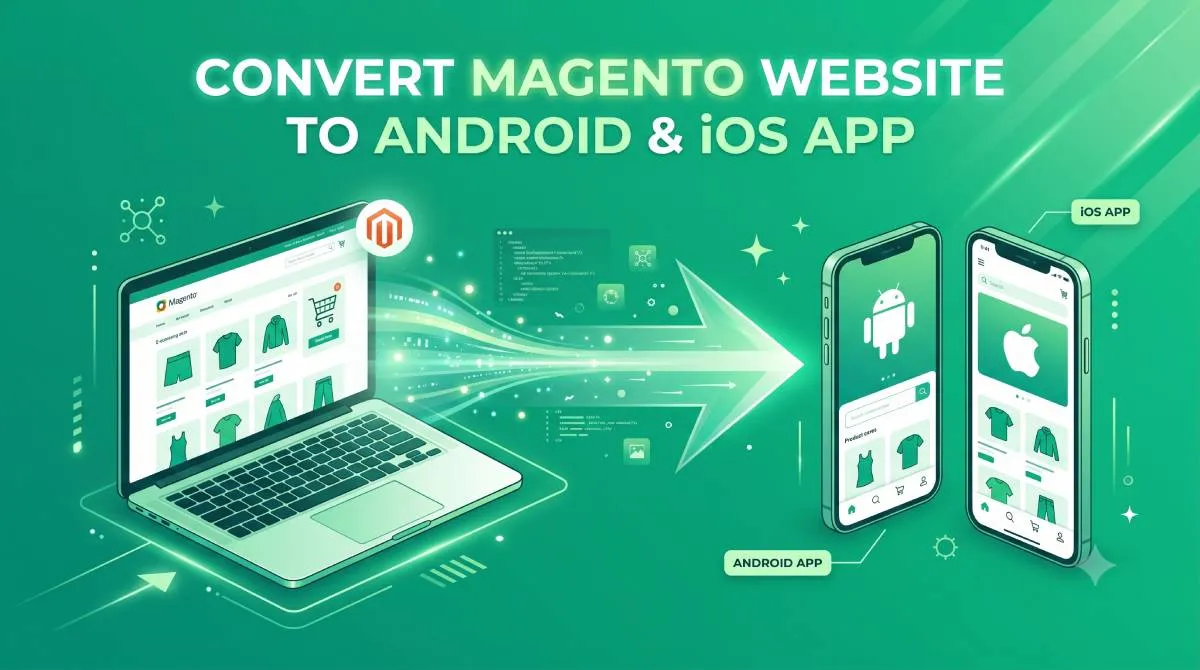
AppOfWeb converts a Magento store by wrapping the storefront you already run in a managed native shell — no replatforming, and no admin credentials or API keys required. AppOfWeb wraps your existing Magento store in a professionally built Android and iOS app shell.
You do not migrate products, attributes, store views, or any data. Your Magento admin panel remains the single source of truth — the same one your team uses today. Every change made in Magento (new products added, attributes updated, seasonal store views activated, extensions updated) reflects in the app automatically. There is nothing to sync manually.
The app connects to your live store URL. That's the entire integration.
"Our Store Is Complex — Can a Simple Service Handle It?"
This is the right question to ask. And it deserves a straight answer, not a deflection.
The complexity lives in your Magento instance — not in the app shell. AppOfWeb does not interact with your admin panel, your extensions, or your server configuration. It renders what your Magento store already serves through a native app wrapper.
Multi-store view setups? The app can be configured to open a specific store view URL, or customers can switch store views within the app as they would in a browser. Complex attribute pages with custom display logic? They work in the app because they work on your existing URL. Extension-driven checkout flows, search overlays, loyalty widgets, upsell modules? They function in the app exactly as they do in a mobile browser — because the app is serving the same front-end your store already produces.
The only limitations in the app are the same limitations your mobile browser experience already has — which are characteristics of your Magento front end, not of AppOfWeb's service.
What "Fully Managed" Actually Means
"Fully managed" is used loosely in a lot of services. Here's what it means specifically with AppOfWeb:
- No internal development resources required. No sprint planning, no Jira tickets, no QA cycles from your team.
- AppOfWeb handles App Store and Google Play submission end to end — developer account setup, metadata, screenshots, review submission, and go-live. Publishing is a one-time $49 add-on per store.
- Ongoing support and maintenance are available — free for your first 3 months, then $49 per month for as long as you want it. Not a one-time handoff followed by a separate maintenance contract negotiation.
- Unlimited revisions during the build phase — the app is refined until it meets your brand and UX standards.
Your team provides the store URL and brand assets. AppOfWeb handles everything else.
Everything Included in Your AppOfWeb Magento App
Every feature below is part of the service itself, with no Magento extensions to install and nothing to configure in your admin panel. Every feature below is built into the service. No extensions to install in your admin panel, no additional Magento configuration required on your side.
Branding and Visual Identity
| Feature | What It Does |
|---|---|
| App Icon & Splash Screen | Custom-designed to match your Magento store's logo and colour palette — not a generic template |
| Status Bar Customisation | iOS and Android status bar colours matched to your store's theme for a cohesive branded experience |
| Page Loader | A branded loading indicator replaces the blank white screen during navigation between product pages and checkout |
Navigation and Connectivity Breakdown
Customisable Bottom Tabs
Configured to match your Magento store's information architecture: home, category pages, cart, account, or any custom store view destination. Not a fixed template.
Pull to Refresh
A native interaction pattern that works consistently on iOS and Android. Mobile browsers handle this inconsistently; the app does not.
Pinch to Zoom
Standard pinch-to-zoom gestures work on product images — important for Magento stores where attribute options (colour variants, size guides, detail shots) depend on image clarity.
No Internet Screen
A custom offline screen with clear messaging and a retry option replaces the browser's generic network error page when customers lose connectivity.
Live Store Syncing
The app renders your Magento store in real time. Product changes, price updates, promotional store views, and extension-driven UI changes appear in the app without manual syncing.
In-App Share Function
Customers can share the app, or specific product pages, via their device's native share sheet — iOS, Android, and messaging apps all supported.
Rate App Prompt
A configurable in-app prompt encourages satisfied customers to leave App Store and Google Play reviews, supporting long-term visibility in store search rankings.
Custom Package Name
Your app's Android package name (com.yourbrand.store) and iOS bundle identifier are set to match your brand — not a generic namespace.
High-Value Addons
- Push Notifications — Send targeted push notifications to app users for flash sales, order updates, back-in-stock alerts, or loyalty campaigns. Delivered natively on iOS and Android — no browser permission prompt required.
- Publishing to App Stores — AppOfWeb manages the full App Store (Apple) and Google Play submission process: developer account setup, app metadata, screenshots, review submission, and go-live. Enterprise teams with no prior App Store experience can publish without internal expertise.
How to Get Your Magento Store Live as an App — The Full Process
The path from a Magento store URL to live apps is five managed steps: submit the URL, the build phase, your review, publishing, then go live with auto-sync active. The process from your Magento URL to a live app in both stores is straightforward.
Step 1 — Submit Your Store URL
Visit appofweb.com and provide your Magento store URL. No admin panel credentials, server access, or API keys are required. Include your brand assets: logo, colour codes, and any design references.
Step 2 — AppOfWeb Builds Your App
The AppOfWeb team designs your app icon, splash screen, bottom tab configuration, and branded UI elements. The app shell is built and connected to your live Magento store URL. Your store's existing checkout flow, product pages, layered navigation, and extension-driven features are validated within the app environment.
Step 3 — Review and Revise
You receive a preview build — TestFlight for iOS, APK or internal track for Android — to review on real devices. Test your full Magento experience: browse products, filter by attributes, switch store views, complete a checkout. Request revisions; there's no limit on rounds until the app meets your standards.
Step 4 — Publish to App Store and Google Play
AppOfWeb handles App Store Connect and Google Play Console submission. App metadata, store descriptions, screenshots, and category selection are prepared by the AppOfWeb team. Review timelines are typically 1–3 business days for Google Play and 1–7 days for Apple App Store (Apple's review timelines can vary).
Step 5 — Go Live and Stay Current
Your app is live. Customers download it from the App Store and Google Play. From this point, any changes made in your Magento admin panel — new products, updated attributes, seasonal store views, extension updates — are reflected in the app automatically. No re-submissions required for content changes.
The Questions Enterprise Magento Teams Actually Ask
Already addressed above, but worth repeating clearly because it comes up in every enterprise conversation: AppOfWeb does not simplify or re-interpret your Magento store — it renders it.
The app shell is a wrapper around your existing Magento front end. If your layered navigation, custom attribute pages, and store views work at your URL, they work in the app. Extensions that affect the front end — custom checkout steps, loyalty modules, review systems, search overlays — behave in the app exactly as they do in a mobile browser, because the app is serving the same URL.
The only limitations in the app are the same limitations your existing mobile browser experience already has. Which, as discussed above, is a Magento front-end performance characteristic — and a separate conversation from the app itself.
No server-side changes. No admin panel credentials. No extension installations. No Magento configuration changes of any kind.
AppOfWeb needs one thing: your public-facing store URL — the same one your customers already use. Your server configuration, security patches, and hosting environment remain entirely under your control.
AppOfWeb does not store, cache, or replicate your product data, customer data, or transaction data.
The app renders your live Magento instance. Data flows between your customer's device and your server — exactly as it does in a browser session. AppOfWeb's involvement ends at the app shell. Your existing SSL certificates, Magento security configuration, and hosting security controls govern all data in transit, exactly as they do today.
Because the app renders your live store URL, updates to your Magento instance — version upgrades, new extensions, theme changes — appear in the app automatically. No rebuild required.
If a major front-end change affects the app's navigation structure (for example, you restructure the store's bottom tab links), AppOfWeb's team can update the app configuration. Unlimited revisions and ongoing support mean your app stays aligned with your Magento store without creating an internal dev dependency.
Frequently Asked Questions — Magento Store Owners
Your Magento Store Is Enterprise-Ready. Your Mobile Presence Should Be Too.
The gap is not in your Magento build — it is the absence of a native container around it. Here's what this comes down to:
Magento's power is its complexity — but that same complexity, combined with heavy themes and extension overhead, makes its mobile browser experience a genuine liability at a time when enterprise competitors are competing on native apps.
A custom app build is not the only path to a professional iOS and Android presence. AppOfWeb converts your existing Magento store URL into a fully published, branded app — without an IT project, a development team, or a six-figure budget.
Everything you manage in your admin panel today continues to work exactly as it does now. Products, attributes, store views, extensions — nothing is migrated, nothing is maintained separately. The app renders your live Magento store.
Who This Is Right For
- Magento stores whose mobile conversion rate lags their desktop performance
- Enterprise teams that have a custom app on the roadmap but cannot wait for IT budget approval
- Stores that want App Store and Google Play presence without building and maintaining a separate mobile codebase
Next Steps — Get Your Magento Store on iOS and Android
Visit appofweb.com to get started. Submit your Magento store URL — no admin panel access, no server credentials, no internal development resources needed. The AppOfWeb team handles design, build, revision, and publishing end to end.
Your store runs enterprise infrastructure. Your mobile app should reflect that — without the enterprise dev project timeline.