How to Convert Your Lovable Website into an Android & iOS App in 5 Minutes
You built something real with Lovable. A clean, working web app — no developer needed, no late nights arguing with code. That's genuinely impressive.
But here's a question worth asking: how many of your users are going to remember to open a browser, type in your URL, and actually come back tomorrow?
Yeah. Not many.
That's not a knock on your product. It's just how mobile works. People live on their phones, and they live inside their apps. If your Lovable project isn't on their home screen, it's easy to forget.
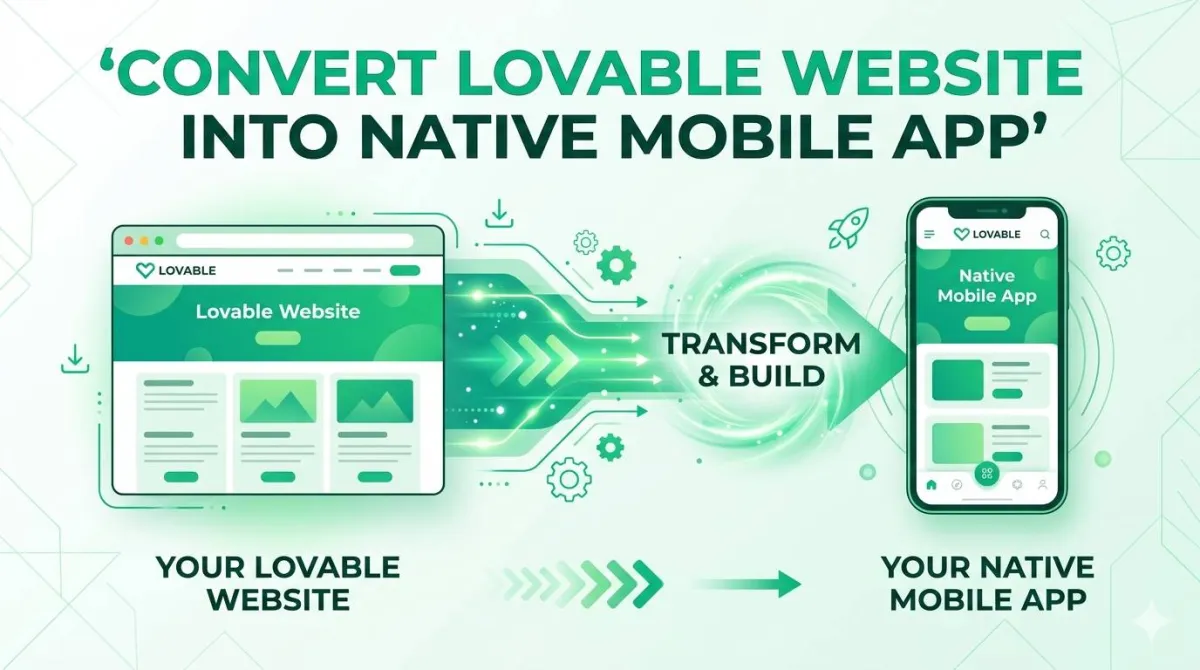
The good news? You don't need to rebuild anything. You don't need a developer. You don't even need a whole afternoon. With AppOfWeb, you can turn your Lovable website into a real Android and iOS app — and have something testable on your phone in minutes.
Let's walk through the whole thing.
Why Your Lovable Website Deserves a Mobile App
The Mobile-First Reality No Builder Can Ignore
Here's the thing about mobile traffic: it's not coming — it's already here. The majority of web browsing happens on phones. And while a responsive Lovable site looks great in a mobile browser, there's still a meaningful gap between "website I visit" and "app I have installed."
That gap matters more than you might think.
An app on someone's home screen is a constant, tiny reminder that your product exists. It gets tapped without any deliberate effort. A website? That requires intent. And intent is a lot to ask of a busy person.
There's also a trust angle. An app in the App Store or Google Play feels like a legitimate product. It has a listing, reviews, a version number. That alone changes how new users perceive what you've built.
What's Holding Most Lovable Users Back from Going Mobile
The usual suspects:
- "I'd need to hire a developer." — You wouldn't, but it's an understandable assumption
- "It would cost a fortune." — Not with a managed conversion service
- "It'd take months." — It genuinely won't
The hidden cost people don't think about is what they're leaving on the table by staying web-only. No push notifications. No home screen presence. No offline fallback. No App Store discoverability. These aren't nice-to-haves — they're real engagement tools that native apps get for free.
When You Should Convert vs. Rebuild from Scratch
Converting is the right move when:
- Your Lovable app is already responsive and works well on mobile browsers
- You want to ship fast and learn from real users
- Your app doesn't require deep device hardware (camera processing, AR, Bluetooth)
- You're an indie builder, early-stage startup, or agency delivering for a client
Rebuilding from scratch makes sense if you eventually need something like real-time on-device ML, complex offline-first architecture, or a performance-critical experience like a mobile game. For almost everything else? Convert first. Validate. Then decide if you ever need to go further.
What Is AppOfWeb — and Why It's Built for This
The One-URL Approach to Mobile App Conversion
AppOfWeb does exactly what it sounds like. You give it your website URL. It gives you an app.
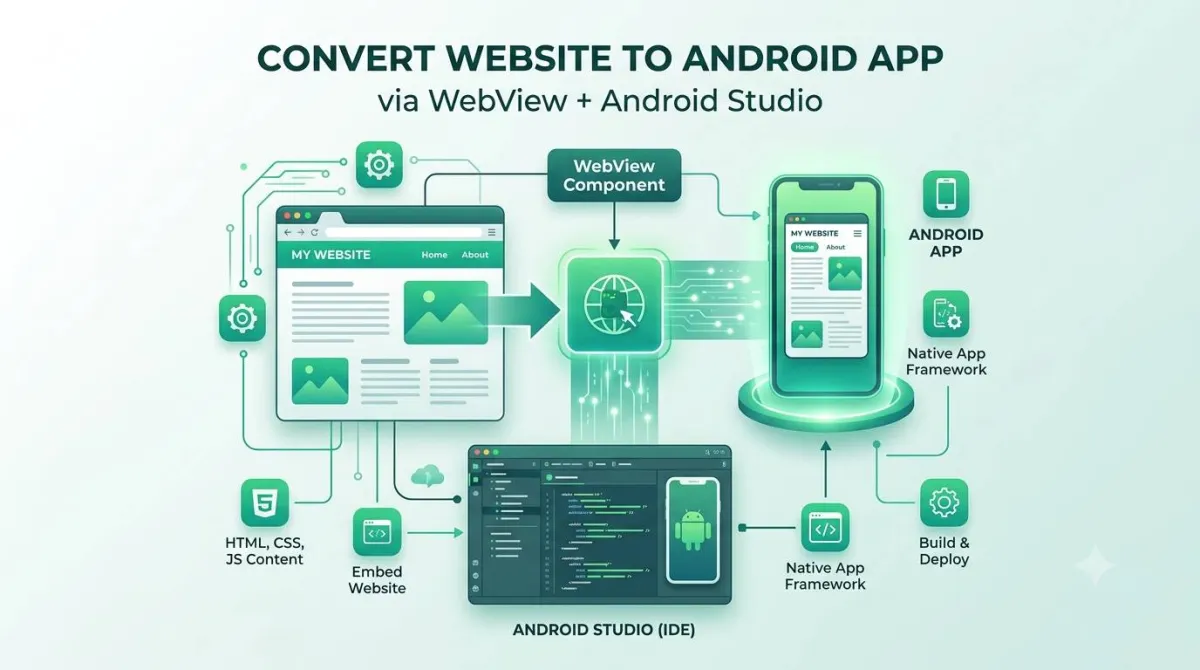
More specifically, it wraps your Lovable web app in a native mobile shell — a technique called a WebView wrapper. The result is a real Android APK and iOS IPA file that you can install on your phone, share with users, or publish to the app stores.
It's a fully managed service, which means you're not configuring Xcode, fighting with Android Studio, or figuring out code signing certificates. You hand over your URL and brand assets, and the AppOfWeb team handles the rest.
This is different from a PWA (Progressive Web App), which still lives in the browser under the hood. An AppOfWeb build is a proper installable app.
Who AppOfWeb Is Designed For
- No-code builders working with tools like Lovable, Webflow, Bubble, or Softr
- Founders who want mobile presence without a mobile team
- Agencies delivering app builds to clients without the overhead of native development
Why AppOfWeb Is a Natural Fit for Lovable Projects Specifically
Lovable is already doing a lot of the hard work. It outputs clean, responsive web interfaces that render beautifully inside a WebView. There's no messy legacy markup to clean up, no broken mobile layouts to fix.
And because your Lovable app lives at a URL that you keep updating, AppOfWeb's App Syncing feature means your app and your website stay in step automatically. Update your Lovable project? Your app users get the new version without you doing anything extra.
A Complete Look at AppOfWeb's Features
This is where it gets good. AppOfWeb isn't just a bare-bones wrapper. It ships with a solid set of features out of the box — and everything is customised to your brand.
Core Features Included in Every App
Explore the full suite of native core capabilities built into every single deployment configuration below:
App Icon & Splash Screen Native Core
The first thing anyone sees when they install your app is the icon on their home screen. The second thing is the splash screen that shows while the app loads. AppOfWeb lets you set both with your own assets, so your app looks like yours — not a generic WebView.
Customizable Bottom Tabs Native Core
Browser navigation (back button, URL bar) doesn't belong in a mobile app. Bottom tabs are the native alternative, and they make your app feel like it was built for mobile from day one. You decide how many tabs, what they're called, what icons they use, and which pages of your Lovable site they link to.
Pull to Refresh Native Core
Swipe down on the screen to reload content. It's one of those mobile interactions that users do completely on muscle memory. If your app doesn't support it, people notice — in a bad way.
Status Bar Customization Native Core
The thin bar at the top of your phone showing battery, signal, and time. AppOfWeb lets you match it to your app's color scheme. It's a small detail, but it's the difference between an app that feels polished and one that feels patched together.
Page Loader Native Core
Nobody likes staring at a blank white screen while a page loads. A branded page loader fills that gap with something intentional — a spinner or animation in your brand colors.
Pinch to Zoom Native Core
Useful for content-heavy screens, dashboards, or any layout where users might want a closer look. AppOfWeb lets you enable or disable this per your preference.
No Internet Screen Native Core
When your user loses connection, instead of seeing a broken browser-style error, they see a friendly, custom "No Internet" screen. You can brand this too. Small touch. Makes a real difference to the experience.
Rate App Native Core
An in-app prompt that nudges users to leave a review on the App Store or Google Play. Reviews matter enormously for store ranking and for convincing new users to install. This feature helps you collect them without being annoying about it.
App Syncing With Store Native Core
This one deserves a moment. When you update your Lovable website, those changes sync into your app automatically. You don't need to rebuild, resubmit, or ask AppOfWeb to do anything. Your app stays current with zero effort.
Customize Package Name Native Core
Your app's package name is its unique identifier in the app stores — something like `com.yourbrand.appname`. AppOfWeb lets you set this to match your brand, which matters for consistency across platforms and for future store management.
Unlimited Revisions Native Core
Not happy with how a tab is labelled? Want to swap out the icon? Need to adjust the color scheme? Request a revision. No caps, no per-change fees. Especially valuable during the first few weeks after launch when you're still dialing things in.
Powerful Add-Ons to Supercharge Your App
Push notifications are the single most effective re-engagement tool in mobile. Email open rates are modest. Push tap rates are significantly higher because the message appears directly on the user's lock screen.
With this add-on, you can send targeted messages to your app users — product updates, reminders, new content, promotional offers — without touching your Lovable backend. AppOfWeb sets up the infrastructure on your behalf.
Use cases that work well with push:
- SaaS apps: "Your report is ready" or "You have 3 unread messages"
- Marketplaces: "New listing matching your search"
- Communities: "5 people replied to your post"
- Booking platforms: "Your appointment is tomorrow at 2pm"
Getting an app into the stores isn't complicated, but it is involved. You need a developer account, code signing certificates, store listing copy, screenshots, and compliance with Apple and Google's review guidelines.
With this add-on, AppOfWeb handles the entire submission process for you. Both stores. You just provide the content (app name, description, screenshots if you have them) and they take it from there.
Typical review timelines:
- Google Play: a few hours to a couple of days
- Apple App Store: 1–3 business days
APP STORE REVIEW TIMELINES EXPECTATION:

Google Play | █████░░░░░░░░░░░░░░ (Hours to ~2 days)
Apple iOS   | ██████████████████░ (1 to 3+ business days)

Legend: █ = Processing/Review Time
Custom Features — Build Exactly What You Need
If there's something you need that isn't on the list above, just ask. AppOfWeb accepts custom feature requests. The process is straightforward: describe what you want, get a quote, they build it.
Common examples include:
- Deep linking (open a specific page in the app from an external link)
- Biometric login (Face ID / fingerprint unlock)
- Specific gesture handling
- Custom loading animations
- Integration with third-party services
Step-by-Step: How to Convert Your Lovable App in 5 Minutes
Alright, let's actually do this.
Before You Start — A 2-Minute Pre-Flight Checklist
Grab these before you open AppOfWeb and the process will be smoother:
- ✅ Your Lovable app is published and live at a public URL
- ✅ Your app icon is ready (PNG format, square, ideally 1024×1024px)
- ✅ You have a splash screen image or brand asset ready
- ✅ You know your app name (what it'll be called on the home screen)
- ✅ You've decided on your package name (e.g. `com.yourbrand.appname`)
- ✅ You know which 3–5 pages should appear in your bottom tabs
Step 1 — Go to AppOfWeb.com
Head to appofweb.com. Take a look at what's on offer — you'll choose whether you want an Android app, an iOS app, or both.
Both is usually the right answer unless you have a specific reason to target one platform first.
Step 2 — Submit Your Lovable Website URL
This is the part that takes literally 10 seconds. Paste in your Lovable app's URL.
A couple of things to avoid:
- Don't submit a staging/preview URL. Use the live, published version
- Don't submit a URL behind a password. AppOfWeb needs to be able to access it to build the app
Step 3 — Configure Your App Settings
This is where you make it yours:
- Upload your **app icon** and **splash screen**
- Set your **app name** and **package name**
- Configure your **bottom tabs** — give each one a label, an icon, and point it at a specific page on your Lovable site
- Choose your **status bar color** and overall theme
None of this is technical. It's more like filling out a form than doing anything developer-y.
Step 4 — Review Your Build
Once your build is ready, AppOfWeb delivers a testable file — an APK for Android or an IPA for iOS. Install it on your physical device and actually use it.
Things to check:
- Does navigation between tabs work smoothly?
- Does the app load at a reasonable speed?
- Does your Lovable layout look right inside the native shell?
- Does pull-to-refresh work as expected?
Get a feel for it like a first-time user would.
Step 5 — Request Revisions or Go Live
If something needs tweaking — a tab label, a color, an icon — submit a revision request. That's what Unlimited Revisions is for. Use it.
Once you're happy with the build, you have two paths:
- Download your APK/IPA and distribute it directly (great for beta testing or internal teams)
- Add the Store Publishing add-on and have AppOfWeb submit it to the App Store and Google Play on your behalf
Either way, you're now a mobile app founder. Feels good.
Tips to Get the Best Results from Your AppOfWeb App
The basics get you a working app. These tips get you a great one.
Designing Your Lovable App With Mobile Conversion in Mind
If you're still building or tweaking your Lovable project, keep these in mind:
- Touch targets should be at least 44×44px. Buttons and links that are too small are frustrating to tap on a phone
- Keep font sizes readable at arm's length. 16px minimum for body text
- Avoid hover-only interactions. Mobile has no hover state — anything that only appears on hover will be invisible to app users
Optimizing Navigation for Bottom Tabs
- Stick to 4–5 tabs maximum. More than that gets crowded and confusing
- Name tabs by action or destination, not by internal page names. "Explore" beats "Page 2" every time
- Use recognizable icons — house for home, person for profile, bell for notifications
Making the Most of Push Notifications
Once you add push notifications, resist the urge to blast your users every day. Push is powerful precisely because it's rare. A few guidelines:
- Send push when you have something genuinely useful to say
- Timing matters — mid-morning and early evening tend to perform well
- Your first 3 campaigns could be: a welcome message, a feature highlight, and a re-engagement nudge for users who haven't opened in a week
App Store Optimization (ASO) Basics Before You Publish
If you're going to the stores, put some thought into your listing:
- App name: include your primary keyword naturally (e.g. "BrandName — Project Tracker")
- Description: lead with the benefit, not the features. What does it help the user do?
- Screenshots: show the app in use, not just static screens. Add captions
- Category: pick the most specific category that fits. A niche category is easier to rank in than a broad one
Keeping Your App in Sync as You Update Your Lovable Site
App Syncing handles most updates automatically, but here's a good mental model for what's what:
| Type of Change | Syncs Automatically? |
|---|---|
| Content updates (text, images) | ✅ Yes |
| Design tweaks in Lovable | ✅ Yes |
| New pages added | ✅ Yes |
| New bottom tab added | ❌ Revision needed |
| Package name change | ❌ Revision needed |
| Major structural overhaul | ❌ Revision needed |
For changes that need a revision, just submit a request. That's what the unlimited revisions policy covers.
Real-World Use Cases — What Works Well with AppOfWeb
These aren't made-up examples — they're categories of Lovable projects that are a natural fit for mobile app conversion.
SaaS Dashboards and Client Portals
If your Lovable app is something users log into regularly to check data or manage something, mobile presence is huge. A dashboard on your home screen gets checked. A dashboard you have to remember to visit in a browser doesn't.
Marketplaces and Directory Apps
People browse marketplaces on their phones. Always. Native apps can send push notifications for new listings that match a user's saved search — that kind of feature directly drives engagement and return visits.
Community Platforms and Membership Sites
Communities live or die on whether people actually show up. Having your community as an app on someone's phone — with push notifications for new posts or replies — is one of the most effective ways to build that habit.
Service Business Booking Apps
There's a trust effect here that's hard to quantify but very real. A booking flow inside a native app feels more serious than the same flow on a website. Combine that with the Rate App feature to drive reviews, and you've got a solid foundation for growing a service business.
AppOfWeb vs. Building a Native App from Scratch — An Honest Comparison
Let's be real about the tradeoffs.
| Criteria | AppOfWeb | Custom Native App |
|---|---|---|
| Time to launch | Days | 3–6+ months |
| Cost | Low (fraction of native) | High (developer salaries or agency fees) |
| Maintenance | Automatic via App Syncing | Requires ongoing developer involvement |
| Customization | High (custom features available) | Unlimited |
| Device hardware access | Limited (WebView) | Full |
| Best for | Most web apps, fast launches | Heavy native functionality, games, AR |
The honest answer is: AppOfWeb wins for the vast majority of Lovable projects. The cases where you'd choose custom native over AppOfWeb are genuinely edge cases — real-time gaming, on-device ML, complex Bluetooth or AR integrations.
For everything else, shipping fast and learning from real users is the smarter move.
Cost & Time Evaluation Calculator
Quantify the approximate software engineering budget contrast between native production pipelines and an AppOfWeb wrapper deployment configuration.
Traditional Native Build Path:
• Capital Expenditure Target: $48,000
• Delivery Timeline Index: 10.0 weeks (at 40-hour resource loads)
AppOfWeb Strategy Acceleration:
Saves thousands in core expenditures, unlocking full asset deployments within Days.
Frequently Asked Questions
Do I need any coding knowledge to convert my Lovable website with AppOfWeb?
None at all. AppOfWeb is a fully managed service — you provide your Lovable website URL and your brand assets, and the team handles the entire build. There's no code to write, no terminal to open, nothing technical on your end.
Will my app look different from my Lovable website?
Your app will display your Lovable website's design faithfully inside a native shell. The additions are the native mobile elements — the app icon, splash screen, bottom tabs, and status bar customization — all matched to your brand. Think of it as your existing Lovable interface, dressed up as a proper app.
What happens when I update my Lovable website? Do I need to rebuild the app?
For the vast majority of updates — content changes, design tweaks, new pages — App Syncing handles this automatically. Your app users see the updated version without any action on your part and without a new App Store submission. Structural changes like adding a new bottom tab would need a revision request, which is covered under Unlimited Revisions.
Can I publish to both the Apple App Store and Google Play Store?
Yes. Publishing to both stores is available as an add-on. AppOfWeb manages the full submission process, including developer account requirements, compliance with store guidelines, and store listing setup. You don't need to navigate Apple's or Google's submission portals yourself.
How long does it take to get my app?
The initial testable build can be ready very quickly — often within hours of submitting your URL and settings. Store review times after submission vary: Google Play typically reviews within a few hours to a couple of days, while Apple App Store review usually takes 1–3 business days.
Can I request a feature that isn't listed?
Yes. Custom feature requests are part of how AppOfWeb works. Describe what you need, receive a quote, and the team builds it. This means AppOfWeb can accommodate Lovable projects with specific or unusual requirements — it's not limited to the standard feature list.
Is AppOfWeb suitable if my Lovable app requires user login?
Yes. Because AppOfWeb wraps your existing Lovable web app, any authentication you've set up in Lovable — including Lovable's built-in auth — continues to work exactly as it does on the web. For more advanced login experiences like biometric unlock or deep linking into protected screens after login, those can be requested as custom features.
Conclusion — Your Lovable Website Is Already Closer to an App Than You Think
Here's the summary: you've already done the hard part.
You built a working product with Lovable. It's live, it's responsive, and it works on mobile. All that's left is wrapping it in something that lives on your users' home screens and gives you the engagement tools that mobile apps come with by default.
AppOfWeb handles the technical side completely. You get a branded app with everything from the splash screen to the status bar, bottom tabs to pull-to-refresh — plus add-ons like push notifications and App Store publishing when you're ready to scale.
Your Next Steps Right Now
- Open your Lovable project and make sure it's published at a live public URL
- Visit AppOfWeb.com and start your app conversion
- Prepare your brand assets — app icon, splash screen, hex codes for your brand colors
- Test your first build on your actual phone before sharing with anyone
- Choose your add-ons — decide whether push notifications and store publishing fit your current launch goals
Your Lovable website is already doing the work. AppOfWeb puts it exactly where your users spend most of their time — on their phones, on their home screen, ready to be tapped.
Ready to make the jump?
Join the builders turning their web projects into native experiences today.
→ Convert Your Lovable Website to a Mobile App — Get Started at AppOfWeb.com