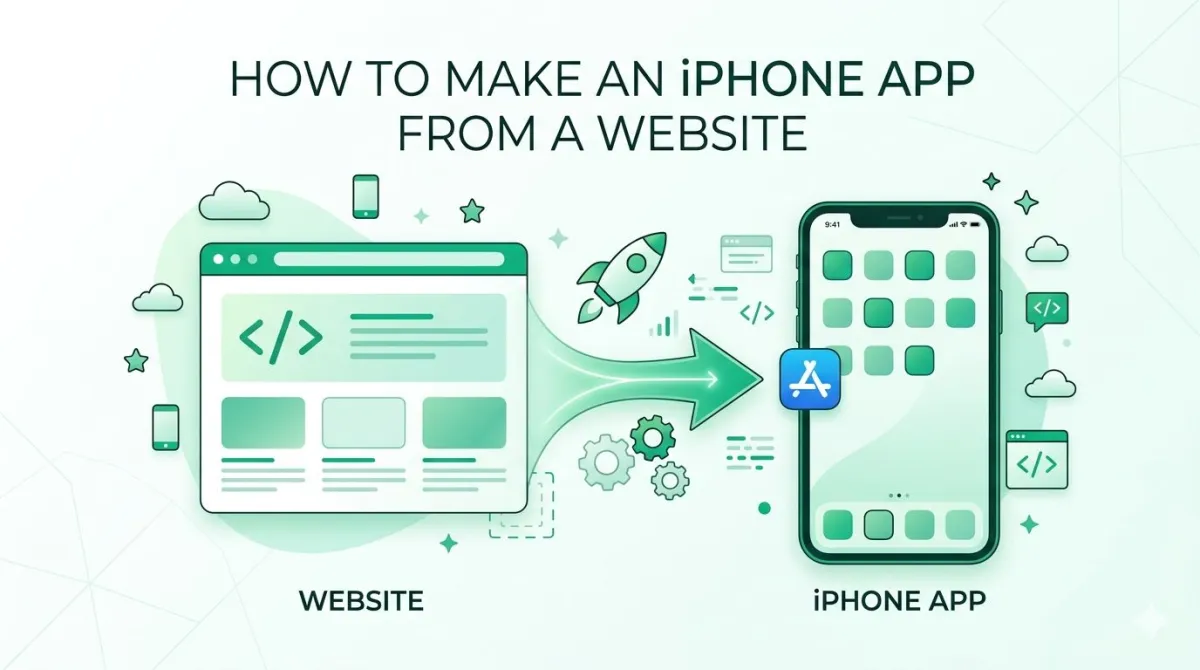
How to Make an iPhone App From a Website (The Easy Way)
So you've got a website. It looks great, it works well, and your users love it.
But here's the thing — those same users are spending more and more time on their phones. And visiting a website on a mobile browser? It's fine. But having a dedicated app that lives right there on their home screen? That's a whole different experience.
The good news: you don't need to start from scratch. You don't need a developer. You don't need to learn to code. And you definitely don't need to spend the next six months crying over Xcode documentation.
If you already have a website, you're closer to having an iPhone app than you think. Let's walk through the easiest way to make it happen.
Why Turn Your Website Into an iPhone App?
More than half of all web traffic is already mobile, and an app puts you on the home screen instead of competing for attention in a browser tab. Before we get into the "how," let's quickly cover the "why" — because this matters more than most people realise.
Your Users Are Already on Mobile
More than half of all web traffic comes from mobile devices. People are browsing, shopping, booking, and reading on their phones every single day.
Global Web Traffic Distribution
A mobile browser works, sure. But an app:
- Loads faster with a better experience
- Lives on the home screen (so users actually come back)
- Lets you send push notifications
- Works offline or with limited connectivity
An App Makes You Look More Legit
Being on the App Store signals professionalism. It tells your audience you're serious. It also builds trust — people feel more comfortable using an app from a recognisable brand than bookmarking a browser tab.
Your Website Already Did the Hard Part
The content is done. The design is done. The logic is done. You don't need to reinvent the wheel — you just need to put the wheel in a different vehicle.
The Old Ways (And Why They're More Trouble Than They're Worth)
Hiring an iOS developer, learning a DIY builder, or hand-rolling a WebView all work, but each costs significant money, time or technical skill. Let's be honest — most of the traditional routes to building an iPhone app are a bit of a nightmare for anyone without a tech background.
Hire an iOS Developer
This works, but:
- Costs anywhere from a few thousand to tens of thousands of dollars
- Takes months of back-and-forth
- You're dependent on someone else's schedule
- Every revision is another invoice
For many business owners, this is simply not realistic.
Use a DIY No-Code App Builder
These tools are marketed as "easy," but anyone who's spent a frustrated afternoon trying to figure one out knows that's a stretch. You still have to manage the build process, deal with App Store submission yourself, and cross your fingers that the output doesn't look like it was designed in 2009.
Wrap Your Website in a WebView Yourself
This is technically possible — you can embed your website inside a native iOS shell using Apple's development tools. But it requires:
- A Mac with Xcode installed
- An Apple Developer Account ($99/year)
- Working knowledge of Swift or Objective-C
- A lot of patience
Not exactly "easy." And if you get something wrong, Apple can reject your app.
The Common Thread
Every traditional method asks you to trade time, money, or technical skill. Most people don't have all three to spare. That's exactly the gap that services like AppOfWeb.com are designed to fill.
The Easy Way: AppOfWeb.com
AppOfWeb.com is a fully managed website-to-app service. What does "fully managed" actually mean? It means you hand over your website URL and some basic details — and they handle everything else.
No coding. No Xcode. No pulling your hair out.
You don't need any technical knowledge to get started. The team builds your app, configures all the features, and delivers a real testable IPA file you can install on your iPhone to try before anything goes live.
It's the difference between building your own furniture from raw lumber and just ordering it ready-to-assemble. One is satisfying if you've got the skills. The other gets the job done.
How It Works — Step by Step
The process is: submit your website details, AppOfWeb builds the app, you review and request revisions, then it is published. Here's the exact process from start to finished app.
Step 1: Submit Your Website Details
Head to AppOfWeb.com and fill in the basics:
- Your website URL
- Your app name
- Preferred colour scheme
- App category
That's genuinely it for the first step. No technical setup, no account linking, no developer portal required at this stage.
Step 2: Customise Your App's Look and Feel
This is where your app starts to look like your app. You'll set up:
- App Icon — the icon that appears on the iPhone home screen
- Splash Screen — the branded loading screen users see when they open the app
- Status Bar style — light or dark, to match your app's header colour
- Package name — your unique Bundle ID (e.g., com.yourbrand.app)
Think of this as dressing your app in your brand's clothes.
Step 3: Choose Your Features
Your app comes loaded with features out of the box (more on these in the next section). At this stage, you also decide if you want any add-ons like push notifications or App Store publishing.
Step 4: Get Your IPA and Test It on Your iPhone
Once the build is ready, you receive an IPA file — this is essentially the installable package for your app, like a .exe on Windows but for iOS.
You install it on your iPhone using a tool like AltStore or Apple's TestFlight program, and you get to experience the full app on a real device before anything is submitted to the App Store.
This is a huge deal. You're not clicking around a preview in a browser — you're using the actual app on your actual phone. If something feels off, you'll know immediately.
Step 5: Request Revisions (As Many as You Need)
Don't love how a tab is labelled? Want to tweak the splash screen? Need a different icon? No problem — and no extra charge.
AppOfWeb.com includes unlimited revisions. You review the app, write down what you'd like changed, and the team updates the build. Repeat until you're happy.
Step 6 (Optional): Publish to the App Store
When you're satisfied with the app, you can opt into the App Store Publishing add-on. The team handles the full submission — metadata, screenshots, category selection, compliance review prep — so you don't have to figure out Apple's submission portal on your own.
You will need an Apple Developer Account for this (it's $99/year through Apple directly), but everything else is handled.
Every Feature Included in Your App
Every app includes the branding and native features as standard — app icon, splash screen and the rest — with no paid upgrade required. Here's a full breakdown of what's built into every app — no extras needed.
Branding & Visual Features
| Feature | What It Does |
|---|---|
| App Icon | Your branded icon on the iPhone home screen |
| Splash Screen | Branded loading screen when the app opens |
| Status Bar Customisation | Match the status bar (time/battery bar) to your app's colour |
| Page Loader | A loading indicator while your content fetches — no blank screens |
Navigation & UX Features
| Feature | What It Does |
|---|---|
| Customisable Bottom Tabs | Add navigation tabs at the bottom, linked to any page on your site |
| Pull to Refresh | Swipe down to reload — exactly like a native iOS app |
| Pinch to Zoom | Let users zoom into images or text naturally |
Engagement & Retention Features
| Feature | What It Does |
|---|---|
| Share App | Built-in share button so users can recommend your app to others |
| Rate App | Native iOS prompt encouraging users to leave an App Store review |
| No Internet Screen | Custom screen shown when there's no connection — professional, not broken |
Technical Features
| Feature | What It Does |
|---|---|
| App Syncing With Store | Your app reflects your live website — content updates automatically |
| Customise Package Name | Set your own Bundle ID for a proper branded App Store identity |
| Unlimited Revisions | Request as many changes as you need until the app is exactly right |
Optional Add-Ons — Go Further When You're Ready
Two features sit outside the base build as optional add-ons: push notifications and publishing to the App Store on your behalf. These aren't must-haves on day one, but they're worth knowing about.
Push Notifications
Push notifications are one of the most powerful re-engagement tools you have. A well-timed message on someone's lock screen beats an email in their inbox almost every time. This add-on connects notifications to your app so you can reach users directly — for promotions, updates, reminders, whatever makes sense for your business.
Publishing to the App Store
Once your IPA is tested and you're happy with the app, this add-on takes care of the entire submission process. The team handles your App Store listing, screenshots, description, and review compliance. You just need your Apple Developer Account credentials (or help setting one up).
Typical App Store review time: 24–72 hours, though it can vary.
Ongoing Support
Websites change. iOS updates happen. Features get added. The ongoing support add-on keeps your app maintained over time — new features, compatibility updates, and general peace of mind. It's ideal if you don't want to think about the technical side ever again.
AppOfWeb.com vs. Doing It Yourself
Against hiring a developer or using a DIY builder, a managed service is the fastest route to a testable app and needs no technical skill from you. Here's a plain-English comparison:
| Hire a Developer | DIY No-Code Builder | AppOfWeb.com | |
|---|---|---|---|
| Time to first testable app | Months | Weeks | Days |
| Cost | High ($5K–$50K+) | Low–Medium | Flat service fee |
| Technical skill needed | None (but heavy communication) | Medium | None |
| Revisions | Charged per hour | Manual, limited | Unlimited |
| IPA for device testing | Maybe | Rarely | ✅ Yes |
| App Store publishing | Extra cost | DIY | ✅ Add-on available |
| Ongoing maintenance | Ongoing cost | You manage it | ✅ Add-on available |
Development Cost & Time Comparison Calculator
Enter local estimates to see how much time and money you save by skipping the traditional route.
Frequently Asked Questions
Do I need an Apple Developer Account to get started?
Nope. You only need one when it's time to publish to the App Store. For building and testing your app with the IPA file, you don't need an account at all. If you do decide to publish, the App Store Publishing add-on covers the entire submission process for you.
Will my app update automatically when I update my website?
Yes. Because the app loads your live website, any changes you make — new pages, new products, updated content — appear in the app immediately. You won't need to resubmit to the App Store every time you publish a new blog post or update your menu.
What kinds of websites work best?
Any website with a decent mobile design will work well. This includes:
- Blogs and news sites
- E-commerce stores (Shopify, WooCommerce, custom-built)
- Service business websites
- Restaurants and local businesses
- Membership sites and online courses
- Portfolios and directories
If your website looks good on a mobile browser, it'll look good as an app.
How do I install the IPA on my iPhone to test it?
You have two main options:
- AltStore — a third-party app installer that lets you sideload IPA files onto your iPhone without needing to publish to the App Store.
- TestFlight — Apple's official beta testing tool, where you can distribute a test version of your app to specific devices.
The AppOfWeb.com team will guide you through whichever option works best for your setup.
What if I want to change something after I get the first version?
Just tell the team what you'd like changed. Unlimited revisions are included — full stop. Whether it's the tab structure, the icon, the splash screen colour, or a feature configuration, you can request changes until everything feels right.
Is this just a WebView app? Won't Apple reject it?
It is WebView-based — your website loads inside a native iOS shell. But AppOfWeb.com wraps it with a proper set of native iOS features that significantly improve the experience: real navigation, offline handling, push notifications, pull to refresh, and more. This is a well-established and widely-used approach (many major apps work this way), and when done correctly it meets App Store guidelines without issue.
Can I add push notifications after the app is already built?
Absolutely. Push notifications are available as an add-on and can be added to your existing app at any time — even after your first IPA build. You don't need to start over.
Conclusion
Your website is already most of the work — converting it to an iPhone app is about wrapping it properly, not rebuilding it. Here's the short version of everything we covered:
- Your website is already most of the work — you just need to wrap it properly for iOS
- Traditional routes (developers, DIY builders, manual WebViews) all have painful trade-offs
- AppOfWeb.com removes all of that friction with a fully managed service
- You submit your details, they build it, you test it on your iPhone with an IPA file, you request changes, and then (optionally) publish it to the App Store
- Every app comes loaded with features — branding, navigation, engagement tools, and technical basics — all included
- Push notifications, App Store publishing, and ongoing support are available as add-ons when you need them
The bottom line? If you have a website, you have an app waiting to happen. You don't need a six-month development project or a five-figure budget to get there.
Ready to see your website as a real iPhone app?
Head to AppOfWeb.com, submit your website details, and get your first build started today.
Start Building Your App