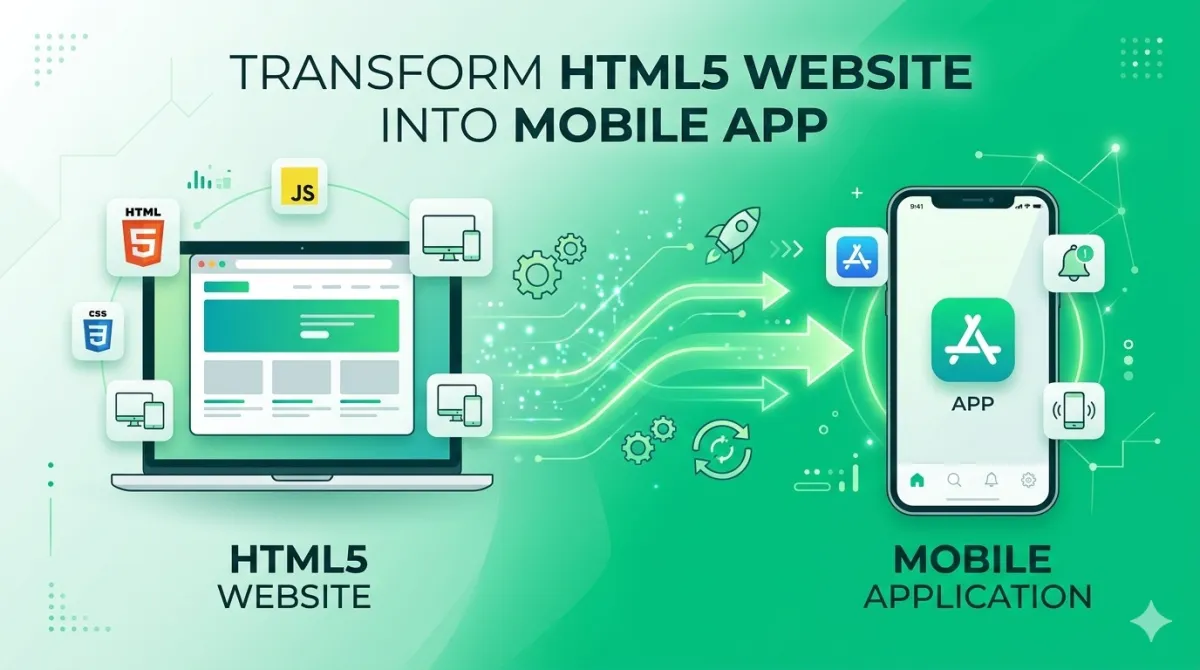
Convert Your HTML5 Website into a Mobile App — Android & iOS
So you've built a website. It looks great, it works well, and people are visiting it. Nice work. But a growing chunk of your audience is on their phones — and they're not bookmarking websites anymore. They're downloading apps.
Start Converting FreeThe Why
Why Turn Your Website into a Mobile App?
An app earns a place on the home screen, sends push notifications and opens in one tap — a relationship a browser tab competing with dozens of others cannot match. Before we get into the how, let's quickly cover the why — because "just because everyone else has one" isn't really a strategy.
The Mobile-First Reality Every Website Owner Faces
More than half of all web traffic comes from mobile devices. That's been true for years, and the gap keeps growing. But even with a mobile-friendly website, you're still competing for attention in a browser tab — one of dozens your visitor has open.
An app lives on the home screen. It sends push notifications. It opens instantly with a single tap. That's a completely different relationship with your audience.
Native App vs. Wrapped Web App — What's the Difference?
Here's something that trips people up:
| Type | What it is | Cost | Build time | Best for |
|---|---|---|---|---|
| Native app | Built from scratch for Android/iOS | Very high | Months | Complex, platform-specific features |
| WebView app | Your website wrapped in a native shell | Low | Minutes to days | Content sites, stores, services |
| PWA shortcut | Browser bookmark on the home screen | Free | Instant | Basic presence, no store needed |
A WebView app (sometimes called a "wrapped" app) isn't a shortcut or a hack. It's a genuine, installable application with a real app icon, splash screen, and native navigation — it just loads your website inside it. Instagram, Airbnb, and countless well-known apps use this approach for parts of their product. It's a completely legitimate solution.
Who Should Convert Their Website to a Mobile App?
Honestly? Quite a lot of people. But especially:
Bloggers & Publishers
Push notifications for new posts keep readers coming back automatically.
Local Business Owners
Restaurants, salons, clinics — be on customers' home screens.
E-commerce Store Owners
Mobile shopping experience without rebuilding your site.
Online Educators
Course creators who want students to engage on the go.
SaaS Founders
Quick mobile presence while building a native app later.
The Platform
What Is AppOfWeb and How Does It Work?
AppOfWeb in Plain English
AppOfWeb is a fully managed, no-code service that turns any website URL into real Android and iOS apps — you hand over a URL and receive an app. AppOfWeb is a fully managed, no-code service that converts any website URL into a real Android and iOS app (check out our specific guide on converting your website to an iPhone app). You hand them a URL. They hand you an app. That's genuinely the summary.
No Xcode. No Android Studio. No SDKs. No developers standing around arguing about frameworks. Just a URL in, app out.
How the Conversion Process Works
What Does "Fully Managed" Actually Mean?
It means you don't do the technical work — they do. Building, testing, and delivery are all handled on their end. And if something doesn't look right, you can request changes and they'll rebuild it. There are no extra charges for revisions, which is genuinely unusual in this space.
Traditional Developer vs. AppOfWeb — Cost Reality Check
Adjust the inputs to see how much a traditional mobile app project would actually cost, versus using a managed conversion service.
* Traditional cost = (days × day rate) + (revision rounds × revision days × day rate). Managed service cost is illustrative; check appofweb.com for current pricing.
What You Get
Features You Get With Your Converted App
The features below come with the converted app as standard, not as paid extras. This is the part where it stops feeling abstract. Here's exactly what comes with your app.
| Feature | Category | What it does | Included |
|---|---|---|---|
| Custom App Icon | Branding | Your logo on the user's home screen; builds trust before the app opens | ✓ Base |
| Splash Screen | Branding | Branded loading screen shown on first open; reinforces identity | ✓ Base |
| Bottom Tabs | Navigation | Up to 5 navigation tabs linking to key pages; feels like Instagram/YouTube | ✓ Base |
| Pull to Refresh | UX | Swipe-down gesture refreshes the page; great for news and blogs | ✓ Base |
| Pinch to Zoom | UX | Toggle on or off depending on your content type | ✓ Base |
| Page Loader | UX | Loading indicator prevents "is this broken?" moments | ✓ Base |
| Status Bar Colour | Polish | Match the top status bar to your brand palette | ✓ Base |
| No Internet Screen | Reliability | Branded offline screen instead of a generic browser error | ✓ Base |
| App Syncing | Reliability | Keeps app version consistent with what's live in stores | ✓ Base |
| Share App | Growth | Built-in share button for word-of-mouth growth | ✓ Base |
| Rate App | Growth | In-app review prompt; more reviews = better store visibility | ✓ Base |
| Custom Package Name | Technical | Your own com.yourbrand.app identifier for the Play Store |
✓ Base |
| Unlimited Revisions | Service | Change colours, tabs, icons until it's exactly right — no extra charge | ✓ Base |
| Push Notifications | Engagement | Direct lock-screen messages — new posts, sales, reminders | Add-on |
| Store Publishing | Distribution | AppOfWeb handles Google Play & App Store submission end-to-end | Add-on |
Branding & First Impressions
Custom App Icon
Your logo becomes the icon that sits on your users' home screens. It's the first thing they see every time they pick up their phone — so it matters. A sharp, recognisable icon builds trust before the app even opens.
Splash Screen
The splash screen is the branded loading screen that appears when someone first opens your app. It keeps things looking polished during the brief moment the app loads your website, and it reinforces who you are right from the start.
Navigation & User Experience
Customisable Bottom Tabs
You can add navigation tabs along the bottom of the app — just like Instagram or YouTube — each linking to a different page on your site. This gives users a native app experience instead of just a browser inside a wrapper.
Pull to Refresh
That satisfying swipe-down gesture that refreshes the page? It's built in. Especially useful for news sites, blogs, or any page where content updates regularly.
Pinch to Zoom
You can switch this on or off depending on your content. A restaurant with a food menu? Probably want zoom on. A SaaS dashboard? Maybe not.
Page Loader
A subtle loading indicator appears while pages load, so users know something is happening. It's a small thing, but it's the difference between "this app is loading" and "is this broken?"
Status Bar & Visual Polish
Status Bar Customisation
The status bar is that little strip at the top of the phone showing the time, battery, and signal icons. You can match its colour to your brand palette. It's the kind of tiny detail that separates an app that feels professional from one that clearly doesn't.
Connectivity & Reliability
No Internet Screen
If a user loses their connection, instead of seeing a generic browser error, they'll see a branded offline screen you've designed. It's a small thing that makes a real difference to how users perceive your app.
App Syncing With Store
Keeps your app version consistent with what's live in the app stores, so users aren't running outdated builds without knowing it.
Growth & Engagement Features
Share App
A built-in share button lets users send your app link to friends. Word-of-mouth growth, built right in — no extra work required on your end.
Rate App
An in-app prompt encourages users to leave a review on the app store. More reviews = better visibility = more downloads. It's a virtuous cycle.
Technical Control
Custom Package Name
Your Android app gets a unique identifier like com.yourbrand.app. It's the thing that tells the app store this is your app, not someone else's. A professional package name also makes your store listing look legitimate rather than auto-generated.
Unlimited Revisions
Change colours, tabs, icons, or settings as many times as you need. No extra charge. You iterate until it's right.
Optional Add-Ons
Add-On Features Worth Knowing About
Two features sit outside the base package as add-ons: push notifications, and publishing to the app stores on your behalf. These aren't included in the base package, but they're worth considering depending on what you're trying to achieve.
Push Notifications
This is the single feature that turns a passive app into an engagement tool.
Push notifications let you send a message directly to your users' lock screens — even when the app isn't open. Think new blog post alerts, flash sale announcements, appointment reminders, or breaking news.
For most businesses, this is the feature that makes having an app actually worthwhile. A user who opted in to push notifications is far more engaged than one who just bookmarked your site.
A reasonable cadence is 1–3 notifications per week. More than that and people start switching them off. Make every notification feel like it's worth their time.
Publishing to App Stores
Having an app you can install yourself (via APK or IPA file) is one thing. Having it listed on the Google Play Store and Apple App Store is another — and it's worth the difference. If your HTML5 site is a folder of local files rather than a live URL, our HTML to APK builder guide covers converting a ZIP file to an APK free, and when bundling beats loading from a URL.
Store presence gives your app credibility, makes it discoverable by people who've never heard of you, and gives users a place to leave reviews. AppOfWeb handles the submission process as an add-on, including the metadata, screenshots, and navigation of the review process.
| Distribution | Discoverability | Trust signal |
|---|---|---|
| APK / IPA only | Limited | Medium |
| Google Play + App Store | High | Strong |
The Process
Step-by-Step: Convert Your Website to an App With AppOfWeb
Converting a website with AppOfWeb is a six-step sequence — enter your URL, customise the appearance, configure settings, test the build, request revisions, then publish — and none of it requires code from you. Here's the whole process laid out clearly, so you know exactly what to expect.
Visit AppOfWeb.com and Enter Your Website URL
Head to appofweb.com and enter your full website URL. It works with pretty much anything — WordPress, Shopify, custom HTML, React, Angular. If it loads in a browser, it can become an app.
Customise Your App's Appearance
This is the fun part. You'll:
- Upload your app icon and splash screen image
- Choose brand colours for the status bar and bottom tabs
- Set up your bottom tab structure — which pages they link to, what they're called, which icons they use
- Toggle features on or off: pull-to-refresh, pinch-to-zoom, page loader, share button, rate prompt
Take your time here. This is where the personality of the app comes from.
Configure Technical Settings
- Set your custom package name (Android)
- Write your "no internet" screen message and set up branding for it
- Enable push notifications if you've chosen that add-on
Receive and Test Your Build
AppOfWeb generates your app files — an Android APK and an iOS IPA. Install the relevant one on your device and go through the whole experience:
- Does the navigation feel right?
- Do pages load quickly?
- Does the branding look sharp on an actual screen?
- Are the tabs pointing to the right pages?
Testing on a real device always reveals things you'd miss on a desktop preview.
Request Revisions If Needed
If something's off, submit your feedback and they'll rebuild it. There's no limit on how many times you can do this, so don't feel like you need to approve something you're not happy with. Common things to check:
- Icon sharpness (especially on high-resolution screens)
- Tab labels and icons
- Load speed on a real mobile connection (not just Wi-Fi)
- Splash screen timing and appearance
Publish to Google Play and Apple App Store (Optional)
If you want store presence, this is where AppOfWeb handles the technical submission. What you'll typically need to have ready:
- A written app description (short and long versions)
- Screenshots of the app on different device sizes
- An age rating decision
- A link to your privacy policy
AppOfWeb manages the actual submission mechanics — the developer accounts, upload process, and back-and-forth with the stores.
Best Practices
Tips to Get the Most Out of Your Converted App
Optimise Your Website for Mobile Before Converting
The single biggest factor in how good your converted app feels is how good your website already is on a phone. This sounds obvious, but it's worth saying: the app is only as good as the website inside it. If your site is hard to use on a phone — small text, buttons too close together, horizontal scrolling — those problems come with it into the app.
Test your site in Chrome DevTools mobile view, or just pick up your phone and browse it honestly. Fix the obvious friction points before you convert.
Plan Your Bottom Tab Navigation Strategically
You've got room for 3–5 tabs. Use them for your highest-traffic or highest-value pages. A typical structure might look like:
Don't add tabs for pages nobody visits, and don't leave out the pages people actually need.
Design an App Icon That Works at Small Sizes
App icons display at around 60×60 pixels on a home screen. That's tiny. Text logos and complex designs become unreadable at that size.
Use a bold symbol or logo mark with a clean background. Test how it looks at actual icon size before submitting — zoom out in your image editor or look at it on your phone screen.
Keep Your Website Updated — Your App Updates Automatically
One of the genuinely great things about a WebView app is that your website is the app. Update a blog post? It's updated in the app. Change your prices? Updated in the app. Add a new page? Updated in the app.
You only need a new app build if you change core settings like the icon, tabs, or package name. For all content changes, your website handles it automatically.
FAQ
Frequently Asked Questions
Everything you need to know before you start.
Any URL-accessible website works — HTML5, WordPress, Shopify, Wix, React, Angular, or a custom-built site. As long as your website loads in a browser, it can become a mobile app. The app wraps your website in a native shell, so whatever technology you used to build it doesn't matter.
None at all. AppOfWeb is a fully managed, no-code service. You provide your URL and customise the appearance through a dashboard — the platform handles all the technical building and delivery. Zero knowledge of Android, iOS, or app stores required.
A home screen shortcut (often called a PWA shortcut) lives in the browser. It doesn't have app-store credibility, can't reliably send push notifications, doesn't have a custom splash screen, and doesn't offer native navigation like bottom tabs. An app built with AppOfWeb is a real, installable application — it behaves like an app because it is one.
Yes. AppOfWeb builds for both platforms — Android (APK/AAB) and iOS (IPA). You can publish to Google Play and the Apple App Store, either yourself or through AppOfWeb's publishing add-on.
Content changes on your website are instantly reflected in the app — no new build needed. A new build is only required if you change core app settings like the icon, tabs, or package name.
Yes, push notifications are available as an add-on. You can send targeted alerts to users' devices — perfect for promoting new content, announcing sales, or sending reminders.
Build time varies depending on current demand, but since it's a fully managed service, you don't have to do any setup yourself. Once you receive the build, you can test it and request revisions until it's exactly what you want.
Ready to Turn Your Website Into an App?
The old way involved a developer, a significant budget, months of back-and-forth, and a lot of hope that the final product would actually match what you had in mind. The new way is simpler.