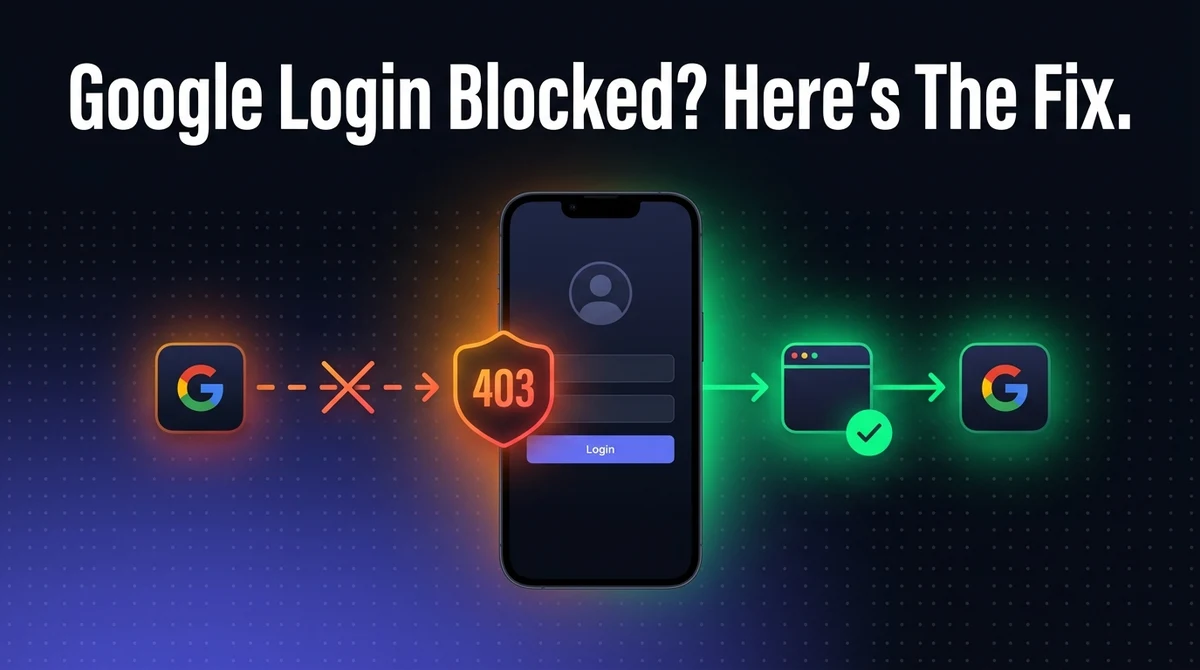
Google Login Blocked in WebView? Fixing "disallowed_useragent" (403)
A user taps "Sign in with Google" inside your app and gets a blank page reading Error 403: disallowed_useragent. Nothing about your OAuth setup is wrong. Google is deliberately blocking the sign-in page from loading inside an embedded WebView — a security policy, not a bug — and it's one of the most common failures a WebView-based app hits in production, usually the first time a real user tries to log in.
This is a real Google policy, in effect since 2016 and still enforced today. Spoofing your way around it risks your app's access to Google's APIs. The fix is architectural, not cosmetic, and it's a fifteen-minute change once you know what to do.
The Short Answer
Google refuses to load its OAuth sign-in page inside any embedded WebView, and returns a 403 with the message "disallowed_useragent" when you try. The fix is to detect when your app is about to navigate to Google's sign-in domains and open that specific page in a system browser component instead — Chrome Custom Tabs on Android, SFSafariViewController or ASWebAuthenticationSession on iOS — then hand control back to your app once sign-in completes.
What this is not: a problem with your OAuth client ID, redirect URI, consent screen configuration, or app permissions. The 403 fires purely on the User-Agent header, before any of that is even checked.
What "disallowed_useragent" Actually Means
Google's OAuth server inspects the User-Agent header on every request to its sign-in and consent endpoints, and rejects requests that identify as an embedded WebView. Android's WebView and iOS's WKWebView both send identifiable User-Agent strings that differ from a full browser's, and Google checks specifically for those patterns.
When it matches, Google's server responds with an HTTP 403 and a page whose body includes the text Error 403: disallowed_useragent. There's no partial success, no fallback rendering — the request is refused outright, before your app ever gets a chance to complete the OAuth handshake.
This trips up developers constantly because everything else about the integration is usually correct. The OAuth client is registered properly, the API scopes are right, the redirect URI matches — and it still fails, because the block happens one layer below all of that, purely on what kind of browser surface is making the request.
Why Google Blocks WebView Sign-In
The policy exists because an embedded WebView has no visible, verifiable address bar. When a user types their Google password into a normal browser tab, they can check the URL and confirm they're really on accounts.google.com. Inside a WebView, the host app controls everything rendered on screen — there's no reliable way for the user to verify they aren't typing their credentials into a lookalike page injected by the app itself.
That's not a hypothetical risk. A WebView gives the hosting app the ability to inject JavaScript, read page content, and intercept form submissions — exactly the capabilities needed to build a credential-phishing page that looks identical to Google's real sign-in screen. Google's policy, announced in 2016 and unchanged in substance since, closes that door by refusing to serve the sign-in page to anything that isn't a browser the user can independently verify.
This is the same reasoning behind a lot of platform-level sandboxing around WebView apps generally — the technology is legitimate and widely used, but specific flows involving credentials get carved out and routed through a more trustworthy surface.
Is Your App Affected?
If your app loads any part of Google's sign-in flow inside its own WebView, you're affected — the only question is whether you've hit it yet. This shows up in two common situations:
- You built a native app that opens Google OAuth inside a WebView component directly, instead of using Google's native sign-in SDK or a system browser component.
- You wrapped an existing website that already has a "Sign in with Google" button, and your app's WebView shell renders the entire site — including the login flow — as a single browsing surface with no special handling for Google's domains.
The second case is the one that catches wrapped-website apps off guard, because the website itself works perfectly in a normal mobile browser. The bug only appears once that same page is loaded inside an app's WebView, which is often not tested until a real user hits it after launch.
The Fix: Route Auth to a System Browser
The fix is to intercept navigation to Google's authentication domains and open just that page in a separate, trusted browser component — not your app's own WebView. Both major platforms provide a purpose-built component for exactly this.
| Platform | Use this instead of WebView | Why it satisfies Google's policy |
|---|---|---|
| Android | Chrome Custom Tabs | Opens the user's real Chrome browser with a visible, verifiable context — not your app's embedded view |
| iOS | SFSafariViewController or ASWebAuthenticationSession | Runs inside Safari's own engine and process, separate from your app's WKWebView |
Both components still feel like they belong to your app — they can be styled, they open and close smoothly, and the user never has to manually switch to a separate browser app. The difference Google's server cares about is the underlying browser context, not the visual presentation. For more on how Custom Tabs compares to a plain WebView day to day, see our Android Studio WebView build guide, which covers the distinction directly. On iOS, our guide to deep links in WebView apps touches on why SFSafariViewController is also the preferred choice for OAuth flows specifically.
Step-by-Step Implementation
The fix is the same shape on both platforms: catch the navigation before the WebView renders it, redirect it to a system browser component, then catch the return.
Confirm the error is disallowed_useragent
Reproduce the failure and check the response body. If it explicitly reads Error 403: disallowed_useragent, this is the User-Agent block — not a misconfigured client ID or redirect URI.
Find where the Google sign-in URL loads
In a WebView-wrapped app, this is usually the same WebView instance rendering your whole website — which is exactly what triggers the block once the page navigates to accounts.google.com.
Intercept navigation to Google's auth domains
On Android, override shouldOverrideUrlLoading in your WebViewClient to detect requests to accounts.google.com and OAuth2 endpoints. On iOS, intercept the request inside your WKNavigationDelegate's decidePolicyFor navigationAction callback.
Open the intercepted URL in a system browser component
Launch it in Chrome Custom Tabs on Android, or SFSafariViewController / ASWebAuthenticationSession on iOS, instead of letting the WebView load it.
Return control to your WebView after sign-in
Handle the OAuth redirect URI — a custom URL scheme or your registered redirect — to detect completion, close the browser component, and pass the resulting session back into your WebView so the user lands back inside your app already signed in.
Test with a real Google account on both platforms
Test an account with 2-Step Verification enabled specifically — that flow adds an extra request that also has to stay outside the WebView, and it's a common spot for the fix to be incomplete.
What Not to Do
Do not try to spoof the WebView's User-Agent string to make it look like a normal browser. It might bypass the initial check, but it's a violation of Google's API Terms of Service, and Google's detection isn't limited to a single header — an account or app flagged this way risks losing API access outright, which is a far worse outcome than a login button that needs fixing.
Also worth noting: spoofing the User-Agent doesn't fix the actual security gap the policy exists to close. Even if it worked reliably, your users would still be typing Google credentials into a page with no verifiable address bar — which is the exact scenario the policy is designed to prevent.
If Your App Wraps an Existing Website
Your website's "Sign in with Google" code doesn't need to change — the fix belongs at the app shell level, not the website level. The website's login button was built assuming it runs in a normal browser tab, and that assumption is correct on mobile Safari or Chrome. It only breaks once the same page loads inside an app's embedded WebView, which is a property of the wrapper, not the site.
A well-built WebView app handles this by detecting navigation to Google's auth domains and routing just that request through Custom Tabs or SFSafariViewController automatically, so the rest of the site keeps loading normally in the WebView and only the sign-in step is special-cased. A thin, unconfigured wrapper won't do this, and the first sign a business usually gets is a support message from a confused user. If you're evaluating a service to build your app for you, this is a specific, concrete question worth asking directly: does Google (or Facebook, or any OAuth-based) login get routed outside the WebView, or does it just load the site as-is? A second question worth asking in the same breath is whether the session created by that sign-in actually survives a restart, which comes down to how the app handles session and cookie persistence once the user is back inside the WebView.
The same principle extends to anything else your site embeds that expects a full browser — payment provider redirects, other OAuth providers, and some banking or identity-verification widgets follow similar rules. Getting this right once, at the shell level, covers all of them.
Common Mistakes
Assuming it's an OAuth configuration problem
Developers often spend hours re-checking client IDs, scopes, and redirect URIs before realizing the 403 fires before any of that is evaluated. Check the response body for disallowed_useragent first — it tells you immediately which category of problem you're in.
Fixing it for Android and forgetting iOS (or vice versa)
The two platforms need separate implementations — Custom Tabs is Android-specific, SFSafariViewController/ASWebAuthenticationSession are iOS-specific. Testing only one platform after the fix is the most common way this ships half-broken.
Not testing 2-Step Verification accounts
A basic account without extra verification steps can make the fix look complete when it isn't. 2-Step Verification triggers an additional request that also needs to stay outside the WebView — test with an account that has it enabled before calling the fix done.
Frequently Asked Questions
It means Google's OAuth server refused the sign-in request because it detected the request came from an embedded WebView rather than a full browser. Google identifies this from the User-Agent header the WebView sends, which differs from a normal browser's. The error is not about your OAuth client ID, your redirect URI, or your app's permissions — it fires before any of that is checked, purely on the User-Agent signal.
Security. An embedded WebView has no visible address bar, so a user has no way to confirm they are actually typing their password into accounts.google.com and not a lookalike page injected by the host app. A malicious or compromised app could use a WebView to capture Google credentials directly. Google's policy, in place since 2016 and still enforced, requires the OAuth consent screen to load in a browser the user can verify — Chrome, Safari, or a system browser component like Custom Tabs or SFSafariViewController — rather than inside another app's WebView.
Don't. Spoofing the User-Agent to impersonate a normal browser might bypass the initial check, but it violates Google's API Terms of Service, and Google's detection is not limited to a single header check — accounts flagged this way risk being blocked again or losing API access entirely. It also doesn't fix the underlying security problem the policy exists to prevent. The correct fix is architectural: move the sign-in flow out of the WebView, not disguise the WebView as something it isn't.
Both, though the mechanics differ slightly. On Android, Google's policy explicitly names Android System WebView and older embedded browser components. On iOS, the same restriction applies to UIWebView (long deprecated) and to WKWebView when it's used to render Google's sign-in page directly. The fix on both platforms is the same in principle: hand the authentication step to a separate, trusted browser surface instead of your app's own WebView.
They solve the same problem on different platforms. Chrome Custom Tabs is Android's system browser component — it opens the user's actual Chrome browser inside your app's UI, with a visible URL and Chrome's own security context, which satisfies Google's OAuth policy. SFSafariViewController is the iOS equivalent, rendering the page inside Safari's engine and process rather than your app's WKWebView. Both are Google- and Apple-sanctioned patterns specifically because the browser, not the app, controls what the user sees and types.
Because the website's login button was built assuming it runs in a normal browser tab, and a WebView-wrapped app loads that same page inside an embedded WebView by default. The website's code doesn't change — the fix has to happen at the app shell level, detecting when a navigation is heading to Google's auth domains and routing just that request to a system browser component instead of letting the WebView render it. A well-built WebView wrapper handles this automatically; a thin, unconfigured one will hit this error the first time a user tries to sign in with Google.
Yes, if you're willing to build native sign-in instead of relying on the wrapped website's login button. Google's native SDKs for Android and iOS (Google Identity Services, and Android's Credential Manager API) implement sign-in as a native dialog with no WebView involved at all, which sidesteps the issue completely. This requires native code beyond what a URL-wrapper alone provides, so it's a heavier lift than the Custom Tabs / SFSafariViewController fix, but it's the more modern approach if you're building deeper native features anyway.
Key Takeaways
- "disallowed_useragent" is a deliberate Google security policy, not a bug in your OAuth configuration.
- It fires because an embedded WebView can't give the user a verifiable address bar — the exact thing needed to trust a password prompt.
- The fix: route navigation to Google's auth domains through Chrome Custom Tabs (Android) or SFSafariViewController / ASWebAuthenticationSession (iOS), not your app's own WebView.
- Never spoof the User-Agent — it violates Google's API Terms of Service and risks your app's API access.
- If your app wraps an existing website, the fix belongs at the app shell level, not the website's own code.
- Test with a 2-Step Verification account specifically before considering the fix complete.
This is one of a handful of technical gaps that separate a genuinely production-ready WebView app from a thin wrapper that breaks the first time a user does something beyond browsing. If you're weighing whether your own site is ready to convert, our guides on push notifications in WebView apps and offline handling in WebView apps cover two of the other common gaps. And if you're comparing conversion options generally, see the Vue.js conversion guide or Laravel conversion guide for framework-specific walkthroughs.
Building a WebView App? Get the Login Flow Right the First Time
AppOfWeb builds your website into a native Android and iOS app for a one-time fee — including the technical details that break thin wrappers, like Google sign-in.
Get Your Free Demo →