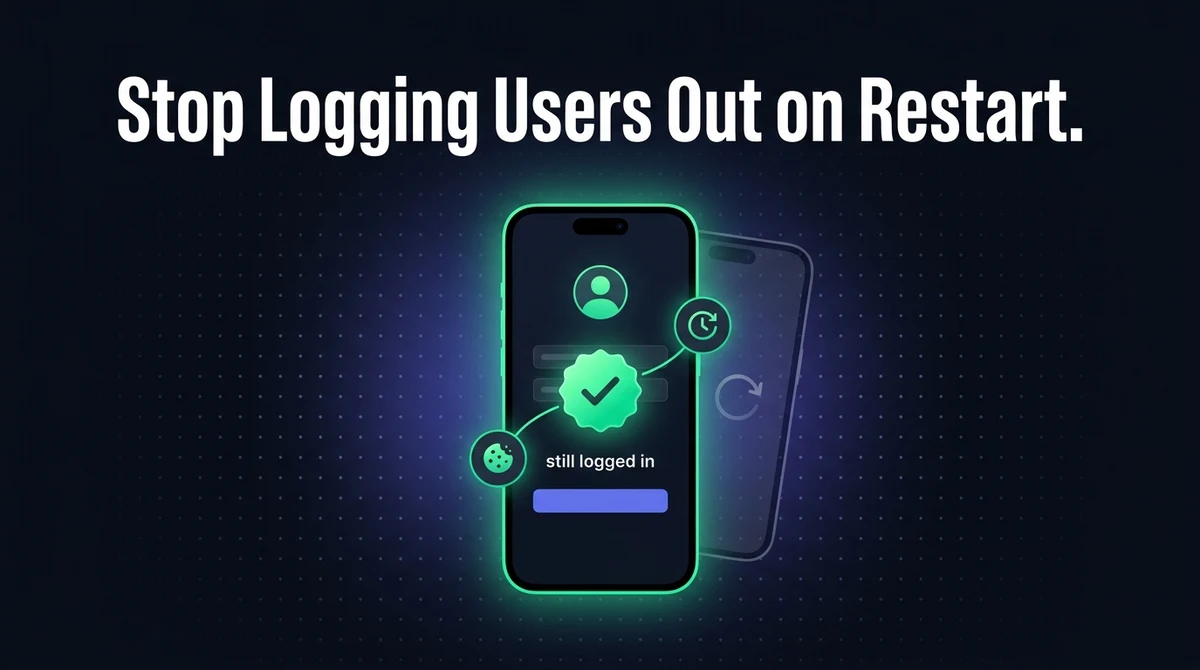
Session & Cookie Persistence in WebView Apps: Keep Users Logged In
A user logs into your app, closes it, opens it an hour later — and is staring at the login screen again. On the website, the same login lasts for weeks. This is the single most common complaint about a badly built WebView app, and it is almost never a bug in your website. It is a cookie lifetime problem, a WebView configuration problem, or both.
The short version: a login survives an app restart only if the cookie carrying it has an explicit expiry date and the WebView is configured to write cookies to disk. Miss either half and every restart is a fresh session.
Why Does My WebView App Log Users Out?
A WebView app logs users out on restart for one of four reasons: the login cookie is a session cookie with no expiry, the WebView never flushed its cookies to disk, DOM storage is disabled, or iOS is using a non-persistent data store. Each has a specific, short fix.
| Symptom | Most likely cause | Fix lives in |
|---|---|---|
| Logged out every single app launch | Session cookie with no Expires or Max-Age | Your server |
| Logged out sometimes, usually after force-quitting | Android cookies never flushed to disk | Android app shell |
| Logged out every launch on iOS only | WKWebView using a non-persistent data store | iOS app shell |
| Login page reloads in a loop, or a token is lost | DOM storage disabled in the WebView | Android app shell |
| Login works on the site, fails only in the app | Third-party cookies blocked on a separate auth domain | Both |
None of these require rebuilding your website or writing a mobile API. A WebView app loads the same pages your browser does, so the same session that works in Chrome will work in the app once the storage layer is set up correctly. The rest of this guide walks through each cause in order.
Session Cookies vs Persistent Cookies: The Difference That Decides Everything
A session cookie is deleted when the browsing session ends; a persistent cookie has an explicit Expires or Max-Age and survives until that date. In a WebView app, "the browsing session ends" means the app process was killed — which happens constantly on mobile.
This is the part most teams get wrong, because it does not look broken on desktop. A desktop browser stays open for days, so a session cookie feels permanent. A phone kills backgrounded apps aggressively to reclaim memory, so the same cookie may only last minutes.
| Session cookie | Persistent cookie | |
|---|---|---|
| Set-Cookie header | No Expires, no Max-Age | Max-Age=2592000 or an Expires date |
| Stored where | Memory only | Written to disk |
| Survives app restart | No | Yes |
| Right choice for "keep me logged in" | No | Yes |
The fix is on your server, not in the app. Your login endpoint should send something along these lines when a user ticks "remember me":
Set-Cookie: session=abc123; Max-Age=2592000; Path=/;
            Secure; HttpOnly; SameSite=Lax
Max-Age=2592000 is 30 days in seconds. Secure restricts the cookie to HTTPS. HttpOnly keeps JavaScript from reading it, which also protects it from the client-side cookie lifetime caps described later. SameSite=Lax is the sensible default for a first-party login; only use SameSite=None if the cookie genuinely has to travel cross-site, and note that SameSite=None is invalid without Secure.
Quick diagnostic: open your site in a desktop browser, log in, and look at the login cookie in DevTools. If its expiry reads "Session", no WebView setting on earth will keep your users logged in. Fix the server first.
How Do You Keep Users Logged In on Android WebView?
Android WebView accepts and persists cookies by default, but it does not guarantee they reach disk before the app process dies — you have to flush them. Two settings and one method call cover almost every Android session complaint.
The relevant pieces, in the order they matter:
CookieManager.getInstance().setAcceptCookie(true)— cookie acceptance. On by default, but worth setting explicitly so nobody turns it off by accident later.CookieManager.getInstance().flush()— the one that actually fixes things. It forces pending cookies out of memory and into persistent storage. Call it when the app goes to the background, not just on exit, because a backgrounded app can be killed without any further notice.webView.getSettings().setDomStorageEnabled(true)— enableslocalStorageandsessionStorage. This is off by default, and any site that keeps its auth token inlocalStoragerather than a cookie will fail silently without it.CookieManager.getInstance().setAcceptThirdPartyCookies(webView, true)— only needed when your login lives on a different domain from your app content. See cross-domain logins below.
The flush call is the single highest-value line in this article. Without it, a user can log in, background the app, have Android reclaim the process, and reopen to a login screen — with cookies that were technically persistent but never made it out of memory. Our Android Studio WebView build guide covers where these calls sit in a real project structure.
Uninstalling clears everything. Android WebView cookies live inside the app's private sandbox, so uninstalling the app deletes them along with the rest of its data. A reinstall always means a fresh login, and no configuration changes that. Do not treat it as a bug report.
How Do You Keep Users Logged In in an iOS WKWebView?
WKWebView persists cookies correctly as long as it uses the default website data store — the classic iOS bug is using the non-persistent one by mistake. WKWebsiteDataStore.default() writes to disk; WKWebsiteDataStore.nonPersistent() is the private-browsing equivalent and throws everything away when the WebView is deallocated.
If iOS logs users out on every launch while Android behaves, this is the first thing to check, and usually the only thing. It is a one-word difference in the configuration and it produces exactly the symptom described.
Two further iOS behaviours are worth knowing before you start debugging the wrong layer:
- WKWebView cookies are not automatically shared with
URLSession. Cookies set inside the WebView live inWKHTTPCookieStore, which is separate from the app'sHTTPCookieStorage. If native code makes its own authenticated request, it will not see the WebView's session unless you copy the cookies across deliberately. - Cookie writes are asynchronous. Setting a cookie programmatically through
WKHTTPCookieStoreand immediately loading a page can race — load the page from the completion handler rather than the next line.
The same trusted-context reasoning that governs iOS storage also governs sign-in flows, which is why Google blocks OAuth inside a plain WebView. A session that never gets created cannot be persisted, so rule that out before assuming a storage problem.
Does localStorage Survive an App Restart in a WebView App?
Yes on iOS with the default data store, and yes on Android — but only if DOM storage was explicitly enabled, because Android WebView disables it by default. This catches out every site that stores a JWT in localStorage instead of a cookie.
| Storage | Survives restart? | Notes |
|---|---|---|
| Persistent cookie | Yes | Best choice for auth. Can be HttpOnly. |
| Session cookie | No | Dies with the process. |
localStorage | Yes, if DOM storage is enabled | Readable by JavaScript, so never HttpOnly. |
sessionStorage | No, by design | Scoped to one tab session. Never use it for login state. |
| Native secure storage | Yes | Keychain / Keystore. Needs a JS bridge to reach it. |
For a wrapped website, a persistent HttpOnly cookie is the better default. It survives restarts, it is invisible to JavaScript, and it needs no bridge code between the web layer and the native shell. Reach for localStorage only when your existing auth already depends on it, and for genuinely sensitive long-lived tokens consider pairing the session with Face ID or fingerprint re-authentication rather than extending the cookie lifetime indefinitely.
Why Does Login Work on the Website but Fail Inside the App?
The usual answer is that your login lives on a different domain from your content, and the WebView is treating its cookie as a third-party cookie. If users sign in at accounts.example.com and land on app.example.com, or you use an external identity provider, this is your problem.
Browsers have spent years tightening third-party cookie rules, and WebViews inherit those defaults. On Android the switch is explicit: setAcceptThirdPartyCookies(webView, true), applied per WebView instance. On iOS the behaviour follows WebKit's own tracking-prevention rules, which are stricter and not simply toggleable, so a cross-domain login that depends on third-party cookies is fragile there by design.
The durable fix is to stop needing third-party cookies at all:
- Keep auth on the same registrable domain as the content. A cookie scoped to
.example.comis first-party for bothaccounts.example.comandapp.example.com. - Finish the redirect on your own domain. Let the identity provider redirect back to your site, then set your own first-party session cookie there.
- Use the system browser for the sign-in leg. Custom Tabs on Android and
SFSafariViewControlleron iOS are the supported path for third-party sign-in, and it is the same pattern that resolves the disallowed_useragent 403 error.
Third-party cookie restrictions are the same underlying mechanism behind several unrelated-looking WebView failures — including the 3D Secure problems covered in our guide to payment gateways in WebView apps. If two different features broke the day you shipped the app, this is a strong suspect for both.
What Changed in 2025–2026
Nothing about cookie persistence broke in 2025 or 2026, but the margin for error narrowed: third-party cookies are restricted more aggressively, and client-side cookie lifetimes are capped on WebKit. Configurations that quietly worked in 2020 now fail in ways that look random.
Three shifts matter for session persistence specifically:
- Third-party cookies are increasingly restricted by default across browser engines, and WebViews follow their engine. Any login flow that depends on them should be treated as on borrowed time regardless of platform.
- WebKit caps the lifetime of cookies written by client-side JavaScript. Apple's Intelligent Tracking Prevention limits
document.cookie-set cookies to a short window — documented at seven days for Safari. A server-setHttpOnlycookie is not subject to that cap, which is another reason to set your session cookie from the server rather than from JavaScript. - Privacy disclosure expectations went up. Both stores now expect an accurate account of what your app stores and why, and a persistent login cookie is a disclosable identifier. Our walkthrough of Google Play's Data Safety form covers how to declare it without over-claiming.
As of August 2026, the safe configuration is unchanged and boring: a first-party, server-set, HttpOnly, Secure cookie with an explicit Max-Age, flushed to disk on Android and stored in the default data store on iOS.
Step-by-Step: Making Logins Persist
Work server-side first, then Android, then iOS — in that order, because a session cookie with no expiry cannot be rescued by any client setting. Seven steps, and most apps only need the first four.
Give the login cookie an explicit expiry
Add Max-Age or Expires to the Set-Cookie header on your login endpoint. Without it the cookie is a session cookie and dies with the app process.
Mark it Secure, HttpOnly and SameSite=Lax
Secure keeps it on HTTPS, HttpOnly hides it from JavaScript and exempts it from client-side lifetime caps, and SameSite=Lax is the right default for a first-party login.
Enable cookies and DOM storage in the Android WebView
Call CookieManager.getInstance().setAcceptCookie(true) and webView.getSettings().setDomStorageEnabled(true). DOM storage is off by default and its absence fails silently.
Flush Android cookies when the app backgrounds
Call CookieManager.getInstance().flush() from your activity's pause or stop callback. A backgrounded app can be killed without further warning, taking unflushed cookies with it.
Use the default website data store on iOS
Confirm the WKWebView is configured with WKWebsiteDataStore.default(). If it uses nonPersistent(), every launch starts a private session and every user is logged out.
Remove the dependency on third-party cookies
Scope the session cookie to the shared parent domain, finish the auth redirect on your own domain, and hand third-party sign-in to Custom Tabs or SFSafariViewController.
Give users a real way to log out
A thirty-day cookie on a shared phone is a support problem without a visible sign-out. Make sure logging out clears the cookie server-side rather than only hiding the UI.
How Do You Test Session Persistence Properly?
Reopening the app from the recents list is not a test — the process was never killed, so of course the user is still logged in. Every real persistence bug hides behind that false pass.
Test in this order, on a physical device rather than an emulator, because process lifecycle and storage behaviour differ:
- Log in, then force-quit the app and reopen it. This is the test that actually matters, and the one that catches an unflushed cookie store.
- Log in, background the app, and leave it overnight. The OS will very likely reclaim the process, reproducing the real-world condition your users hit every morning.
- Reboot the device and reopen the app. Anything held only in memory is gone by definition.
- Check both platforms separately. Android and iOS fail for entirely different reasons, and passing on one says nothing about the other.
- Test on a slow or flaky connection. An auth call that times out on launch can look identical to a lost session while being an unrelated network problem.
If step 1 passes but step 2 fails on Android, the cause is nearly always a missing flush(). If everything passes on Android and everything fails on iOS, look at the data store. That two-question triage resolves the large majority of reports, and it is worth running before you touch the website itself. The same real-device discipline applies to offline behaviour in a WebView app, where cached state and stored state get confused for one another constantly.
Common Mistakes
Debugging the app when the cookie is the problem
Teams routinely spend days on WebView settings for a cookie that never had an expiry date. Check the Set-Cookie header in DevTools before opening the app project.
Testing from the recents list instead of a cold start
Resuming a live process proves nothing about persistence. Force-quit and relaunch, or you will ship the bug and hear about it from users instead.
Storing the auth token in sessionStorage
sessionStorage is designed to be discarded. It is not a persistence bug when it clears — it is the specified behaviour, and no WebView setting changes it.
Setting the session cookie from JavaScript
A cookie written with document.cookie is exposed to scripts and subject to WebKit's client-side lifetime cap. Set session cookies from the server with HttpOnly.
Treating a reinstall as a lost session
Uninstalling an app deletes its private storage on both platforms. The user will be logged out and that is correct behaviour, not a defect to chase.
Frequently Asked Questions
The most common cause is that your login cookie is a session cookie with no Expires or Max-Age attribute, so it is stored in memory and discarded when the app process ends. On a phone that happens constantly, because the operating system kills backgrounded apps to reclaim memory. The fix is on your server: send the login cookie with an explicit Max-Age. The second most common cause on Android is cookies never being flushed to disk before the process is killed.
Yes, persistent cookies are written to the app's private storage and survive a restart, but they are not guaranteed to reach disk before the process is killed. Call CookieManager.getInstance().flush() when your app goes to the background to force pending cookies into persistent storage. Session cookies with no expiry are never persisted regardless of what you flush, and uninstalling the app deletes all of its cookies along with the rest of its sandboxed data.
Yes, provided the WKWebView is configured with the default website data store. WKWebsiteDataStore.default() writes cookies and local storage to disk, while WKWebsiteDataStore.nonPersistent() behaves like private browsing and discards everything when the WebView is deallocated. If iOS logs users out on every single launch while Android works fine, a non-persistent data store is almost always the reason, and it is a one-line configuration change.
Yes on both platforms, with one Android caveat: DOM storage is disabled by default in Android WebView, so localStorage silently does nothing until you call setDomStorageEnabled(true) on the WebView settings. Once enabled, localStorage persists across restarts the same way cookies do. sessionStorage is different by design and is always discarded at the end of the session, so it should never hold login state.
Usually because the login happens on a different domain from your content, and the WebView is treating the session cookie as a third-party cookie. Android exposes an explicit setAcceptThirdPartyCookies switch per WebView, while iOS follows WebKit's stricter tracking-prevention rules that you cannot simply toggle off. The durable fix is to stop depending on third-party cookies: scope the session cookie to a shared parent domain, or finish the authentication redirect on your own domain and set a first-party cookie there.
Yes, on both Android and iOS, and this is expected behaviour rather than a bug. WebView cookies and local storage live inside the app's private sandbox, and uninstalling an app deletes that sandbox. There is no configuration that preserves a web session across a reinstall. If you need a login to survive one, that requires storing a credential outside the app sandbox, which is a native feature rather than a WebView setting.
Thirty days is a common and defensible default for a consumer app, set with Max-Age=2592000. Choose the length deliberately rather than by accident: a longer cookie is more convenient and a bigger risk on a shared or lost device. Whatever you choose, make the cookie HttpOnly and Secure, give users a visible sign-out that clears the session server-side, and consider requiring biometric re-authentication for anything sensitive rather than simply extending the expiry.
Key Takeaways
- A session cookie can never survive an app restart — give the login cookie an explicit
Max-Ageon the server first. - On Android, call
CookieManager.getInstance().flush()when the app backgrounds. It is the single highest-value line in this article. - On Android, DOM storage is off by default — enable it or any
localStorage-based login fails silently. - On iOS, use
WKWebsiteDataStore.default(), nevernonPersistent(), or every launch is a private session. - Cross-domain logins depending on third-party cookies are fragile — move the session cookie to a shared first-party domain.
- Test with a force-quit and a cold start, on real devices, on both platforms. Reopening from recents proves nothing.
Session persistence is one of the details that separates a production-ready WebView app from a thin wrapper — alongside push notifications and the trade-offs covered in our WebView versus native comparison. Get it right and users never think about it again, which is exactly the point.
Want an App Where Logins Just Work?
AppOfWeb builds your website into native Android and iOS apps for a one-time fee — with the cookie, storage and session handling already configured.
Get Your Free Demo →