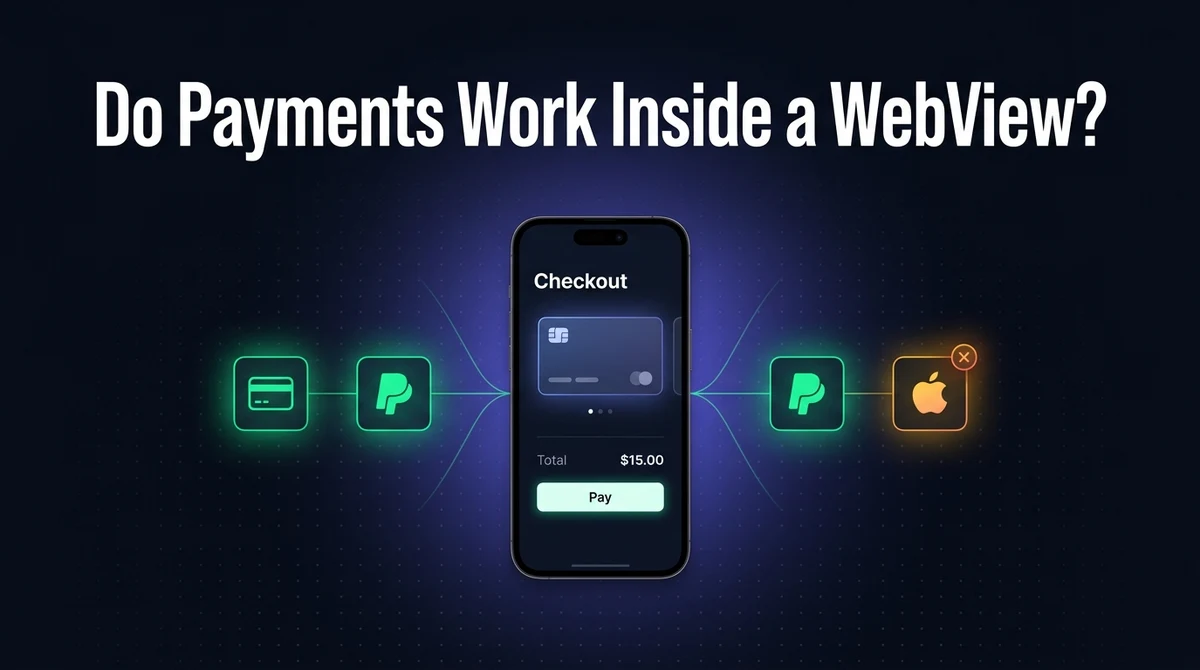
Do Payment Gateways Work in a WebView App? Stripe, PayPal & Apple Pay
Your website's checkout works perfectly in a browser. Then you wrap it in a WebView app, and suddenly the PayPal button does nothing, or Apple Pay never shows up, or a customer's card gets stuck on a blank authentication screen. None of these are Stripe's fault, or PayPal's fault, or your website's fault — they're specific, well-understood WebView behaviors, and every one of them has a fix.
The short version: card payments work almost everywhere. Popups and third-party redirects need explicit handling. Apple Pay on the Web is Safari-only, full stop — no WebView configuration fixes that one.
The Short Answer
Stripe and PayPal work inside a WebView app in most cases, Google Pay works with some caveats, and Apple Pay on the Web does not work inside a WebView at all. Here's the whole landscape at a glance.
| Gateway | Works in a plain WebView? | What needs handling |
|---|---|---|
| Stripe (Elements / Checkout / cards) | Yes | JavaScript enabled, 3D Secure cookie handling |
| PayPal (Smart Buttons) | Mostly | Popup / new-window handling |
| Google Pay (web button) | Often, test to confirm | Varies by WebView version — test on real devices |
| Apple Pay on the Web | No | Requires a native PassKit + JS bridge instead |
Every one of these is a solved problem, and none of them requires rebuilding your checkout. The rest of this guide covers each gateway specifically, then the two underlying WebView behaviors — popups and third-party cookies — that cause most of the confusion.
Does Stripe Work in a WebView App?
Yes, in almost every configuration. Stripe Elements, Stripe Checkout's hosted redirect page, and Stripe's raw card fields are standard JavaScript and HTML — they render inside a WebView the same way they render inside a mobile browser, because that's exactly what a WebView is doing under the hood.
Two things need explicit attention, not because Stripe requires anything unusual, but because these are general WebView requirements that a payment form happens to depend on heavily:
- JavaScript must be enabled. It's off by default in a plain Android
WebView, and Stripe's entire form is JavaScript-driven. This is the single most common reason a Stripe form doesn't render at all. - 3D Secure authentication needs cookie handling. When a card triggers Strong Customer Authentication, the challenge page loads from your card issuer's domain — not Stripe's, not yours — inside an iframe. See the 3D Secure section below for what can go wrong there.
Beyond that, Stripe works the same inside a wrapped app as it does on your live website — which is one of the reasons a WebView app can sell things on day one without a separate mobile checkout being built.
Does PayPal Work in a WebView App?
Mostly yes, with one specific, very common failure mode. PayPal's Smart Buttons and Checkout flow are standard web content and load fine in a WebView. The catch: PayPal sometimes opens its login and approval step in a popup window instead of navigating the current page.
A WebView that doesn't explicitly handle popup or new-window requests simply drops that popup — no error, no console warning most developers will notice, just a button that appears to do nothing when tapped. This looks like a PayPal problem. It isn't. It's a missing handler in the WebView shell, and it's the same category of issue covered in the popups and redirects section below.
Quick diagnostic: if a PayPal button works fine in your phone's browser but does nothing inside your app, popup handling is almost certainly the cause.
Does Apple Pay Work in a WebView App?
No — Apple Pay on the Web is documented by Apple as a Safari-only feature, and no amount of WebView configuration changes that. This is the one gateway on this list that isn't a fixable settings problem; it's a hard platform restriction.
The ApplePaySession JavaScript API — the thing that shows an Apple Pay button on a website and lets a user pay with Face ID — is scoped to Safari specifically. Load the same checkout page inside a third-party app's WKWebView, and the Apple Pay button either won't appear or won't function, regardless of how carefully the WebView is configured. This mirrors a similar restriction covered in our guide on why Google blocks sign-in inside a plain WebView — both companies deliberately scope sensitive flows to a trusted browser context rather than an embeddable one.
The fix, if Apple Pay matters to your business, is to build it natively. Apple's PassKit framework lets a native iOS app present the real Apple Pay sheet, and you bridge the result back into your web checkout with a small JavaScript interface — the web page requests payment, native code shows the Apple Pay UI, and the resulting token gets passed back to your JavaScript to complete the charge through Stripe or your processor of choice. This is real native development, not a WebView setting, so weigh whether your customer base actually needs it before committing to the work.
Does Google Pay Work in a WebView App?
Often, but test it directly rather than assuming. Google Pay's web button is built on the Payment Request API, which has meaningfully broader support across Chromium-based WebViews than Apple Pay JS has in WKWebView — but "broader" isn't "universal," and behavior can vary by Android WebView version and by how the OS's Google Pay app is configured on a given device.
Treat Google Pay the way you'd treat any progressive enhancement: test the actual button on a handful of real Android devices, and make sure a plain card-payment path is always available as a fallback regardless of what you find. A payment gateway that only sometimes shows its fastest option is fine; a checkout that has no fallback when it doesn't is not.
3D Secure: The Part That Actually Breaks
3D Secure (Strong Customer Authentication) is the most common source of "payments broke only in the app" reports, and it's almost always a third-party cookie issue. When a card triggers SCA, the authentication challenge loads inside an iframe served directly from the card issuer's own domain — your bank, not Stripe, not your website.
From the WebView's perspective, that iframe is third-party content. Many WebViews — for good privacy reasons — restrict or block third-party cookies by default, and a bank's authentication page frequently depends on cookies to track the challenge session. Block the cookie, and the authentication step can fail to load, hang, or reject the payment with no useful error message shown to the user.
Test this specifically. A checkout that works fine in testing often used a test card that skips 3D Secure entirely. Use a test card number that explicitly triggers the SCA challenge (Stripe and PayPal both publish these) before considering your payment integration verified.
Popup Windows and Redirects: The WebView Gotcha
A plain WebView, on both Android and iOS, does not automatically know what to do when a page tries to open a new window. By default, that request is simply discarded — which is exactly the behavior that makes PayPal buttons, some 3D Secure flows, and certain third-party login steps appear broken.
| Platform | What to implement | What it catches |
|---|---|---|
| Android | WebChromeClient.onCreateWindow | window.open() calls and target="_blank" links |
| iOS | WKUIDelegate's webView(_:createWebViewWith:) | Same category of new-window requests inside WKWebView |
Our Android Studio WebView build guide covers the equivalent handler needed for Custom Tabs and external links, which is worth reading alongside this if you haven't implemented window handling yet — it's a handful of lines of code that resolves a disproportionate share of "the button does nothing" bug reports.
Step-by-Step: Making Payments Work Reliably
Confirm HTTPS everywhere
Every page in the payment flow, including redirect destinations, must be HTTPS. Mixed content is blocked by default on both platforms, and it's exactly the kind of failure that shows up silently.
Enable JavaScript
On Android, call settings.setJavaScriptEnabled(true). Payment widgets are JavaScript-driven almost without exception.
Implement popup and new-window handling
onCreateWindow on Android, WKUIDelegate on iOS. This alone fixes the most common PayPal complaint.
Allow third-party cookies for the checkout domain
3D Secure pages are loaded from your card issuer's domain, which is third-party from the WebView's perspective. Test explicitly with a card that triggers the challenge.
Route Apple Pay through a native bridge, not the WebView
If Apple Pay matters to your business, build it with PassKit natively and bridge the result into your web checkout with JavaScript — the web-based Apple Pay button will not work as-is inside a WKWebView.
Test the full flow on real devices with real test cards
Simulators don't always reproduce popup and cookie behavior accurately. Walk the entire flow, including a 3D Secure challenge, on a physical Android and iOS device before launch.
Digital vs Physical Goods: The App Store Rule That Matters More Than Any of This
Getting Stripe or PayPal to technically work is only half the requirement — Apple and Google also have rules about what you're allowed to sell through them at all. Digital goods and services — subscriptions, app feature unlocks, digital content — must go through Apple's in-app purchase system or Google's Billing Library, not a third-party gateway, regardless of whether the gateway works fine technically.
Physical goods and most real-world services are exempt and can use Stripe, PayPal, or anything else you choose. This distinction is covered in more depth in our guides on Apple's Guideline 3.1.1 for web-based apps and mobile app monetization strategies, and it's worth confirming before you build anything — a payment flow that works perfectly can still get an app rejected if it's selling the wrong category of product through the wrong channel. Our guide to common Apple rejection reasons covers this alongside the other frequent causes.
Common Mistakes
Assuming a "dead" payment button is a gateway bug
The overwhelming majority of "PayPal doesn't work in my app" reports are missing popup handling, not a PayPal-side issue. Check window handling before filing a support ticket with your payment provider.
Testing only with cards that skip 3D Secure
A checkout that "works" in testing may simply never have hit the SCA challenge. Test with a card number that explicitly triggers it before calling the integration verified.
Trying to force Apple Pay to work inside the WebView
No WebView configuration makes ApplePaySession function outside Safari. Time spent debugging this is time better spent either skipping Apple Pay or building the native PassKit bridge properly.
Frequently Asked Questions
Yes, generally. Stripe Elements, Stripe Checkout (the hosted redirect page), and Stripe's card fields are all standard JavaScript and HTML running inside your website, so they render inside a WebView the same way they render in a mobile browser. The two things that need explicit handling are JavaScript being enabled in the WebView and 3D Secure authentication pages, which redirect to your card issuer's own domain and can be affected by cookie restrictions.
Mostly, yes, with one common gotcha. PayPal's Smart Buttons and Checkout flow work as standard web content, but PayPal sometimes opens its login and approval flow in a popup window rather than navigating the current page. A WebView that doesn't explicitly handle popup or new-window requests will silently drop that popup, making it look like the PayPal button does nothing when tapped. This is a configuration issue, not a PayPal limitation, and it's fixable.
No, not through the standard Apple Pay JS API. Apple Pay on the Web (the ApplePaySession JavaScript API) is documented by Apple as a Safari-only feature — it does not work inside a third-party app's embedded WebView, regardless of how the WebView is configured. If your app needs Apple Pay, the fix is to implement it natively using Apple's PassKit framework and bridge the result back into your web checkout with JavaScript, rather than expecting the web-based Apple Pay button to work as-is.
It's more permissive than Apple Pay but still worth testing directly rather than assuming. Google Pay's web button uses the Payment Request API, which has broader support across Chromium-based WebViews than Apple Pay JS has in WKWebView, but coverage and behaviour can vary by Android WebView version. Test the actual button on real devices before relying on it, and have a card-payment fallback ready regardless.
The most common cause is a blocked popup or new-window request — many payment providers, PayPal especially, open their flow in a popup rather than the current page, and a WebView that doesn't implement window-handling (onCreateWindow on Android, WKUIDelegate on iOS) just drops it with no error message. The second most common cause is JavaScript being disabled in the WebView, since almost every modern payment widget depends on it.
3D Secure authentication typically loads inside an iframe served from your card issuer's own domain — not your website's domain — which makes it third-party content from the WebView's perspective. If the WebView blocks third-party cookies, which many do by default for privacy reasons, the bank's authentication step can fail to load or fail to complete. This is a WebView configuration issue, not a Stripe or PayPal bug, and it needs explicit testing since it often works fine for cards that don't trigger 3D Secure.
It depends on what you're selling. Apple requires its own in-app purchase system for digital goods and services — subscriptions, app features, digital content. Physical goods and most real-world services are exempt and can use Stripe, PayPal, or any payment gateway you choose. This distinction is the single most important thing to get right before submitting a WebView-wrapped app that sells anything, since using the wrong payment method for digital goods is a reliable rejection reason.
Key Takeaways
- Stripe and PayPal work inside a WebView app in the large majority of setups — no rebuild required.
- Apple Pay on the Web does not work in a WebView, full stop — it needs a native PassKit bridge if you want it.
- Google Pay is more permissive but not guaranteed — test it directly and always keep a card fallback.
- Most "broken" payment buttons are actually missing popup/new-window handling, not a gateway problem.
- 3D Secure failures are almost always third-party cookie restrictions — test explicitly with a card that triggers SCA.
- Digital goods must use Apple's or Google's own billing system, regardless of whether Stripe or PayPal work technically.
Payments are one of a handful of technical details that separate a genuinely production-ready WebView app from a thin wrapper that breaks the moment a user tries to do something beyond browsing — alongside Google sign-in and the differences covered in our WebView vs native comparison.
Selling Something? Get the Checkout Right the First Time
AppOfWeb builds your website into a native Android and iOS app for a one-time fee — including the popup, cookie, and payment details that break thin wrappers.
Get Your Free Demo →