How Much Does It Cost to Publish an App on the App Store in 2026?
Last updated: July 2026
Most developers make the same mistake. They Google "App Store publishing cost," see "$99/year," and plan their budget around that one number. Then they launch — or try to — and discover that the $99 was just the cover charge. The real bill is waiting inside.
This guide breaks down every cost layer involved in getting an iOS app live on the App Store in 2026: what's mandatory, what's optional, what catches people off guard, and how to spend smart at each stage. If you also want the cost of building the app rather than publishing it, see how much it costs to convert a website into an app.
The Quick Answer: What You'll Pay at Minimum
If you're already a developer, can build the app yourself, and just need to know the bare minimum to publish, here it is:
- $99/year — Apple Developer Program membership (required for everyone)
- A Mac — or access to one via cloud service (Xcode only runs on macOS)
- $0 — for the App Store listing itself, submitting updates, TestFlight beta testing, and basic analytics
That's it for mandatory out-of-pocket Apple fees. But "minimum" rarely describes real-world apps. Keep reading for the full picture.
The Mandatory Starting Cost — Apple Developer Program
The Apple Developer Program costs $99 USD per year — for individuals and companies alike. This fee is:
- Annual, not a one-time charge
- Non-refundable
- Billed in USD, which means exchange rate fluctuations matter if you're outside the US
If your membership lapses, Apple pulls your apps from the store. Not "eventually" — pretty quickly after expiration. Set a calendar reminder. Better yet, enable auto-renewal.
What does the $99 actually cover? Access to App Store distribution, TestFlight beta testing, beta OS releases so you can test against upcoming iOS versions, developer forums, and the tools to sign and deploy your app. What it does not cover: development costs, design, hosting, or anything else you'd expect to pay separately.
What's Free on the App Store
Quite a bit, actually:
- App Store Connect account — the dashboard where you manage your apps (free)
- TestFlight — Apple's official beta testing tool for up to 10,000 external testers (free)
- App updates — submitting new versions costs nothing beyond your time and membership
- Basic analytics — App Store Connect gives you download data, conversion rates, and crash reports at no charge
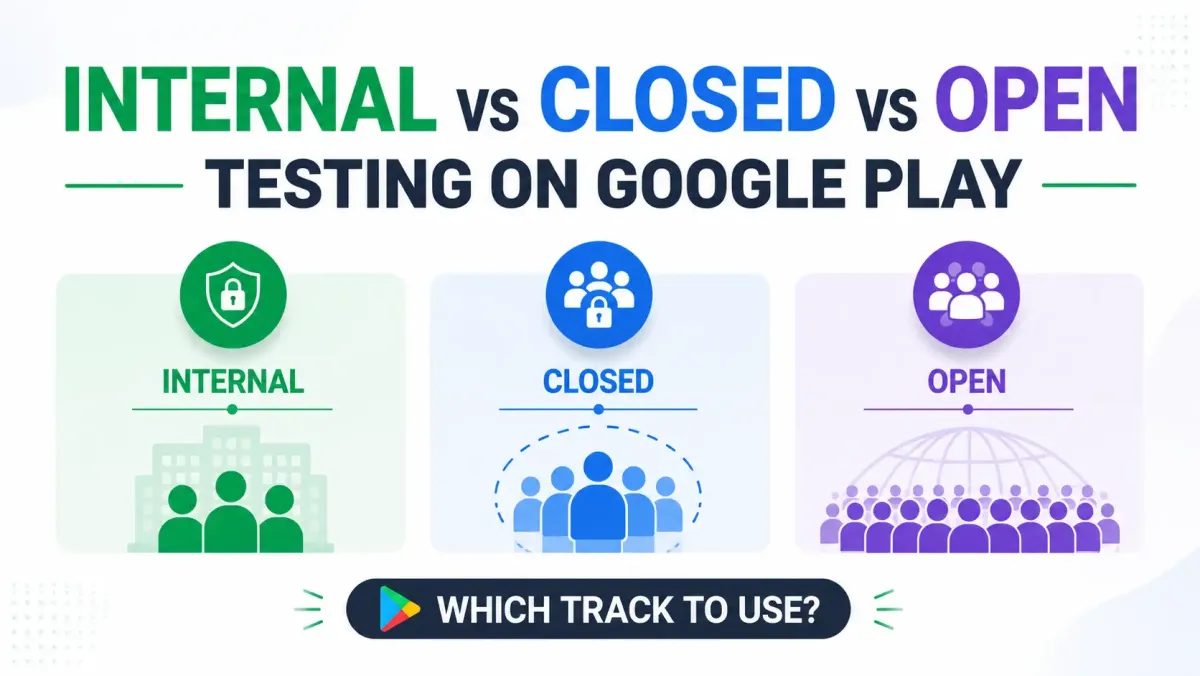
Publishing on Android (Google Play) instead? Be aware that new accounts face their own pre-launch testing requirement — learn exactly what Google Play's 12-tester closed testing requirement involves before you start.
Apple Developer Program Tiers — Which One Do You Actually Need?
Not every developer needs the same membership. Here's how to figure out which one applies to you before you spend anything.
Individual / Organization Program ($99/year)
This is the one almost everyone needs. It covers:
- Who it's for: freelancers, indie developers, startups, agencies, and basically any company building a public-facing app
- What's included: full App Store distribution to customers worldwide, TestFlight, beta OS access, developer forums, and app signing certificates
- One catch: if you enroll as an individual, your personal legal name appears as the seller on the App Store listing. If you enroll as an organization, your company name appears instead — which requires a D-U-N-S number from Dun & Bradstreet (free to get, but takes 1–5 business days)
Apple Developer Enterprise Program ($299/year)
This one trips people up because it sounds premium. It's actually more restrictive, not less.
- Who it's for: large companies distributing internal apps to their own employees only — think HR tools, warehouse management apps, internal dashboards
- Key difference: your apps are not listed on the public App Store at all
- No revenue generation: you can't sell apps or charge for in-app purchases under this program
- Strict eligibility: Apple reviews and approves Enterprise enrollments; not everyone gets in
- When to choose it: only if you're distributing to your own workforce and don't want a public App Store listing
If you're building a product for paying customers, you want the standard $99 program, not Enterprise.
Apple Developer Program for Students & Educational Institutions
Apple offers free enrollment through academic programs and the Swift Student Challenge. The catch: these memberships are for learning and academic projects, not commercial app distribution. You can't use them to publish a paid app or one with in-app purchases.
Side-by-Side Comparison
| Feature | Individual/Org ($99/yr) | Enterprise ($299/yr) |
|---|---|---|
| Public App Store distribution | ✅ | ❌ |
| Internal-only distribution | Limited | ✅ |
| TestFlight (external testers) | ✅ | ❌ |
| Revenue generation | ✅ | ❌ |
| Eligibility | Open | Apple approval required |
Apple's Revenue Share — The Ongoing Cost Nobody Talks About Enough
Here's the thing about the $99 fee: for most successful apps, it's the smallest cost on this list. Apple's revenue share is where the real money flows — and a lot of beginner guides bury it or skip it entirely.
The Standard 30% Commission
Apple takes 30% of all paid app sales and In-App Purchases (IAPs). That applies to:
- Paid app downloads
- Consumable IAPs (like game coins or credits)
- Non-consumable IAPs (like a "pro" unlock)
- Auto-renewable subscriptions in their first year
The practical impact: for every $1.00 a user pays, you receive $0.70. On a $9.99/month subscription, Apple keeps roughly $3.00. Every month. Per subscriber.
The 15% Small Business Rate — and Why You Should Apply Today
Here's the good news: most indie developers and small studios don't pay the full 30%.
Apple's App Store Small Business Program cuts the commission to 15% for developers who earn under $1 million USD per year in App Store proceeds. New developers automatically qualify; existing developers need to apply through App Store Connect.
See how much Apple keeps from your monthly App Store proceeds based on your program tier.
Standard Rate (30%)
$3,000Apple's Cut
Small Business (15%)
$1,500Apple's Cut
Applying saves you $1,500 every month!
A few important details:
- The reduced rate isn't automatic — you have to enroll (it takes about five minutes)
- If your revenue crosses $1 million in a calendar year, Apple switches you to 30% for the rest of that year
- If you drop back below $1 million the following year, you can re-qualify for 15%
- The $1 million threshold is calculated on proceeds (what reaches your bank account), not gross sales — so the real gross threshold is a bit higher
For an indie developer earning $200K/year in App Store revenue, the difference between 30% and 15% is $30,000. That's real money. Apply the moment you have a paid app or IAPs live.
Subscription Revenue After Year One
There's another rate reduction baked into subscriptions that a surprising number of developers miss.
For auto-renewable subscriptions, Apple drops its commission from 30% to 15% after a subscriber has maintained an active paid subscription for 12 consecutive months. The logic: Apple rewards apps that retain users long-term.
The catch: if a user cancels and resubscribes later, the clock resets. So a subscriber who cancels after month 10 and comes back restarts the year-one clock at 30%.
If you're in the Small Business Program, you're already at 15% from day one — so this specific benefit matters less until you grow past the $1M threshold.
What Apple's Cut Does NOT Apply To
- Free apps with no monetization — zero commission
- Physical goods and services — Uber rides, Amazon purchases, food delivery orders processed outside the app are not subject to Apple's commission
- External payment links — Apple's rules around external payment options have evolved following court decisions; this area is changing, so check the current App Store Review Guidelines for the latest
Breaking Down Every Cost to Publish Your App — The Full Picture
Let's get into the real budget. Here's how app publishing costs stack up across four tiers: mandatory, common, recurring, and optional.
The 4 Tiers of App Publishing Costs
Tier 1 — Mandatory Costs (You Cannot Skip These)
Apple Developer Program Membership
$99/year. Annual, not one-time. Factor this into every year of your app's life.
Pro tip: set an auto-renewal and make sure your payment method stays current. A lapsed membership doesn't just pause your app — it removes it from the store entirely.
A Mac (or Access to One)
Xcode, Apple's development environment, runs on macOS only. This means you either:
- Own a Mac (Mac Mini, MacBook Air, MacBook Pro — prices vary by spec)
- Rent cloud Mac access via services like MacStadium or MacinCloud, which charge hourly or monthly rates
- Use a CI/CD service with macOS runners (works well for build pipelines, less so for active development)
This is a mandatory cost that many first-time iOS developers underestimate, especially if they're coming from a web background with no Mac.
Xcode — The Development Environment
Xcode itself is free from the Mac App Store. No license fee. The cost is entirely in the hardware required to run it.
Tier 2 — Common Costs (Expected for Most Apps)
App Development (If You're Not Building It Yourself)
If you're hiring someone to build your app, costs vary enormously based on complexity, the developer's experience, and their location. Variables that affect pricing include:
- Number of screens and features
- Backend integration (does it need a server, database, or third-party APIs?)
- Platform scope (iPhone only vs. iPhone + iPad vs. iPhone + Apple Watch)
- Whether design is included or separate
Get multiple quotes, review portfolios and past App Store reviews, and don't base your decision on price alone. A cheap build that gets rejected or breaks on the next iOS update will cost more in the long run.
UI/UX Design
App design is usually a separate scope from development in professional workflows. Tools like Figma have free tiers to start, with paid plans for teams.
Designer costs depend on the scope and the designer's experience. But here's why this matters beyond aesthetics: poor design is one of the top reasons for App Store rejections and 1-star reviews. A confusing onboarding flow, non-standard UI patterns, or an app that doesn't feel at home on iOS will hurt you at review and in ratings.
App Store Optimization (ASO) Assets
Before you can submit, you'll need:
- App icon — must be pixel-perfect at multiple sizes
- Screenshots — required for each device type you support (iPhone sizes vary; iPad is separate if your app supports it)
- App Preview video — optional, but well-made previews can significantly boost conversion from browse to download
- Localized screenshots — if you're targeting multiple countries, localized store assets meaningfully improve performance in those markets
These can be designed yourself, sourced from a designer, or created with a free screenshot generator that outputs every required store size. Quality matters — your App Store listing is your product's first impression.
Physical Test Devices
Simulators in Xcode are useful, but real device testing catches things simulators miss: performance issues, camera behavior, Face ID/Touch ID, haptic feedback, battery drain, and connectivity quirks. While not strictly required, testing on real hardware before submission is strongly recommended.
Tier 3 — Recurring / Ongoing Costs (Post-Launch)
This is where first-time publishers most often get surprised.
Annual Developer Program Renewal
The $99 comes back every year. Budget for it.
Backend Infrastructure
If your app uses a server, database, push notifications, or any API you host yourself, you'll have monthly hosting costs. Common options include Firebase, AWS, Supabase, and Render — all with different pricing structures depending on usage volume. Start with usage-based free tiers where possible; over-provisioning for anticipated traffic that doesn't materialise is a common early mistake.
Push Notification Services
Apple Push Notification Service (APNs) is free. Third-party tools that add segmentation, A/B testing, or analytics on top of APNs (like OneSignal or Braze) have free tiers that scale to paid at higher volumes.
Crash Reporting & Analytics
Firebase Crashlytics is free for most apps at most scales. More advanced analytics platforms (Mixpanel, Amplitude, etc.) offer free tiers that grow to paid. App Store Connect's built-in analytics cover the basics and are often underutilised.
Customer Support
This one surprises developers who think "I'll just check my email." For subscription apps especially, users expect responsive support. Options range from a dedicated support email to helpdesk software like Zendesk or Intercom, with costs that scale with usage.
Legal & Compliance
This isn't optional if you want to pass App Store review. You'll need:
- Privacy Policy — Apple requires a link to one in your App Store listing. No privacy policy, no approval.
- Terms of Service — recommended for any app with user accounts or subscriptions
- GDPR compliance — if you're targeting EU users, data protection laws apply regardless of where you're based
- CCPA compliance — for California users
- COPPA compliance — if your app is directed at children under 13, US law applies strict rules about data collection
Cost options: free template generators exist (Termly, iubenda), attorney-drafted documents cost more but provide more tailored protection. For consumer apps handling payments or sensitive data, legal review is worth the investment.
Tier 4 — Optional Costs (But Often Valuable)
Apple Search Ads
Apple Search Ads (ASA) lets you bid for placement at the top of App Store search results. Two tiers exist: Basic (simplified, automated) and Advanced (full keyword and audience control). You set your own budget ceiling; costs scale with keyword competition and your category. For many apps, ASA is the most cost-effective paid acquisition channel because users are actively searching for apps — high intent, lower friction.
Third-Party SDKs and APIs
Depending on what your app does, you may need paid integrations:
- Subscription management (RevenueCat has its own fee structure on top of Apple's cut)
- Mapping (some map providers charge past certain usage thresholds)
- Payments, social login, AI features — most have free tiers that scale to paid
Check pricing for each SDK before committing to an architecture that depends on it.
Localization
Translating your app's UI and App Store metadata for international markets can meaningfully expand your addressable audience. Machine translation is cheap but imperfect; professional translators cost more and produce better results for nuanced UI copy. If a significant portion of your target market speaks a different language, this ROI is usually positive.
Security & Compliance Testing
For apps handling sensitive data — financial, health, enterprise — penetration testing by a third party is worth budgeting for. It's not required for most consumer apps, but for anything that holds payment information or personal health data, it's both responsible and increasingly expected.
Total Cost Scenarios — What Real Budgets Look Like
Because ranges vary so wildly, here are four realistic scenarios by developer type. These are illustrative frameworks, not guarantees — get real quotes for your specific situation.
Scenario 1 — Solo Developer, Simple Utility App
You build everything yourself. Maybe it's a timer, a habit tracker, a niche calculator. No backend. No team.
| Cost Item | Notes |
|---|---|
| Apple Developer Program | $99/year |
| Hardware | Mac you already own, or $0 if using cloud |
| Design assets | DIY with template tools |
| Legal | Privacy policy via free generator |
| Marketing | Word of mouth / organic only |
Total first-year cost: can be as low as a few hundred dollars if you're starting from scratch with hardware; closer to $100–$200 if you have a Mac already. Lowest possible barrier to entry in the app world.
Scenario 2 — Small Team / Startup, MVP App
Outsourced or contract development. Basic backend. Some paid ASO assets. A small Apple Search Ads budget at launch.
| Cost Item | Notes |
|---|---|
| Apple Developer Program | $99/year |
| Development (outsourced) | Varies significantly by scope and location |
| Design | Freelance designer for icon, screenshots |
| Backend (basic) | Usage-based tier of a cloud provider |
| ASO assets + listing copy | One-time |
| Apple Search Ads budget | Small, testing-focused |
| Legal | Template-based + basic review |
Total first-year cost: wide range, depending almost entirely on development scope. Development is the dominant variable.
Scenario 3 — Company Building a Full-Featured Consumer App
Dedicated development and design team. Robust backend. Marketing budget including paid acquisition, PR, and content.
| Cost Item | Notes |
|---|---|
| Apple Developer Program | $99/year |
| Development team | Salaries or agency fees |
| Design (UX + brand) | Dedicated designer or agency |
| Backend infrastructure | Scalable cloud setup |
| Third-party SDKs | Per-service pricing |
| Marketing | ASA, social, PR, influencer |
| Customer support tooling | Helpdesk software |
| Legal | Attorney-drafted privacy policy + ToS |
Total first-year cost: substantial. Development and marketing dominate. The $99 membership is genuinely rounding error at this scale.
Scenario 4 — Enterprise Internal App (Enterprise Program)
$299/year for the Enterprise Program instead of $99. No public App Store listing. Often requires:
- Mobile Device Management (MDM) tools to distribute internally
- Device provisioning for company hardware
- Ongoing IT support to maintain distribution
Very different cost profile from consumer apps. The absent App Store listing removes some costs (no ASO assets needed); the internal distribution and MDM infrastructure adds others.
How App Store Costs Compare to Google Play Store
A lot of developers naturally wonder: is the other store cheaper? Here's how they compare right now.
Registration Fee
- Apple App Store: $99/year (annual renewal required)
- Google Play Store: $25 one-time fee, no annual renewal
Over five years, that's $495 for Apple vs. $25 for Google Play, before any revenue share. For developers publishing to both platforms, this is worth factoring in.
5-Year Developer Fee Comparison
Base registration fees (revenue share not included)
Revenue Share
Both platforms have moved toward similar commission structures, though Google's is currently in flux following regulatory pressure and the Epic v. Google settlement.
Apple's structure is relatively stable: 30% standard, 15% for Small Business Program members and year-two-plus subscribers.
Google's structure is changing in 2026, with new fee tiers rolling out in the US, UK, and EEA from June 30, 2026. Check Google's current fee documentation for the most up-to-date rates, as these are actively shifting.
Other Differences
- Review time: Apple's review typically takes a few days; Google Play reviews can be faster but vary
- Revenue per user: App Store users historically spend more on average; Google Play reaches a larger global install volume in many markets
- Platform rules: Apple's guidelines are more prescriptive; Google's have become more flexible in 2026, particularly around payment methods
Summary Comparison Table
| Factor | Apple App Store | Google Play Store |
|---|---|---|
| Registration | $99/year | $25 one-time |
| Standard commission | 30% | Varies by tier (changing in 2026) |
| Reduced commission | 15% (Small Business / long-term subs) | See current Google documentation |
| Review time | Typically days | Typically hours–days |
| Revenue per user | Higher average | Larger install volume in many markets |
Hidden Costs and Common Mistakes That Blow Budgets
These are the ones nobody puts in their spreadsheet.
Underestimating Apple Review Rejection Costs
Every rejection delays your launch and costs developer time to fix. Common rejection reasons include:
- Guideline violations (often around monetization, content, or permissions)
- Missing or broken privacy policy links
- App crashes or broken functionality during review
- Misleading metadata or screenshots
Each fix requires a new submission and another review cycle. At a few days per cycle, rejections can add weeks to a launch timeline. The fix is simple: read the App Store Review Guidelines before writing a line of code, not after.
Ignoring Annual Renewal (And Losing Your Apps)
If your $99 membership lapses, Apple removes your apps from the store. Users who already have your app installed can still use it, but no new downloads are possible and no updates can be submitted. Enable auto-renewal and make sure your payment method won't expire before the renewal date.
Underbudgeting for App Updates and Maintenance
Apple releases a major iOS update every autumn. Each one can break existing functionality in unpredictable ways — UI layouts shift, deprecated APIs stop working, new permission requirements appear. Budget for at least a few weeks of developer time per year just to stay compatible with the current iOS version, even if you're not adding features.
Paying for Infrastructure Before You Have Users
A common mistake among first-time founders: provisioning a backend capable of handling thousands of users before a single person has downloaded the app. Start with usage-based free tiers. Scale when the data tells you to.
Skipping Legal Requirements
A missing privacy policy link will get your app rejected at review — not eventually, on the first submission. GDPR non-compliance can result in regulatory fines in the EU that dwarf any App Store cost. COPPA violations for children's apps carry serious penalties. Do the legal basics before you submit.
Not Budgeting for App Store Optimization (ASO)
A great app that nobody can find generates zero revenue. ASO — optimizing your title, subtitle, keywords, screenshots, and ratings strategy — is an ongoing investment, not a one-time task. Apps that treat their App Store listing as an afterthought consistently underperform apps that treat it as a product in itself. The keyword field alone — 100 characters in App Store Connect — can make or break your search visibility; our guide to writing App Store keywords shows exactly how to use every character.
How to Minimize Costs Without Cutting Corners
Practical moves you can make right now.
Apply for the Small Business Program From Day One
If you have any paid app or IAP and you're earning under $1 million per year in App Store proceeds, apply for the Small Business Program immediately. It's free, takes minutes, and saves 15% on every sale. There is no reason to delay this.
You can enroll via Apple's Small Business Program page. You'll need to be the Account Holder for your developer account and have accepted the latest Paid Apps agreement in App Store Connect.
Use Free-Tier Tools Strategically
You can go surprisingly far without spending on tooling:
- Xcode — free
- TestFlight — free for up to 10,000 external beta testers
- Firebase (free tier) — covers Crashlytics, basic Analytics, Remote Config for most early-stage apps
- App Store Connect analytics — free and genuinely useful; most developers don't look at it closely enough
Build for One Platform First
If your target audience skews iPhone-heavy, launch iOS first. Adding Android, Apple Watch, or iPad support later is always an option — trying to do everything simultaneously multiplies your QA burden and your costs. Validate on one platform, then expand.
Use Cross-Platform Frameworks When It Makes Sense
Flutter and React Native allow significant code sharing between iOS and Android. Not always the right choice — some app types benefit from fully native code — but for content apps, tools, and many SaaS products, cross-platform can substantially reduce development costs across platforms.
DIY ASO Assets (With the Right Tools)
Tools exist that make it easier to create professional-looking screenshots without a designer: screenshot generators, app icon templates, and AI-assisted design tools. The tradeoff is quality control — if you go this route, A/B test your screenshots where possible (App Store Connect supports product page optimization) and update them when conversion data suggests improvement.
Time Your Launch to Maximize Your Membership Year
Launch your app shortly after paying your annual fee, not three months before it renews. If you're building an app that needs several months of development, time enrollment so you don't lose months of your paid year sitting in Xcode.
Use TestFlight for extended beta periods before going public. It reduces the support burden of a wide launch and helps you catch issues before they appear in App Store reviews.
Step-by-Step — What to Do Before You Spend a Dollar
If you're starting from scratch, here's the right order of operations.
Step 1 — Validate Your App Idea First
Build an MVP or prototype before committing to full development. A landing page with a waitlist, a no-code prototype, or even user interviews can tell you whether the idea has legs before you've spent a dollar on Xcode. Many apps fail not because they were built badly, but because nobody wanted them.
Step 2 — Review the App Store Review Guidelines
The App Store Review Guidelines are public, free, and genuinely important. Knowing what Apple allows and prohibits before you build prevents expensive rework later. Pay particular attention to sections covering business models (especially subscriptions and IAPs), privacy, and content.
Step 3 — Enroll in the Apple Developer Program
- Create an Apple ID if you don't have one
- Decide: individual (your legal name appears on listings) vs. organization (company name appears — requires a D-U-N-S number; allow at least 1–2 weeks for the full organizational verification process)
- Pay the $99 annual fee at developer.apple.com/programs/enroll/
Step 4 — Set Up App Store Connect
Once enrolled, create your app record in App Store Connect. You'll configure:
- App name and subtitle (these affect search)
- Description and promotional text
- Keywords (100 characters, comma-separated — use them carefully)
- Category and age rating
- App icon and screenshots (required before submission)
Step 5 — Prepare Your Privacy Policy and Legal Documents
Do this in parallel with development, not after. You need a live privacy policy URL before you can submit — Apple requires it in the App Store listing. A Terms of Service is strongly recommended for any app with user accounts or subscriptions.
Step 6 — Submit for App Review
Before submitting to App Review, run a thorough external beta via TestFlight. Fix bugs, confirm all app features work, and make sure your App Review Information section is complete and honest. Apple reviewers read the notes you leave them.
Step 7 — Plan Your Post-Launch Budget
Launch day is not the finish line. Plan for:
- Annual membership renewal
- Ongoing development and iOS compatibility maintenance
- Hosting costs if you have a backend
- Customer support
- Marketing and ASO iteration
Apps that treat the post-launch budget as an afterthought tend to stagnate. The ones that keep improving, keep marketing, and keep iterating compound over time.
Frequently Asked Questions
Is the $99 Apple Developer fee a one-time cost or annual?
Annual. You pay $99 every year to maintain your membership. If you don't renew, Apple removes your apps from the App Store. Existing users can still use your app, but no new downloads are possible and you can't submit updates until you renew.
Can I publish a free app for less than $99?
No. The $99 Apple Developer Program membership is required to distribute any app on the App Store — free or paid. There is no lower-cost tier for free apps. If you only want to develop and test on your own device, you can use a free "Personal Team" in Xcode, but that doesn't get your app in front of anyone else.
Does Apple charge a fee every time I submit an update?
No. Updates are free to submit and can be submitted as many times as you need. The $99 membership covers unlimited app submissions and updates under that account. The only "cost" of updates is your developer time.
What happens if I don't renew my Apple Developer membership?
Apple removes your apps from the App Store shortly after expiration. Users who already installed your app can still use it, but no new users can download it and no updates can be published. Renewing your membership restores your apps to the store. To avoid this, enable auto-renewal and keep your payment method current.
Do I need a business entity to publish on the App Store?
No. Individuals can enroll using their own legal name. The tradeoff: your real name appears publicly on the App Store listing as the seller. If you'd prefer a business name to appear, you'll need to enroll as an organization — which requires forming a legal entity (LLC, corporation, etc.) and obtaining a D-U-N-S number. Many indie developers start as individuals and transition to an organization account later.
How much does Apple take from subscription revenue?
It depends on a few factors:
- 30% in year one of a subscriber's subscription (standard rate)
- 15% from year two onward, if the subscriber maintains a continuous subscription for 12 months
- 15% from day one, if you're enrolled in the Apple Small Business Program and earning under $1M/year
- If you qualify for the Small Business Program, subscriptions are 15% from day one regardless of how long the subscriber has been active
Can I use the same Apple Developer account to publish multiple apps?
Yes. A single $99/year membership supports unlimited apps published under that account. There is no per-app fee for listing on the App Store. Some large organizations choose to use multiple accounts for organizational reasons, but it's not required.
Conclusion
Summary
The $99/year Apple Developer Program membership is the entry ticket — but for most apps, it's far from the biggest cost.
The real total cost of publishing on the App Store spans development, design, legal compliance, backend infrastructure, ongoing maintenance, and marketing. Depending on what you're building, that picture ranges from a few hundred dollars (solo developer, simple utility, no backend) to substantial sums across a full product team.
Apple's revenue share — 30% standard, 15% for qualifying developers — is an ongoing cost that scales directly with your success. Enrolling in the Small Business Program as early as possible is one of the highest-leverage actions any indie developer or small studio can take.
The hidden costs — review rejections, lapsed memberships, emergency iOS compatibility updates, unexpected hosting bills — are what catch most new publishers off guard. Planning for them in advance is what separates apps that survive their first year from ones that don't.
Key Takeaways
- The $99/year membership is the entry fee, not the total cost — build a full budget before you start spending
- Apply for the Small Business Program immediately if you qualify — it's free, quick, and saves 15% on every sale
- Read the App Store Review Guidelines before you build — not after your first rejection
- Budget for ongoing costs, not just launch costs — maintenance, renewal, and infrastructure compound over time
- Validate your idea before spending on development — the most common waste in app development is building something nobody asked for
Your Next Steps
- Review the Apple Developer Program enrollment page
- Read the current App Store Review Guidelines
- Draft a budget using the four cost tiers outlined in this article
- If you have any paid app or IAP live, check your Small Business Program enrollment status today
- If building for the first time, explore TestFlight to understand your distribution workflow before launch
- Get real development quotes specific to your app concept — don't estimate costs in isolation
Have a correction or update? This post is maintained to stay current with Apple's pricing and policies. All fees verified against Apple's official developer documentation.