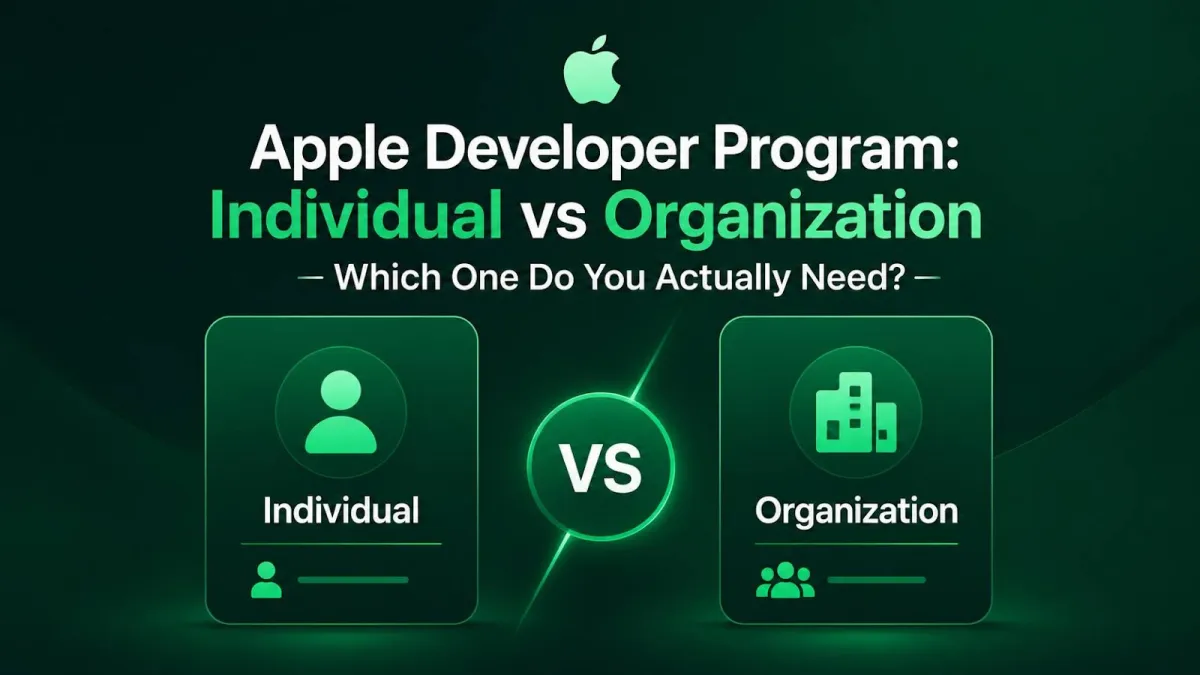
Apple Developer Program: Individual vs Organization — Which One Do You Actually Need?
You built an app. Or maybe you're about to. You're feeling good. Then you click "Enroll" in the Apple Developer Program, and Apple hits you with a question you didn't see coming:
Individual or Organization?
And just like that, you freeze. 🥶
Don't worry — this is one of the most common spots where new developers get stuck. The good news? It's not a scary decision. Both options cost the same, and by the end of this post you'll know exactly which one fits you.
Let's break it down in plain English.
What Is the Apple Developer Program, Anyway?
Think of the Apple Developer Program as your backstage pass to the App Store. It's the paid membership that lets you put your app in front of real people on iPhones, iPads, Macs, and more.
But here's a thing that confuses a lot of people: there's a free Apple Account and a paid membership. They're not the same.
What You Get for Free
With just a regular Apple Account (no payment needed), you can:
- Download Xcode (Apple's app-building tool)
- Read the documentation
- Test your app on your own iPhone or iPad
Sounds great, right? It is — for tinkering. But there's a catch. The free setup keeps things on a short leash:
- Your test app's "permission slip" (called a provisioning profile) expires after 7 days, so you have to rebuild and reinstall it again and again.
- You can only register a limited number of app IDs.
So free is perfect for learning and testing. But the moment you want to share your app with the world, you need the paid program.
What the Paid Program Unlocks
Once you pay, you get the real toolkit:
- Publishing your app to the App Store
- Beta versions of Apple's software
- TestFlight (for sharing test builds with testers)
- App analytics
- Fancy features like iCloud, Apple Pay, and push notifications
Here's the important part: almost all of these benefits are the same whether you pick Individual or Organization. So the difference isn't really about features — it's about who you are and how you work.
One Quick Heads-Up
There's also something called the Apple Developer Enterprise Program. Don't mix it up with the regular one. The Enterprise program is only for big companies handing out private apps to their own employees — not for apps you want on the public App Store. Most people reading this want the standard program, so we'll leave the Enterprise stuff out of it.
The Two Choices in a Nutshell
Before we dig deep, here's the quick map. Both Individual and Organization cost $99 USD per year (shown in your local currency when you sign up).
🧑 Individual — In One Sentence
It's for solo developers, freelancers, and one-person businesses. Your personal name shows up as the seller on the App Store.
🏢 Organization — In One Sentence
It's for companies, teams, nonprofits, schools, and government groups. Your company's official name shows up as the seller, and you can invite teammates.
That's the 10-second version. Now let's slow down and look at each one properly.
Individual Account: The Full Story
Who It's For
The Individual account is the comfy choice for:
- Solo developers
- Freelancers
- Hobbyists
- Sole proprietors (a fancy term for "one-person business")
Quick rule worth knowing: if you're a one-person business, Apple actually requires you to enroll as an Individual. So that decision might already be made for you.
What You Need to Sign Up
Not much, honestly:
- An Apple Account with two-factor authentication turned on
- You need to be old enough to sign contracts in your country (the "legal age of majority")
- Your real legal name, spelled correctly
That last one matters more than you'd think. Don't put a nickname, a made-up name, or your brand name in the name field. Apple will slow your approval down if you do. So no, you can't be "CoolGamesGuy" here. Sorry. 😄
How Your App Will Look
With an Individual account, the seller name on the App Store is your personal name. So if your name is Sara Khan, people downloading your app will see "Sara Khan" as the seller — not a company.
For a side project, that's totally fine. For a serious brand, it might feel a little... homemade.
The Catches
No Real Team Support
Individual accounts aren't built for teams. You can technically add people in App Store Connect, but they only get access to your stuff — they're not part of an official developer team.
The Password-Sharing Headache
Because of that, working with others often means handing over your main account login. That's risky and messy — like giving everyone a copy of your house key. Not ideal.
The Bright Side
- Sign-up is fast and simple
- No business paperwork needed
- Lowest-effort way to get your app live
Organization Account: The Full Story
Who It's For
The Organization account is made for:
- Companies and startups
- Teams with more than one person
- Agencies building apps for clients
- Nonprofits, schools, and government groups
What You Need to Sign Up
This is where it gets a bit more involved. Grab a coffee. ☕
A Real Legal Business
Your organization has to be a proper legal entity that can sign contracts with Apple. A nickname for your business won't cut it — Apple doesn't accept "DBA" names, made-up trade names, or branches.
A D-U-N-S Number
This is a free, nine-digit ID number for businesses, handed out by a company called Dun & Bradstreet. Apple uses it to confirm your business is real.
- It's free to get.
- Government groups are the exception — they don't need one.
- It can take a little while to receive, so start early. Don't wait until enrollment day and then tap your foot impatiently.
You can look yours up or request one using the D-U-N-S Number lookup tool.
Permission to Sign for the Company
Whoever signs up has to be allowed to commit the company to agreements — like an owner, a founder, an executive, or someone given that authority. You can't just be the new intern signing up on a lunch break.
A Few Other Things
- A working company website on your business's own domain
- A real business phone number (Apple may actually call to check)
How Your App Will Look
With an Organization account, the seller name is your company's official name. So instead of "Sara Khan," shoppers see something like "BrightApps LLC." That looks more trustworthy and professional — a nice win for brands.
The Big Advantage: Teamwork
Roles for Everyone
You can invite developers and staff and give each person a specific role — without sharing your master password. Everyone gets exactly the access they need, nothing more.
Why That Matters as You Grow
- Easy to add people when you hire
- Easy to remove people when they leave
- No single login that everyone depends on
It's the difference between a shared house key and giving each person their own keycard.
The Trade-Offs
- More paperwork
- A longer verification process
- You must already be a registered business
A Nice Bonus
Nonprofits, accredited schools, and government groups may qualify for a fee waiver — meaning they might not pay the $99. Check Apple's official rules to see if you're eligible; don't just assume you are.
Individual vs Organization: Side by Side
Here's the whole thing in one quick glance:
| Factor | Individual | Organization |
|---|---|---|
| Yearly cost | $99 | $99 |
| Seller name shown | Your personal name | Your company's legal name |
| Add team members? | No | Yes, with roles |
| Need a registered business? | No | Yes |
| Need a D-U-N-S Number? | No | Yes (except government) |
| Paperwork | Very little | More |
| Best for | Solo devs & freelancers | Companies & teams |
What's Actually the Same
Don't overthink this part. Both options give you:
- The same $99 price
- The same building tools
- The same App Store reach
- The same cool features
The choice is really about who you are and how you want your name to show up — not about getting more app powers.
Okay, So Which One Do You Actually Need?
Let's make this simple.
Pick Individual If…
- You're a solo creator or freelancer
- You're fine with your name as the seller
- You don't need anyone else on the account
Pick Organization If…
- Your app represents a company or brand
- You have a team (or will soon)
- You want your business name as the seller
- You're a nonprofit, school, or government group
Answer two quick questions to find your exact match.
Your Recommended Account Type:
Individual Account
Perfect for solo creators starting out fast.
Real-Life Scenarios
The Solo Dev With a Side Project
Go Individual. It's the fastest way to ship and the simplest to manage.
The Freelancer Building Apps for a Client
This one's sneaky-important. Usually the client should enroll as an Organization, so the app lives under their brand and they own it. Sort out who owns what before you write a single line of code. Future-you will say thanks.
The Two-Founder Startup
Go Organization. Roles mean you and your co-founder each get your own access — no awkward password-sharing from day one.
The Established Company or Agency
Organization, no question. Branding, teams, and clean access control all point the same way.
Still Not Sure?
Here's an honest tip: if you think a team or growth is even a little likely, lean Organization early — as long as you already have (or can register) a real business. Starting there saves you from a tricky switch later.
Can You Switch Later?
Yes — but it's not a magic button.
Going From Individual to Organization
You can't just flip a setting. You'll need to contact Apple and go through the full organization verification process. Think of it as a fresh start rather than a quick edit.
What Happens to Your Apps
Changing your seller identity can involve transferring your app and a bit of review. It's doable, but it takes time and care. Apple walks you through the official steps when you get there.
Why Choosing Right Now Saves You Pain
Switching costs you time and patience. Picking the right type from the start means you skip all that hassle. A little thought today = less stress tomorrow.
Common Mistakes to Avoid
Learn from the folks who tripped before you:
- Putting your company name in the personal-name box on an Individual account. This slows your approval down.
- Assuming a nickname business name will work for an Organization. It won't — Apple wants the real legal name.
- Waiting too long to get your D-U-N-S Number. Start it early.
- Sharing your master password instead of using Organization roles.
- Mixing up the standard program with the Enterprise program. Most people want the standard one.
Frequently Asked Questions
Nope. Both are $99 USD per year. The difference is about structure and branding, not money.
Yes! Both account types let you publish to the App Store. The only difference shoppers see is the seller name.
If you're enrolling as an Organization (and you're not a government group), yes — but it's free. Individuals don't need one at all.
Not really. Anyone you add only gets access to your content and isn't part of an official developer team. For real teamwork, you want an Organization account.
Usually the client should enroll as an Organization, so the app is published under their brand and they own it. Agree on ownership before you start building.
Yes, but it's not instant. You'll need to contact Apple and complete organization verification, so it's smarter to choose carefully up front.
The standard Apple Developer Program is for public App Store apps. The Enterprise program is only for private apps a company shares with its own employees — not for the public App Store.
Wrapping Up
Here's the whole thing in a nutshell: same price, different fit. Individual is great for solo creators. Organization is built for brands and teams.
Key Takeaways
- Both memberships cost $99 a year.
- Individual = your personal name as seller, no team support, super quick setup.
- Organization = your company name as seller, real team roles, but you need a D-U-N-S Number and a registered business.
- One-person businesses must choose Individual.
- Switching later is possible but annoying, so pick with your future in mind.
Your Next Steps
- Figure out your setup: are you an individual or a registered business?
- If you're a business, start your D-U-N-S Number request early and make sure you're allowed to sign for the company.
- Turn on two-factor authentication for your Apple Account.
- Get your details ready (correct legal name or company name, contact info, website).
- Head to Apple's official sign-up page and enroll.
Ready to Go?
When you're set, jump over to the Apple Developer Program enrollment page and pick the type that matches you. Want to double-check the details first? Apple's own membership comparison page lays it all out.
Now go build something awesome. 🚀