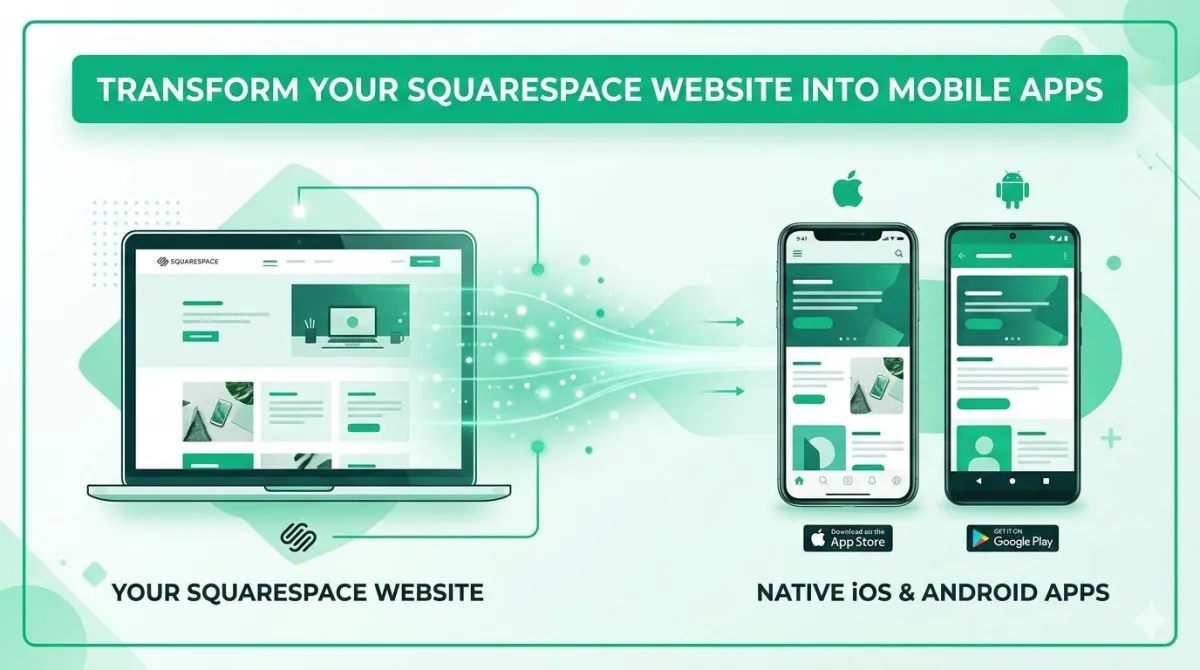
Convert Your Squarespace Store Into an Android & iOS App — Without Touching a Single Line of Code
Your Squarespace store looks gorgeous on desktop. Here’s how to make it feel just as good in a dedicated mobile app — preserving every block, animation, and product layout exactly as you designed it.
You’ve spent real time on your Squarespace store. You’ve moved blocks around until the layout was perfect. You’ve agonised over which font pair actually works. You’ve uploaded product photos, rewritten descriptions, and previewed the whole thing on your laptop until it looked exactly right.
Then a customer opens it on their phone — taps “Buy Now” — and leaves.
Not because they didn’t want the product. Not because the price was wrong. Just because the mobile checkout was awkward enough that they gave up and closed the tab.
That’s the gap nobody tells you about when you sign up for Squarespace. The desktop experience? Genuinely beautiful. The mobile browser experience at the moment that actually matters — checkout — that’s where things quietly fall apart.
Here’s the good news: there’s a fix. And it doesn’t involve learning anything technical, hiring a developer, or touching a single thing you’ve already built in your Squarespace panel.
Your Squarespace Store Looks Incredible on Desktop. So Why Are Mobile Shoppers Leaving?
The Gap Between Your Beautiful Design and What Customers Actually Experience
Here’s the painful irony: Squarespace gives you more design control than almost any other e-commerce platform. The blocks system is genuinely powerful. You can control spacing, animations, image ratios, section backgrounds — all without writing a line of code.
But all of that pixel-perfect effort gets viewed by a huge chunk of your customers through a mobile browser — Safari on iPhone, Chrome on Android — and mobile browsers have their own ideas about how things should look and behave.
Tap targets shift. Animations stutter. Pages take an extra beat to load. And the checkout? The checkout is where all of those small frustrations stack up into one big reason to abandon the cart and go do something else.
Why the Squarespace Checkout Breaks at the Worst Possible Moment
Squarespace’s responsive design does a reasonable job of adapting your store to smaller screens. But responsive doesn’t mean optimised — and there’s a meaningful gap between the two.
When your customer is buying on their phone through a browser:
- The address bar eats screen space, pushing your content down
- A clumsy back-button tap exits the checkout flow entirely — and they’re not coming back
- Keyboard popups cover form fields, making it fiddly to fill in card details
- The whole experience feels like what it is: a desktop site squeezed onto a smaller screen
None of that is a deal-breaker on its own. Together, at the exact moment someone’s trying to hand you money, it’s enough to make them stop.
This stings even more given what Squarespace costs. At premium monthly pricing, you’d hope the mobile checkout experience was fully sorted. It isn’t — and that gap is yours to close.
What Your Competitors Are Quietly Doing About It
Direct competitors who’ve figured this out have already launched apps. And they’re using them in a way that’s hard to match with just a mobile browser experience.
When their customers open their phones, there’s an app icon sitting on the home screen — one tap, and they’re shopping. When they want to announce a new product drop or a flash sale, they send a push notification straight to the lock screen.
Every one of those push notifications is a sale your Squarespace store doesn’t see — unless you have an app too.
What Is Squarespace — and Where Does It Fall Short on Mobile?
Squarespace in Plain English
Squarespace is a hosted, all-in-one e-commerce platform built around drag-and-drop blocks, which is exactly what makes its design strengths desktop-first and its mobile experience a browser tab rather than an app. If you’re running a store on Squarespace, you already know what it is. But let’s get specific about what makes it different — because it matters when we talk about converting it to an app.
Squarespace is a hosted, all-in-one e-commerce platform built around drag-and-drop design. You don’t write code — you drag blocks, fill in content, pick from templates, and your store is live. Everything from hosting to SSL to checkout runs inside the Squarespace panel.
It’s genuinely excellent at what it’s designed for: giving non-technical store owners a professional, beautiful result without needing a developer.
What it doesn’t give you is what we’re here to talk about.
Where Squarespace’s Mobile Experience Hits Its Ceiling
Squarespace is a website builder. It builds websites. And websites, when opened on phones, run inside mobile browsers.
That means no matter how well you’ve designed your Squarespace store, your customers are experiencing it through:
- Safari or Chrome on their phone — with all the browser friction that brings
- No home screen icon — your store isn’t sitting on their phone waiting to be opened
- No push notifications — there’s no way to reach them once they’ve left
- A checkout designed for desktop, adapted (but not rebuilt) for mobile
That last one is the killer. The Squarespace checkout on a mobile browser introduces enough friction to cause real abandoned cart problems — and that’s something Squarespace store owners run into regularly.
What Squarespace Doesn’t Give You Out of the Box
To be clear about exactly what’s missing:
| What You Have With Squarespace | What You Don’t Have |
|---|---|
| A beautifully designed store | An iOS app on the App Store |
| Drag-and-drop blocks and pages | An Android app on Google Play |
| Full control via the Squarespace panel | Push notification capability |
| A responsive (not native) mobile experience | A home screen icon on customers’ phones |
None of that is a reason to leave Squarespace. Everything you’ve built stays exactly as it is. It’s a reason to add an app alongside it.
Why a Dedicated App Beats a Mobile Browser for Your Squarespace Store
The Home Screen Is the Best Storefront You’re Not Using
A dedicated app beats a mobile browser for a Squarespace store because it lives on the home screen one tap away, instead of being something the customer has to search for again each time. Think about the apps on your own phone. The ones you open regularly aren’t ones you search for in a browser — they’re just there, on your home screen, one tap away.
That’s the real estate your Squarespace store is missing right now. An app icon on a customer’s phone is a constant, passive reminder that your store exists. They don’t have to remember your URL. They don’t have to open a browser. They tap once and they’re in.
A mobile browser experience requires your customers to actively choose to come back. An app just sits there and waits.
Faster, Smoother, No Browser Getting in the Way
Apps behave differently to browser tabs — in ways that directly improve the shopping experience:
- No browser toolbar eating space at the top of the screen
- No accidental back-button exits partway through checkout
- Snappier navigation between your products pages and collections
- A shopping experience that feels native to the device, not transplanted from a desktop
For a Squarespace store owner who’s put real work into a premium design experience, an app is what delivers that experience the way it was meant to feel.
Your Squarespace Design Makes the Leap — Pixel-Perfectly
This is the question that stops most Squarespace store owners before they even start: “If I convert my store to an app, will my design actually survive?”
It’s a completely fair concern. You’ve spent real time in the Squarespace panel getting your blocks to look exactly right. The last thing you want is an app that renders a rough approximation of your store instead of the actual thing.
The short answer: yes, your design comes through correctly. The blocks look like your blocks. The animations play. Your brand colours, typography, and product images all translate accurately into the app. We’ll get into exactly how that works shortly.
Push Notifications: The Marketing Channel Your Mobile Site Cannot Offer
Your Squarespace store has no way to reach customers once they’ve left. Email helps, but inboxes are crowded and open rates are unpredictable.
An app changes that entirely. With push notifications enabled, you send a message directly to every customer who’s installed your app — and it lands on their lock screen, above everything else on their phone.
- New product drop? Push notification.
- Flash sale starting now? Push notification.
- Popular item back in stock? Push notification.
It’s the most direct line between you and your customers that exists in mobile commerce — and it’s simply not available through a mobile browser.
Apps Build the Kind of Customers Who Come Back
Installing an app is a small act of commitment. It says “I like this store enough to put it on my phone.” That’s a fundamentally different relationship than a one-time browser visit.
Customers who download your app are far more likely to return than customers who bookmarked your site. The app becomes a loyalty channel that quietly builds the repeat customer base that sustains a store long-term.
What Is AppOfWeb — and How Does It Convert Your Squarespace Store Into an App?
The Short Version: Your URL. Their Expertise. Done.
AppOfWeb is a fully managed app conversion service — not a DIY tool, not another platform to learn, not something that requires a developer.
Here’s what the entire process looks like on your end:
That’s the whole thing. Your Squarespace store stays exactly where it is. Your products don’t move. Your blocks don’t change. Your Squarespace panel continues to be where you manage everything. AppOfWeb wraps your existing store in a proper native app experience.
How AppOfWeb Handles the “Will My Design Survive?” Problem — Directly
Most Squarespace store owners have heard enough cautionary tales about design getting mangled in conversion processes to be sceptical. That scepticism is earned — a lot of generic tools weren’t built with Squarespace’s block-based output in mind.
AppOfWeb is built differently. It’s engineered specifically to respect Squarespace’s visual output:
- Your blocks render the way they’re supposed to — not squished, not reordered, not stripped down
- Your animations play — the design work you put in stays intact
- Your product images display sharply at the correct dimensions
- The app reflects your Squarespace panel settings — if you update your store, the app updates too
And before the app goes anywhere near the App Store, you review it. If anything doesn’t look right, you ask for a revision. Unlimited revisions are included — so nothing goes live until it matches what you built in Squarespace.
Fully Managed vs. DIY App Builders — What’s the Difference?
| Feature | DIY App Builders | AppOfWeb (Fully Managed) |
|---|---|---|
| Setup complexity | Medium to high | Just submit your Squarespace URL |
| Technical knowledge needed | Some | None whatsoever |
| Squarespace block preservation | Often broken | Pixel-perfect |
| Revisions included | Limited or charged per change | Unlimited |
| Who does the work | You | The AppOfWeb team |
| App Store submission | You figure it out | Fully handled (addon) |
Who AppOfWeb Is Actually Built For
AppOfWeb is the right fit if you:
- Run a Squarespace store and want to give customers a proper app experience
- Have zero interest in coding — or paying someone else to
- Have invested in your Squarespace design and want it preserved, not rebuilt
- Are paying premium Squarespace fees and want to close the mobile conversion gap they left open
AppOfWeb Features — Everything Included in Your Squarespace App
Every feature below is available for your Squarespace app with no technical configuration and no code — the only thing you supply is your store URL. Every feature below is available for your app. No technical configuration. No code. The only thing you need to bring is your Squarespace store URL.
App Icon & Splash Screen
Your app icon is what lives on your customer’s home screen — the first impression before they’ve even opened the store. Your splash screen is the branded moment they see while the app loads. Upload your logo or a product image. AppOfWeb sizes everything correctly for both iOS and Android specs — no fumbling with pixel dimensions or exporting seventeen variations of the same file. The result: a professional, branded presence on your customers’ phones instead of a generic browser bookmark they’ll forget about.
Customisable Bottom Tabs
At the bottom of your app, you add navigation tabs that link directly to your Squarespace pages. You choose the labels. You choose which pages they link to — your products page, your About page, your Blog, your Contact page, or any custom page you’ve built in Squarespace. This is what makes your app feel purpose-built rather than converted. Customers navigate with their thumb at the bottom of the screen, exactly where it’s comfortable on a phone.
Share App
Built-in sharing lets customers send your app to a friend with two taps. Word-of-mouth growth built directly into the app — no extra marketing budget required.
Rate App
Satisfied customers can be prompted to leave a review on the App Store or Google Play. Positive reviews build the kind of social proof that attracts new customers who discover your app while browsing. A store with reviews looks established. A store without them looks like it launched yesterday. The Rate App feature builds that credibility passively over time.
Pull To Refresh
Customers pull down on the screen to instantly reload the latest version of your Squarespace store. Particularly useful when you’re running flash sales or limited-time product drops. Customers refresh and immediately see updated inventory, new banners, or changed prices — without closing and reopening the app.
Status Bar Customisation
The status bar is the thin strip at the very top of the phone showing the time, battery, and signal. By default, it’s whatever colour the operating system decides. With AppOfWeb, you match it to your Squarespace brand palette. It’s a small detail — but it’s the kind of thing that separates an app that looks hastily converted from one that looks intentionally designed end to end.
Page Loader
A branded loading animation plays while your store content loads — instead of a blank white screen that makes customers wonder if something’s broken. That white-screen moment erodes trust even when it only lasts half a second. A custom page loader keeps the experience feeling polished from the very first frame.
Pinch To Zoom
Customers can pinch to zoom in on product images, just like they would in any native shopping app. If you sell products where detail matters — jewellery, ceramics, art prints, clothing, homeware — this is what lets a customer get a proper look before committing to buy. A small feature that directly supports conversion.
No Internet Screen
If a customer loses their connection mid-browse, they see a clean, branded offline message instead of a browser error page that makes it look like your store has crashed. It won’t happen often. But when it does, the experience stays professional rather than alarming.
App Syncing With Your Store
This one is particularly valuable for Squarespace store owners: the app stays in sync with your Squarespace panel automatically. Update a product price in Squarespace? It’s updated in the app. Publish a new collection? It appears in the app. Edit copy on a page block? The app reflects it. You manage your store exactly the way you always have — entirely inside Squarespace — and the app keeps pace without you having to do anything separately.
Customise Package Name
Every app on the App Store and Google Play has a unique technical identifier — something like com.yourbrandname.store. AppOfWeb handles all the setup, but you get to set it so it reflects your brand rather than a generic default.
Unlimited Revisions
Before your app goes anywhere near the App Store, you review it. Check every page. Navigate through the products. Make sure your blocks look exactly as they do in Squarespace. Anything that isn’t right — a tab label, the icon, how a particular block renders — you ask for a change. No limit on revisions. The app doesn’t go live until you’re happy with it. And as your brand evolves, you can request updates to match.
Optional Add-Ons to Supercharge Your Squarespace App
Push Notifications
AddonThis is where the app starts actively working for your Squarespace store, not just for your customers. With push notifications enabled, you send messages directly to everyone who has installed your app — and they arrive on the lock screen, above everything else on the phone.
What Squarespace store owners typically use push notifications for:
- New product launches
- Flash sales with a countdown
- Popular items back in stock
- Seasonal promotions — Black Friday, holiday sales, end-of-season clearance
- Re-engaging customers who browsed but didn’t complete a purchase
Push notifications are consistently one of the highest-engagement channels in mobile commerce. Email needs an inbox opened. A push notification is right there the moment you send it.
Publishing to App Stores
AddonGetting onto the Apple App Store and Google Play isn’t just uploading a file. There are developer accounts, review guidelines, store listing assets, screenshots, descriptions, and submission processes — and both Apple and Google update their requirements regularly.
AppOfWeb manages the entire submission for both stores. You don’t deal with Apple or Google directly. You don’t need an Apple Developer account or Google Play Console access. AppOfWeb handles everything and notifies you when your app is live.
How to Convert Your Squarespace Store to an App — Step by Step
Converting a Squarespace store is six steps: visit AppOfWeb, submit your store URL, make your branding choices, review the app preview, publish to the stores, then bring customers into the app. No technical skills required for any of this. If you can navigate your Squarespace panel, you can follow these steps.
Visit AppOfWeb.com
Go to appofweb.com and get started. Everything begins with your Squarespace store URL — the only technical input you need to provide.
Submit Your Squarespace Store URL
Paste in your URL. AppOfWeb uses it to read your store’s design, pages, products, and structure. No data export. No files to download from Squarespace. No migration of any kind. Just the URL.
Make Your Branding Choices
This is the part that’s actually enjoyable. You choose:
- App icon — the image that appears on your customers’ home screens
- Splash screen — the branded image they see when the app first opens
- Bottom tabs — which Squarespace pages they link to and what they’re labelled
- Status bar colour — matched to your Squarespace brand palette
- Package name — the technical identifier for your app
None of this is code. It’s choices.
Review Your App Preview
AppOfWeb builds your app and delivers a preview before anything goes live. This is your chance to go through it as a customer would — tapping through pages, checking products, making sure your blocks and animations look exactly as they do in Squarespace.
Anything that isn’t right, you ask for a change. Unlimited revisions, no rush.
Publish to the App Store and Google Play (Addon)
Once you’ve signed off on the preview, AppOfWeb manages the submission to both the Apple App Store and Google Play. You’ll be notified when your app is live and available for customers to download.
Get Customers Into the App
Use the built-in Share App feature to start spreading the word. Add your app store download links to your Squarespace pages, your email footer, your social profiles — wherever your existing customers already find you.
Honest Answers to the Questions Squarespace Store Owners Actually Ask
Yes, your Squarespace design carries into the app, because the app loads your live store rather than recreating its block-based layouts somewhere else. And it’s worth explaining exactly why, because this is the question that reasonably stops most people.
Squarespace builds pages using blocks. It’s a specific visual system, and it doesn’t automatically translate into every app conversion tool. A lot of generic tools produce apps that look like a stripped-down version of your store — functional in a basic sense, but not the design you actually built.
AppOfWeb is built specifically to preserve Squarespace’s block-based visual output. Your blocks render correctly. Your animations play. Your typography, colours, and product images come through accurately in the app.
And you review the app before it goes anywhere. If anything doesn’t look right, you ask for a revision — as many rounds as it takes until the app matches what you built in Squarespace.
No. Nothing moves. Nothing gets rebuilt.
Your Squarespace store stays exactly where it is. Every product you’ve added, every page block you’ve arranged, every setting you’ve configured in your Squarespace panel remains completely untouched. AppOfWeb works with your existing store, not instead of it.
AppOfWeb is a managed service, not a tool you operate. After setup, the app syncs with your Squarespace store automatically — you don’t maintain a separate system.
If you want to change something about the app itself (update the icon, add a tab, adjust branding), you request it. There’s nothing to install, configure, or monitor on your end. You keep managing your store in Squarespace the way you always have.
The app stays in sync with your live store automatically.
Update a product in Squarespace? It’s updated in the app. Publish a new page or block change? The app reflects it. You don’t maintain two separate versions of your store — there’s just the one you’ve always managed, and the app keeps pace with it.
📊 Mobile Revenue Gap Calculator
Estimate how much your current mobile browser experience may be costing you versus a dedicated app.
* This calculator illustrates the potential impact of improved checkout rates. Actual results vary by store, product, and audience. App checkout rates typically outperform mobile browser rates due to reduced friction.
Frequently Asked Questions
Do I need to know how to code to get my Squarespace store turned into an app?
Will my Squarespace animations and custom block layouts work inside the app?
My Squarespace store has a large product catalogue. Will everything appear in the app?
Can I add push notifications to bring customers back to my store?
How long does it take to get my Squarespace app live on the App Store and Google Play?
What if I redesign my Squarespace store after the app is already live?
Do I need two separate apps — one for iPhone customers and one for Android?
Your Squarespace Store Deserves a Mobile Experience That Matches Its Design
The design work already in your Squarespace store is the reason to give it an app — not a reason to rebuild it. You’ve built something that looks genuinely good. The blocks are right, the products are presented well, and the brand is consistent. That work deserves to be experienced properly on every device — not quietly undermined by a mobile browser checkout that sends customers away at the last moment.
An app doesn’t replace your Squarespace store. It gives it the mobile presence it was always missing.
Three Things to Take Away
The mobile gap is real — and it’s costing you sales.
The Squarespace checkout on a mobile browser introduces friction that dedicated apps simply don’t have. An app removes that friction at the exact moment it matters most.
Your design is safe.
AppOfWeb preserves Squarespace’s pixel-perfect visual output. The blocks, animations, and product layouts you’ve put work into come through correctly in the app — reviewed by you before anything goes live.
You don’t need to be technical.
Your Squarespace store URL is all you need to provide. The rest is handled. No code, no migration, no new platform to figure out.
Your competitors are building loyal repeat customers through apps. Your Squarespace store is already beautiful. The only thing missing is giving it a proper home on your customers’ phones.
Ready to Give Your Squarespace Store a Home on Every Phone?
Visit appofweb.com to convert your Squarespace store into an iOS and Android app — no code, no migration, no guesswork.
Get Your Squarespace App